Documentation index: llms.txt. This page is also available as markdown: append .md to this URL or send Accept: text/markdown.
5-Minute Quick Start Guide
Welcome to Coalesce Catalog. We’re thrilled to have you on board. In just a few minutes, you’ll be able to explore your data landscape with clarity and confidence.
Why Coalesce?
Coalesce Catalog is like your data’s GPS, helping you find what you need, understand where it comes from, and trust where it's going. It’s smart, searchable, and built to make your whole team feel like data pros.
Logging In
To get started:
- Head to https://app.castordoc.com/
- Sign in using your SSO or directly using your app credentials.
- If you're having trouble, contact your support team.
Explore the Interface
Here's a quick visual walkthrough of the core areas:
- Step 1: Left Panel: Browse your data ecosystem by Warehouse, BI tool, Business Knowledge, and People in your organization.
.png)
-
Step 2: Search Bar: Use the Advanced Search and its filters to find assets fast.
- Type something familiar, like
revenue,orders, orcustomer - Use filters (type, tags, etc.) to narrow results if needed
.png)
- Type something familiar, like
-
Step 3: Asset Zoom: Click into a table or dashboard and discover its metadata such as lineage, descriptions, and popularity.
.png)
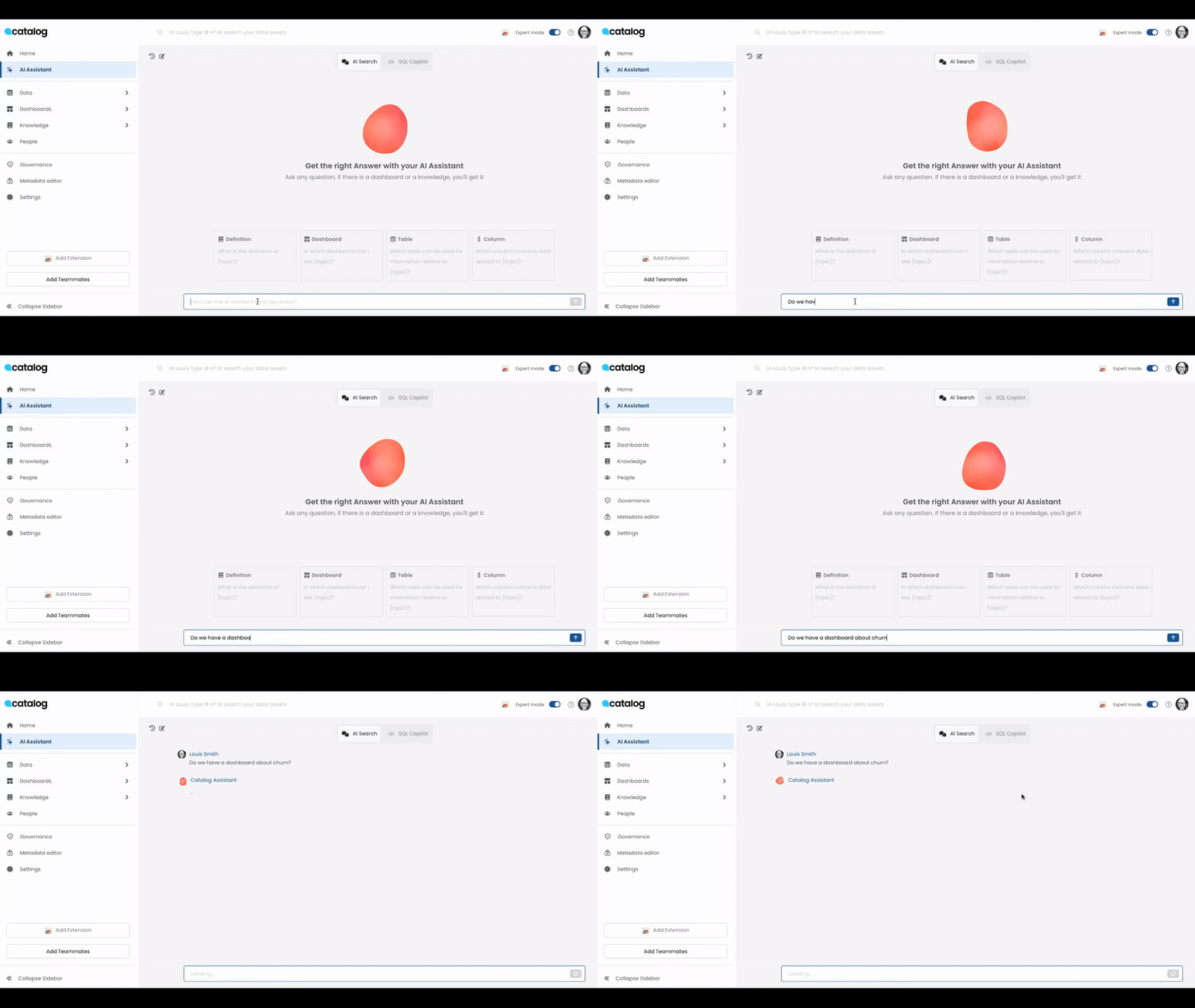
- Step 4: AI Assistant: You can also use natural language and ask your questions directly to the AI assistant, such as: “Do we have a dashboard about churn?”
Your Toolkit
Here are resources to help you:
- 📖 Catalog Documentation
- 🎓 Training Videos (coming soon)
- 🔌 Catalog Public API
Need Help?
If you need assistance:
- Support Email: support@coalesce.io
- In-app support: In-app chat on your Catalog instance