Documentation index: llms.txt. This page is also available as markdown: append .md to this URL or send Accept: text/markdown.
Changelog
09-07-2026
🔐 OAuth for Catalog MCP
Connect your AI assistant to Catalog with per-user access control.
The Catalog MCP server now supports OAuth. When you connect an MCP client such as Claude Desktop, Cursor, or Dust, you sign in to Coalesce through your browser to authorize access.
With OAuth, the MCP server enforces the same role-based access control as the platform for each signed-in user, so your assistant only sees the assets that user is allowed to see in Catalog. We strongly encourage OAuth for this reason.
Static Public API token authentication for MCP is now deprecated. Existing token-based configurations still work, but they will stop working in a future release.
📖 Learn more in the MCP Integration documentation.
08-26-2026
📖 Read Me Content Review
Maintain high-quality documentation without limiting collaboration.
With Read Me Content Review, non-owners can propose Read Me updates, while asset owners and admins review and approve changes before they're published.
The feature is optional and can be enabled from Settings > Account Configuration > Documenting your Data.
📖 Learn more in the Read Me Content Review documentation.
07-29-2026
🤖 Metadata Automations
Apply governance rules consistently across your Catalog as it grows.
Metadata Automations let you define rules once and automatically apply metadata changes when specific events occur in Catalog.
Available in this release:
- Automatically assign owners to newly added tables
- Automatically assign owners to newly added dashboards
- Restrict Automations to specific schemas or folders
📍 Available in Metadata Editor > Automations
See the documentation to learn how to configure Automations and when to use them instead of one-shot bulk edits.
07-28-2026
Manage Ownership Labels via API
The Remove User Owners and Upsert User Owners API endpoints now support Ownership Labels, allowing you to manage owners and their responsibilities programmatically.
Simply provide the ownerLabelId, which you can retrieve using the Get Owner Labels endpoint.
Ownership Labels are optional and help clarify each owner's responsibilities. Reminder: Learn more here.
07-08-2026
Automated Snowflake Sync-Back
Based on your feedback, we've improved Snowflake sync-back to make documentation maintenance even easier.
This update brings:
- Catalog descriptions are now synchronized to Snowflake automatically on a daily basis, without manual sync requests.
- Sync-back now applies to all cataloged Snowflake assets: tables, views, dynamic tables, and all their columns.
Write documentation once in Catalog and keep it available in Snowflake automatically.
Check out the documentation to set it up.
05-27-2026
Cross-warehouse indirect lineage
When pipelines span multiple warehouses through an intermediate storage layer, Catalog can now stitch their lineage into one end-to-end path instead of isolated segments per system.
Coalesce configures downstream warehouses to inherit upstream lineage for your environment. Multi-warehouse teams get full visibility where the graph previously broke at each handoff.
05-18-2026
Snowflake: Dynamic Tables lineage now supported
You can now keep full lineage visibility and SQL source queries for Snowflake Dynamic Tables.
To enable it, make sure the required Snowflake permissions are configured in your environment. See Grant Monitor on Dynamic Tables.
05-15-2026
Catalog MCP: New lineage tools
The Coalesce Catalog MCP server now includes a get_field_lineage and get_asset_lineagetool, bringing column-level and asset-level lineage traversal directly into your AI assistant.
05-07-2026
New native integration: Omni connector now available
We're excited to announce the release of our Omni connector, the newest addition to our suite of BI tool integrations.
The connector covers the core capabilities Omni users need to govern Workbooks, Queries, and Dashboards in Coalesce Catalog.
03-30-2026
Power BI: Lineage now supports Dataflows
Using Power BI Dataflows could break lineage, as intermediate layers were not processed.
We now support asset-level and column-level lineage through Dataflows.
03-13-2026
Power BI: Improved lineage for renamed fields
Previously, renaming columns in Power BI could break lineage, as transformed field names no longer matched their original source columns.
We've improved Power BI lineage to handle renamed fields, preserving column-level lineage between Power BI and upstream data sources.
Supported rename methods include:
-
Table.RenameColumnswith a direct mapping — for explicit column renames defined in Power Query M -
Table.RenameColumnswith multiple rename pairs — for transformation steps that rename several columns at once
Domo connector: Cards now available in Coalesce Catalog
We've enhanced the Domo connector to catalog Domo Cards, making them fully governable and accessible via the AI Assistant.
03-09-2026
API: Data Products & Pinned Assets Endpoints
We've expanded the capabilities of our Public Catalog API with four new endpoints.
New endpoints:
-
Get Data Products — Retrieve all assets marked as Data Products in the Coalesce Catalog
-
Get | Upsert | Remove Pinned Assets — Fully manage Pinned Assets through the API
Reminder: You can test Catalog API requests directly in the in-app Catalog API Playground, which lets you run live queries against your environment and explore available endpoints before building integrations.
03-06-2026
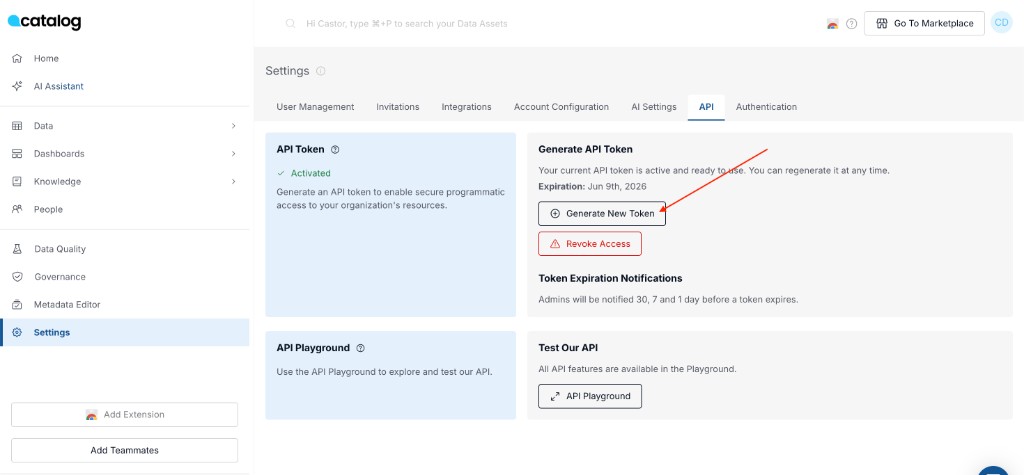
🚀 New: Self-service API token management
Admins can now generate and manage Catalog API tokens directly from the application, without needing to contact Support.
You'll find a new API tab in Settings, where you can:
- Generate a new API token
- Rotate your token when needed
- Revoke access instantly
02-27-2026
🚀 Create custom Ownership Labels in the Catalog
Ownership is a core concept: every asset must have a clearly identified accountable owner (documentation, technical expertise, business context, etc.).
Previously, ownership was flat (all owners shared the same label), which made responsibilities ambiguous and impacted governance.
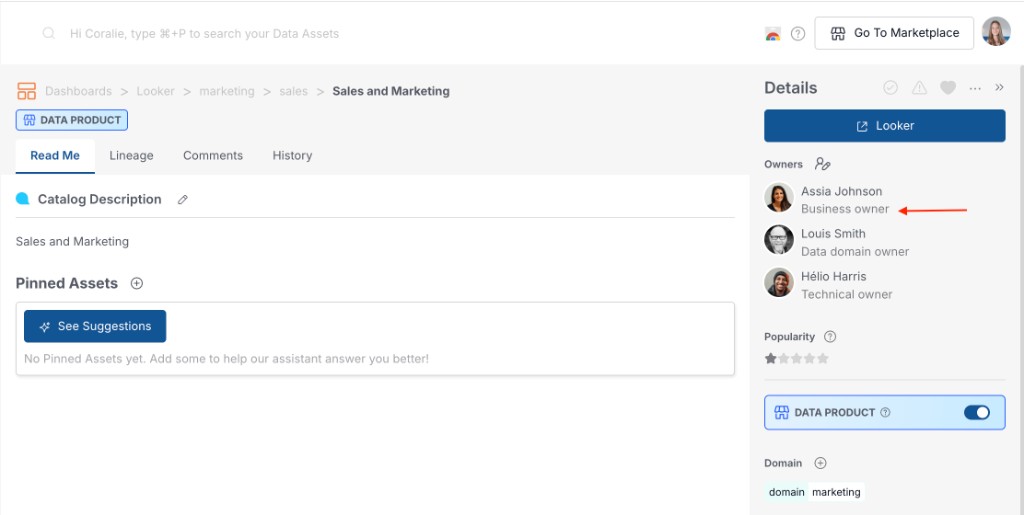
We now introduce Custom Ownership Labels, so each organization can define label ownership (e.g. Technical, Business, Domain Owner) and make responsibilities explicit and operational.
How to get started?
#1 Create labels (Admin)
- Go to Account Configuration → Ownership Labels
- Create the labels you want (e.g. Technical, Business, Domain, etc.)
#2 Assign labels to existing owners (Bulk update)
- Open Metadata Editor
- Filter by Owner
- Select the assets for a given owner
- Use Replace owner → choose the same owner but with the right label
- Repeat for each owner you want to label
Without step #2, existing owners will appear in the application as "No label" owners
#3 Verify
- Anywhere owners appear (Details panel, AI Assistant, …), owners will now be grouped by label
- In the future, each time an owner is added to an asset, a label must be assigned.
02-12-2026
Apply changes to all matching assets in the Metadata Editor
You can now apply metadata updates to all assets matching your filters, not just the first 500 loaded results.
Keep metadata consistent at scale and eliminate repetitive bulk updates.
How does it work?
- When filtering and results exceed what's loaded, "Select all matching assets" triggers Apply All (runs in the background)
- Progress/status is visible in the Metadata Editor header
12-08-2025
🚀 New: MCP Server for Coalesce Catalog
You can now connect your favorite AI tools directly to Coalesce Catalog using the Model Context Protocol (MCP).
What it does
The MCP server exposes 8 tools that let external AI assistants search and retrieve information from your catalog:
-
🔍 Search tools: Find tables, dashboards, columns, and glossary terms using the same search engine as our AI Assistant
-
📚 Catalog tools: Access company context, tags, users, and teams
Why it matters
Build your own data agents with your preferred AI tools (Claude, Cursor, Dust, and other MCP-compatible clients). Combine Coalesce Catalog with other MCP servers like dbt, Looker, or Snowflake to create powerful, customized workflows.
⚡ How to get started
-
Generate an API token in your account settings
-
Configure your MCP client with the server URL:
https://api.castordoc.com/mcp/server -
Start querying your catalog through natural conversation
📖 See the full setup documentation for detailed instructions.
12-04-2025
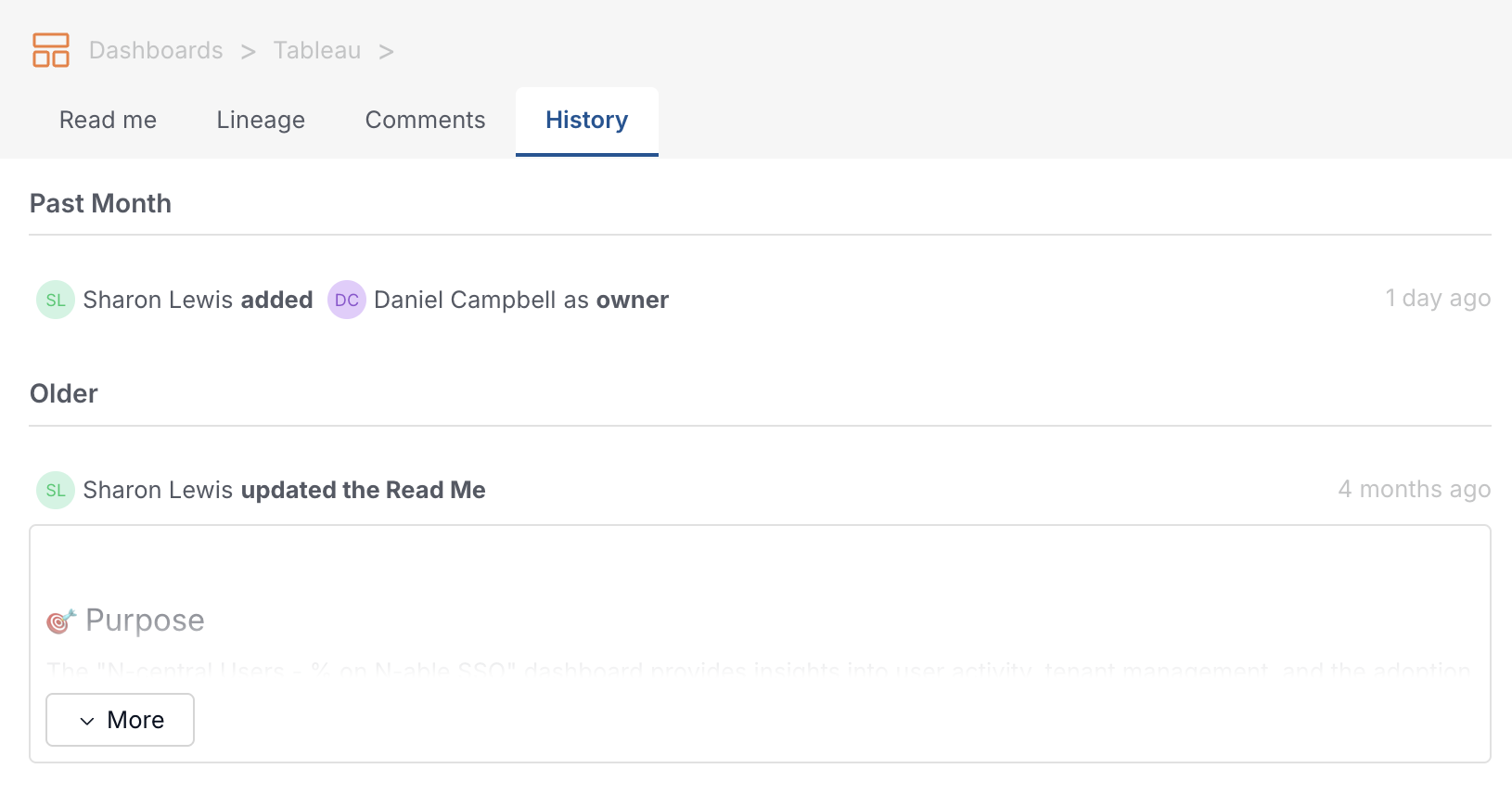
🕓 Full Metadata History
The History tab now logs all metadata changes on assets.
Why you'll care?
-
Traceability for governance: Get a complete audit trail of who changed what and when on tables, dashboards, and knowledge pages.
-
Smoother collaboration: Everyone can quickly verify updates in one place, aligned with what notifications show. No more confusion.
11-28-2025
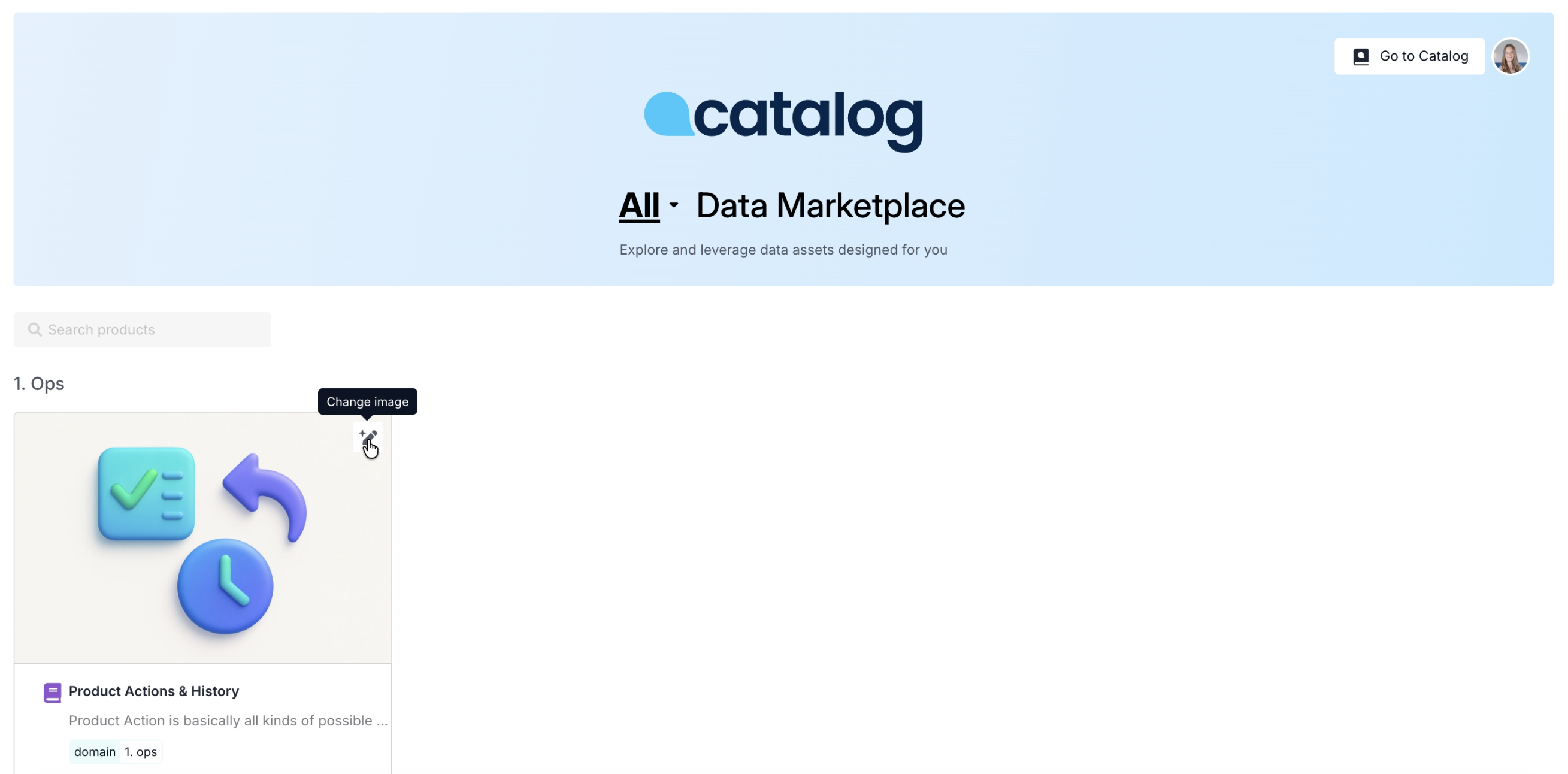
🖼️ Data Product Images in Catalog Marketplace
You can now add an image to every Data Product in the Catalog Marketplace — a feature many of you have been asking for since the Marketplace launch to make it nicer to scan.
Images can be added by uploading your own or generating one with AI.
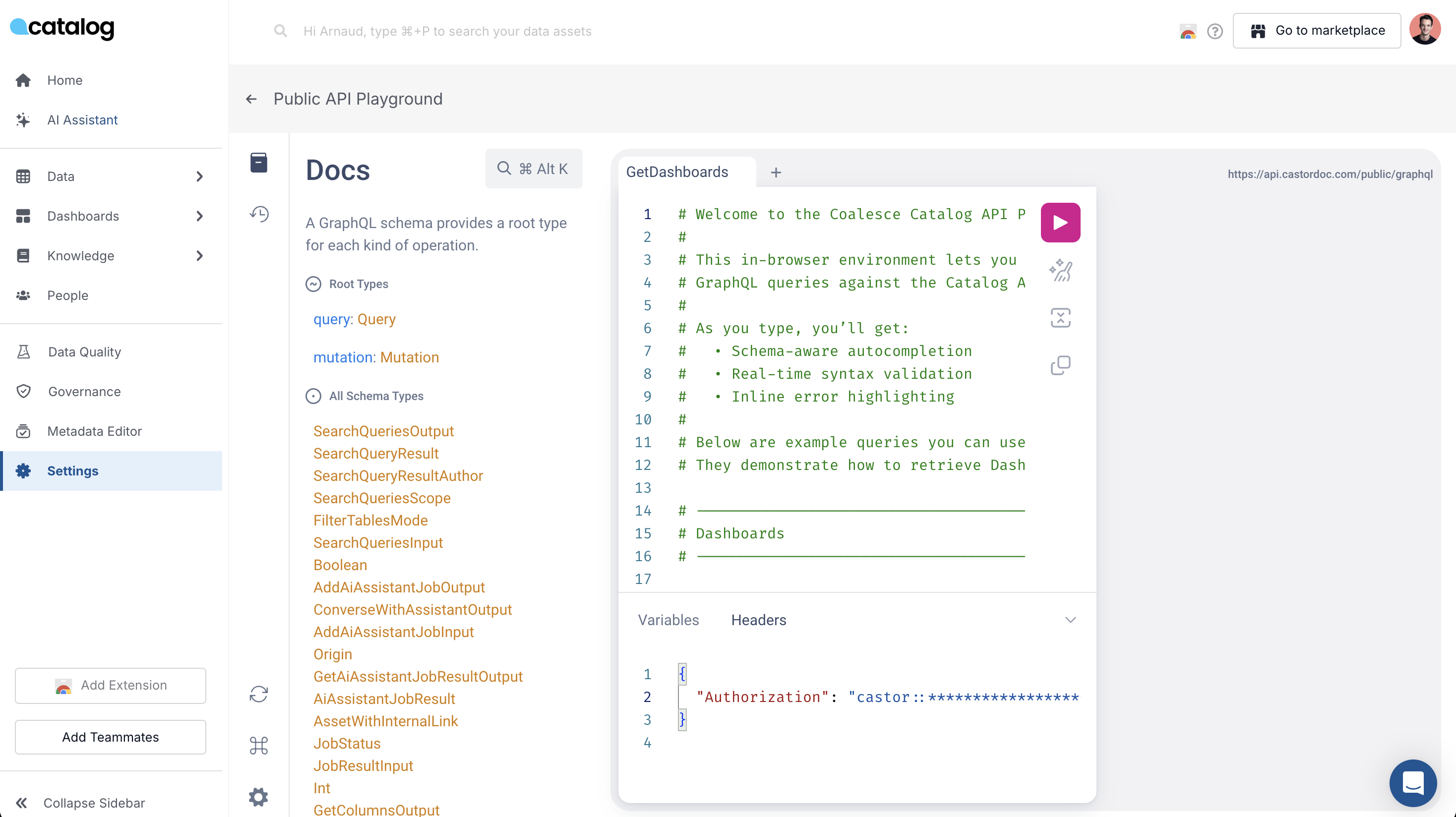
🧪 In-app Catalog API Playground
Make it easier and faster for teams to start using the Catalog API directly from the product.
🎯 What it does:
- New API playground in the app where users can experiment with the Catalog API in a safe, guided way
- Users simply paste the API token provided by the catalog support team and can immediately run real requests
- A pre-configured example query is available out of the box—click "Run" to see live results right away
- The query editor supports autocomplete (for example, when typing
foldersand related paths), helping users discover the right endpoints and parameters much faster
💡 Why it matters:
- Reduces friction for developers and data teams to start integrating with the Catalog API
- Accelerates API-based initiatives by shortening the time from idea to first successful request
🚧 Coming soon
- Admin users will be able to generate API tokens directly in the app, then immediately test them in the playground with pre-written queries
- This will provide a fully self-service API onboarding flow: generate token → test requests live → integrate into your own workflows
11-07-2025
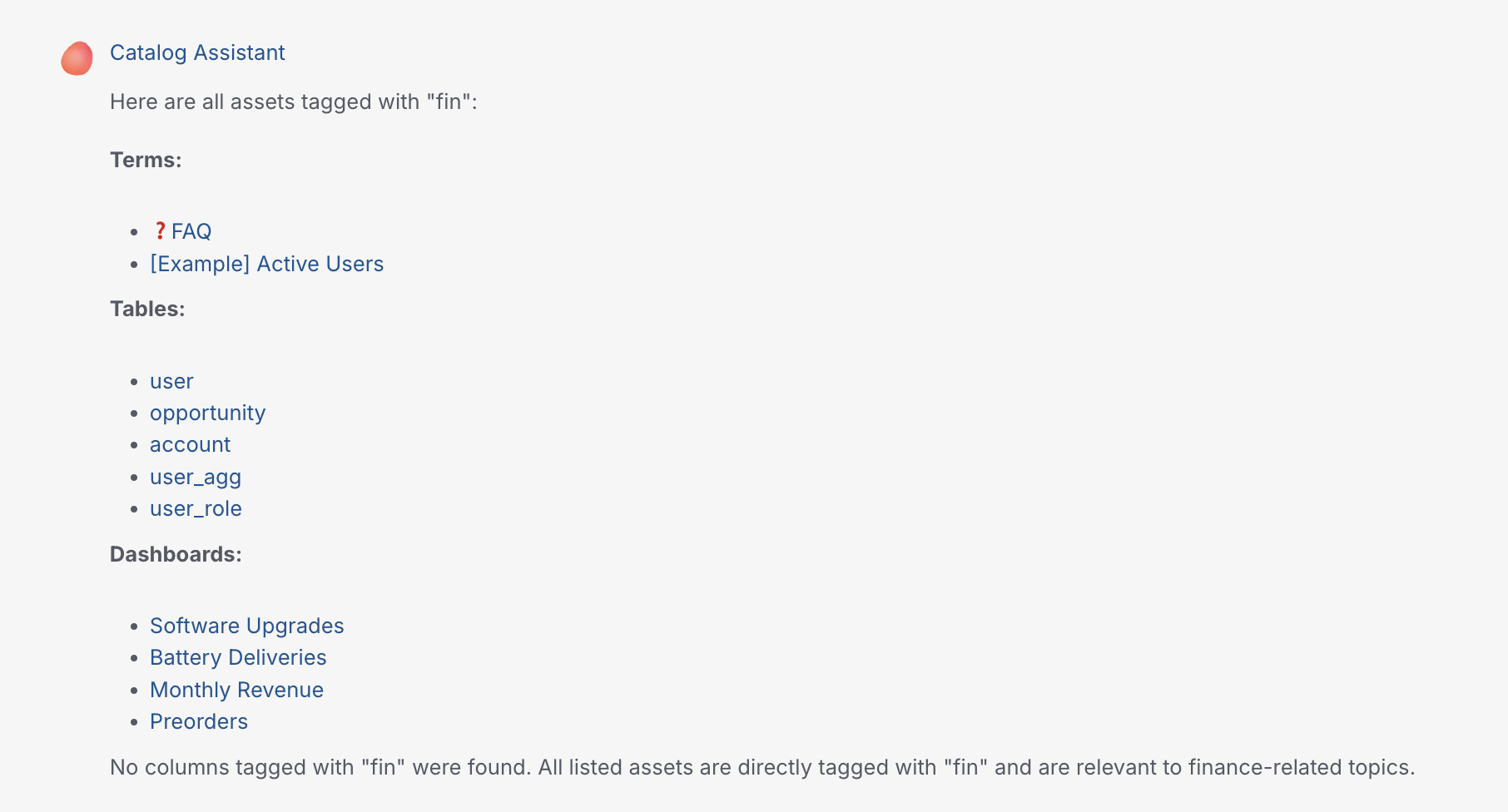
🔍 Search Assistant - Natural Language Filtering
Filtering capabilities are now released in the Search assistant!
🎯 What's new:
Users can now filter search results directly through natural language queries, without needing to switch to manual filters. The assistant automatically understands and applies filters based on:
- OWNER – Filter by business owner (partial or full match)
- TAG – Filter by asset tags
- NAME – Filter by asset name (partial or full match)
💡 Examples:
- "Which tables are owned by Alice?"
- "Show me dashboards tagged GDPR"
- "Find assets named customer"
This makes the Catalog fully explorable through conversation and significantly speeds up asset discovery! 🚀
10-27-2025
🔍 Metadata Editor - Filter by Upstream Table
Enhanced the metadata editor with powerful lineage-based filtering capabilities to streamline bulk metadata operations.
🎯 What it does:
- Added "Ancestors" filter in the metadata editor's table tab
- Filter tables by their ancestors using lineage relationships
- Supports case-insensitive search with flexible naming formats (
database.schema.tableordatabase schema table) - Considers all lineage types:
AUTOMATIC,MANUAL_CUSTOMER,MANUAL_OPS, andOTHER_TECHNOS
💡 Why it matters:
- Enables data governance managers to efficiently propagate ownership and tags downstream
- Eliminates manual navigation through lineage tabs for each table
- Leverages existing lineage relationships for smarter bulk metadata operations
- Streamlines governance workflows by focusing on dependent assets
🗃️ Metadata Editor - Hierarchical Source/Database/Schema Selection
Improved the metadata editor with intelligent cascading filters for better navigation and selection accuracy.
🎯 What it does:
- Database options now depend on selected sources
- Schema options now depend on selected databases
- Creates a logical hierarchy: Source → Database → Schema
- Prevents invalid combinations and reduces selection errors
💡 Why it matters:
- Provides more intuitive and logical navigation through data assets
- Reduces user errors by showing only valid options at each level
- Improves efficiency when working with large, multi-source environments
- Creates a more structured approach to metadata management
10-20-2025
🔍 Unified Search Experience: ASK + SEARCH in One Place
We've merged AI-powered and keyword-based search into a single, intelligent search bar on the homepage — making it easier than ever to find what you need, however you prefer to search.
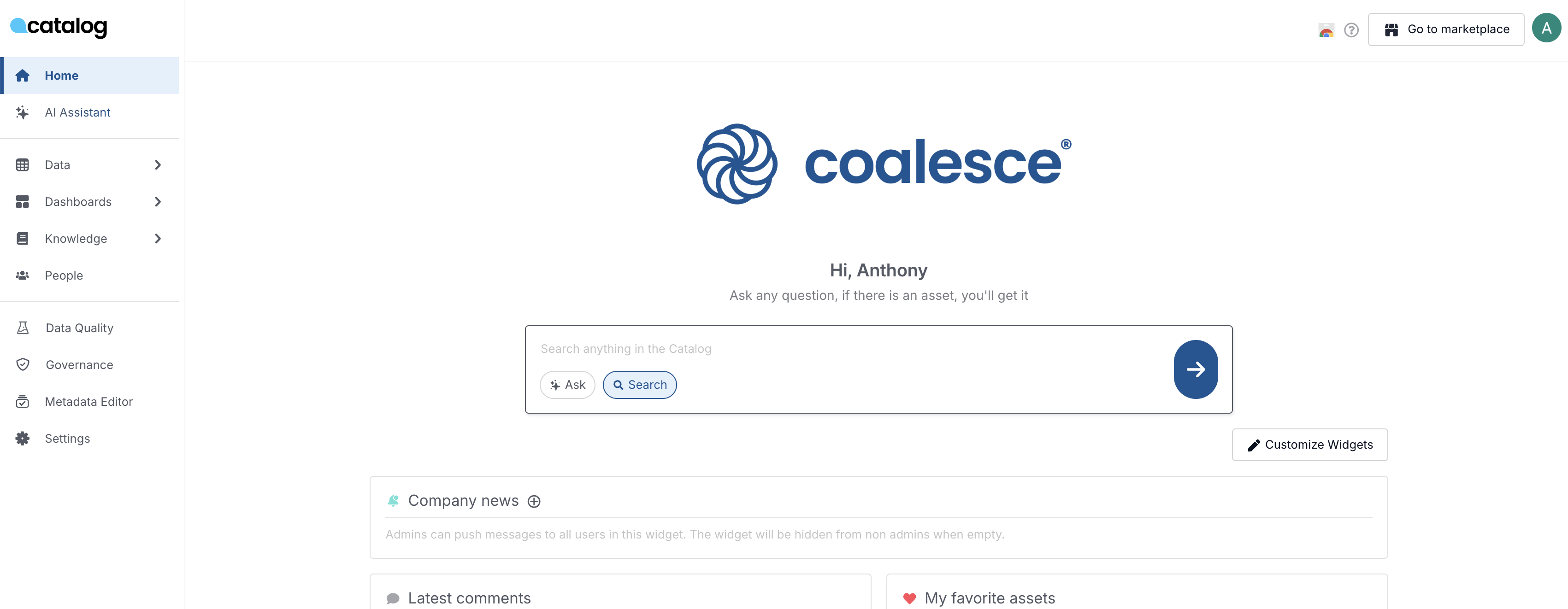
🎯 What it does:
- Single entry point: Access both AI Assistant (ASK) and keyword search (SEARCH) from one unified search bar on the homepage
- Smart persistence: Your last search mode choice is automatically remembered across sessions
- Seamless switching: Toggle between search modes without losing context
💡 Why it matters:
- Cleaner interface: No more hunting between two separate search locations — everything you need is in one place
- Better AI adoption: Making AI Assistant more discoverable increases usage and helps users get faster, smarter answers
- Personalized experience: The system remembers how you like to search, adapting to your workflow
10-18-2025
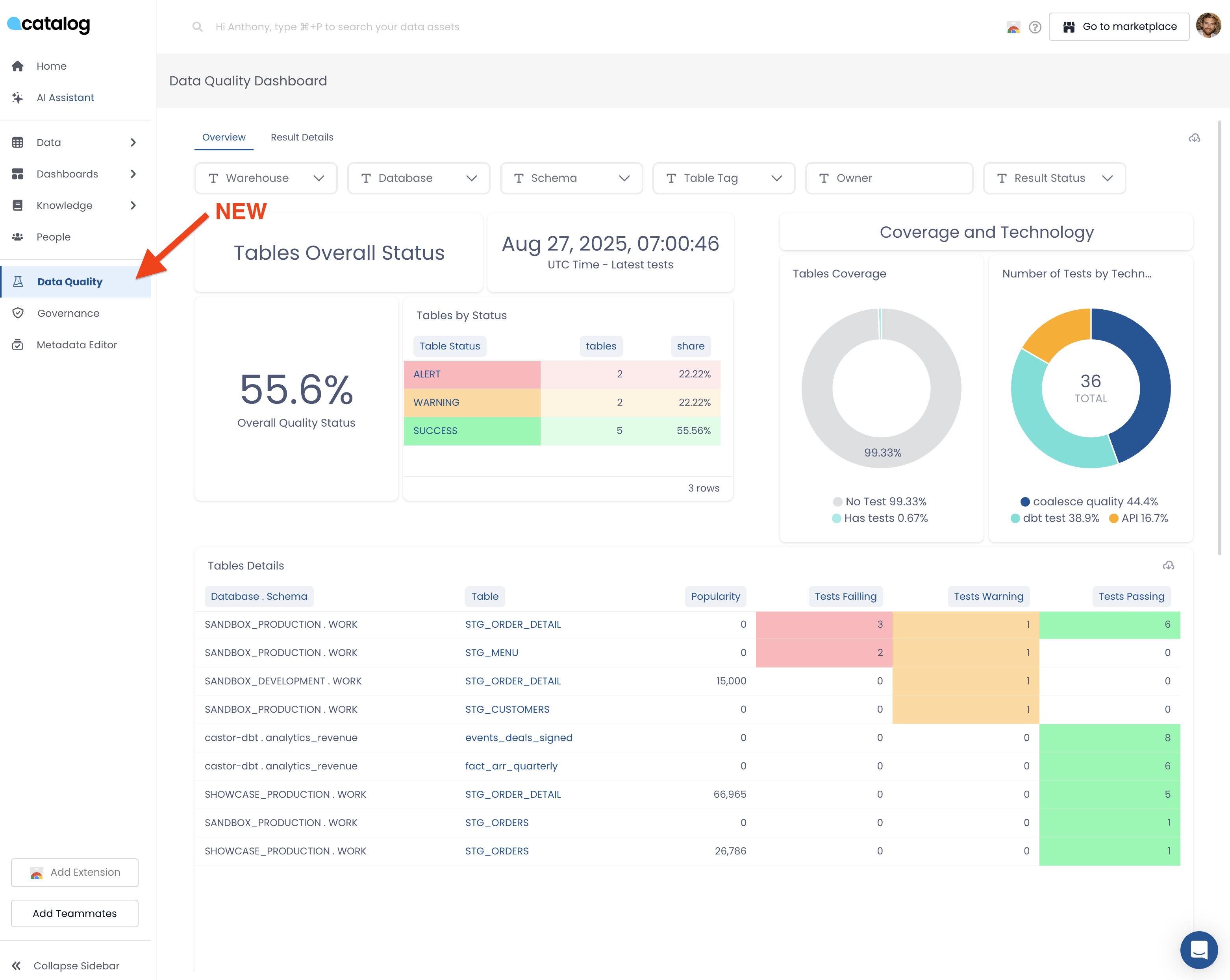
📊 New: Data Quality Dashboard
Monitor your data quality health across Transform and Catalog integrations in one unified view.
🎯 What it does:
The Data Quality Dashboard aggregates quality tests from Transform and external tools (Monte Carlo, dbt test, Soda, Sifflet) into a single dashboard with two views:
Overview Tab:
- Overall test pass rate for all tables
- Tables grouped by status (Alert, Warning, Passed)
- Test coverage metrics showing which tables have tests vs. no tests
- Test distribution by technology (Coalesce, Monte Carlo, dbt, Soda, etc.)
Result Details Tab:
- Detailed table list with test results (Failing, Warning, Passing)
- Table popularity metrics
- Direct links to investigate specific assets
Filtering: Filter by Warehouse, Database, Schema, Table Tag, Owner, and Result Status to focus on specific areas.
💡 Why it matters:
Get a complete picture of data quality across all your tools without jumping between Transform, Monte Carlo, and dbt dashboards. Quickly identify coverage gaps and quality issues to report to leadership.
10-17-2025
🎉 New native integration: Count connector now available
We're thrilled to announce the release of our Count connector, the newest addition to our suite of BI tool integrations.
10-15-2025
🔧 API Public Types Alignment
We've aligned our public API types for better consistency and accuracy.
🎯 What changed:
- Changed
nbPerPageparameter from Float to Int type - Changed
pageparameter from Float to Int type
💡 Why it matters:
- Ensures type consistency across our API endpoints
- Provides better validation for pagination parameters
- Improves developer experience with more accurate type definitions
10-13-2025
🚀 New: Sigma Data Models are now supported in our Sigma connector!
Our Sigma connector just got an upgrade: it now supports Data Models, Sigma's asset type introducing a semantic layer for organizing and reusing data.
10-09-2025
🎛️ Admin Widget Settings
Admins now have full control over widget visibility on the homepage, allowing for a more customized user experience.
🎯 What it does:
- Admins can activate or deactivate widgets for all users from the admin settings
- When widgets are deactivated, users get a sleek, focused experience centered on search and AI assistant
- When enabled, users can choose which widgets they want to see on their homepage
- Provides flexibility to tailor the interface based on organizational preferences
💡 Why it matters:
- Gives admins control over the user interface and experience
- Allows organizations to create a more focused, distraction-free environment when needed
- Maintains user choice and customization when widgets are enabled
10-03-2025
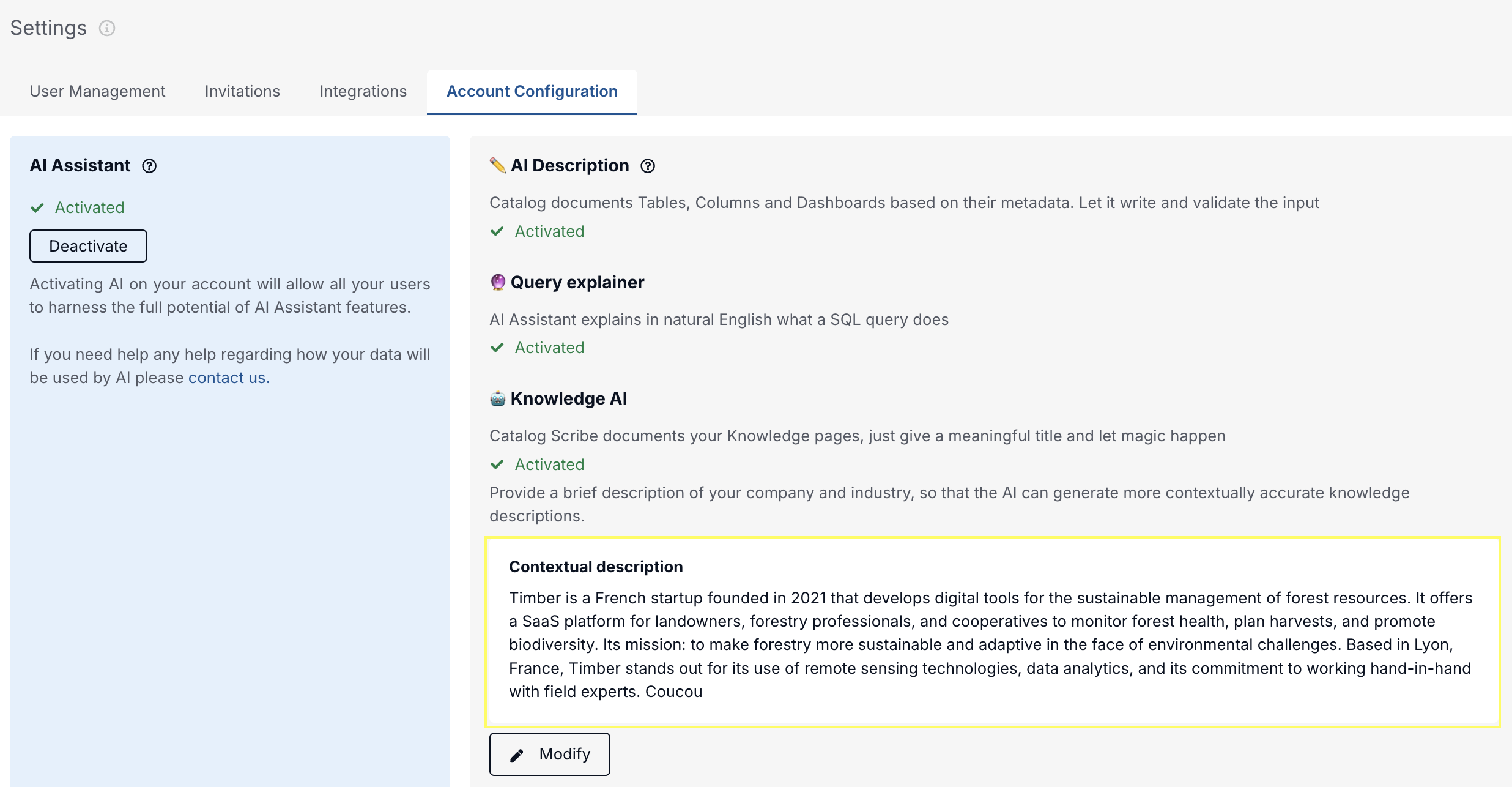
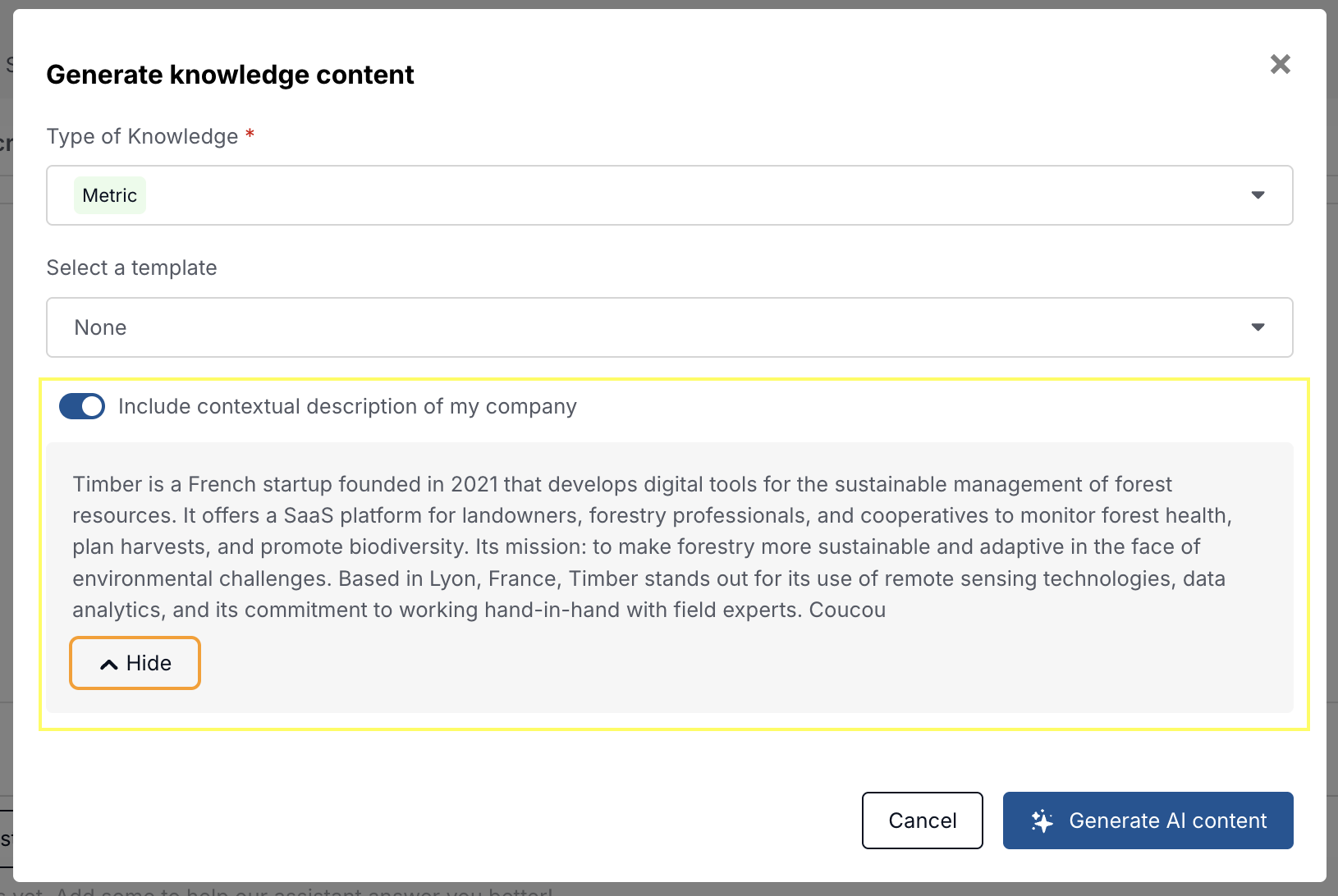
📝 Company Context for AI Descriptions
Make AI-generated knowledge descriptions more accurate and relevant by adding business context.
🎯 What it does:
- Admins can now set a short company & industry description in Settings → AI System
- This context is automatically included (by default) when generating new knowledge descriptions
- Users can choose to include or exclude the company context per description
💡 Why it matters:
- AI-generated content is now better tailored to your business and industry
- Admins gain more control over how the AI understands their environment
Examples
09-04-2025
📝 Bulk Edit Column Descriptions
Quickly apply the same description to multiple columns in Catalog.
- Search, filter, and select similar columns
- Use smart suggestions or write your own
- Save time and ensure consistency
Watch the demo
Live now for all Catalog customers
New: Data Quality Dashboard 📊
You have Data Quality integrations? If yes,
Discover a unified dashboard that brings ALL your data quality metrics into one place - no more jumping between Transform, Monte Carlo, dbt, and other tools to get the full picture of your data health.
🎯 What it does: This new dashboard aggregates quality signals from multiple sources into a single, executive-friendly view. You'll see:
- Overall data quality health across your entire data ecosystem
- Test coverage and pass rates from all your quality tools (Transform, Monte Carlo, dbt test, Soda, etc.)
- Assets grouped by health status (failing, warning, passing, no tests)
- Powerful filtering by warehouse, database, schema, tags, and owner
- Quick drill-down to investigate specific issues

07-31-2025
New: Data Marketplace is Live! 🛍️
Turn your Catalog content into a business-friendly experience for data consumers.
The Data Marketplace allows you to showcase consumption-ready data assets (Data Products) in a clear, curated view — organized by domain and easy to explore.
Built for data consumers to discover valuable resources and for data builders to boost the visibility and adoption of their work.
What to do next:
✔️ Set clear publishing guidelines for your team
✔️ Select & document the right assets for the Marketplace
✔️ Start sharing your Marketplace with business users!
 (1) (1).png)
The marketplace feature isn't currently available to all accounts. Please reach out if you'd like to activate it
07-29-2025
Bulk Tag Columns in Metadata Editor
You can now tag multiple columns at once directly from the metadata editor—making it faster to manage sensitive data and scale your governance workflows.
🔍 Use Cases
- Tag all columns matching a pattern (e.g.
phone) asPII,sensitive, and more - Use filters to target columns by tag, data type, documentation status, primary key presence, and more
- Apply tags across entire domains in one click for streamlined governance
New Assistant Intelligence: Disambiguate User Questions
Catalog Assistant now helps users clarify ambiguous questions by proactively offering follow-up suggestions.
🔍 What’s New
When users ask vague queries like “How are we doing this month?”, the Assistant now responds with clarifying options (e.g., “Are you asking about sales, engagement, operations?”).
🤔 Why it matters
- Many user questions are underspecified and led to irrelevant or partial answers
- Disambiguation improves the quality of answers and builds trust in the Assistant
- Makes the Assistant feel more conversational and helpful—just like a real analyst would
07-24-2025
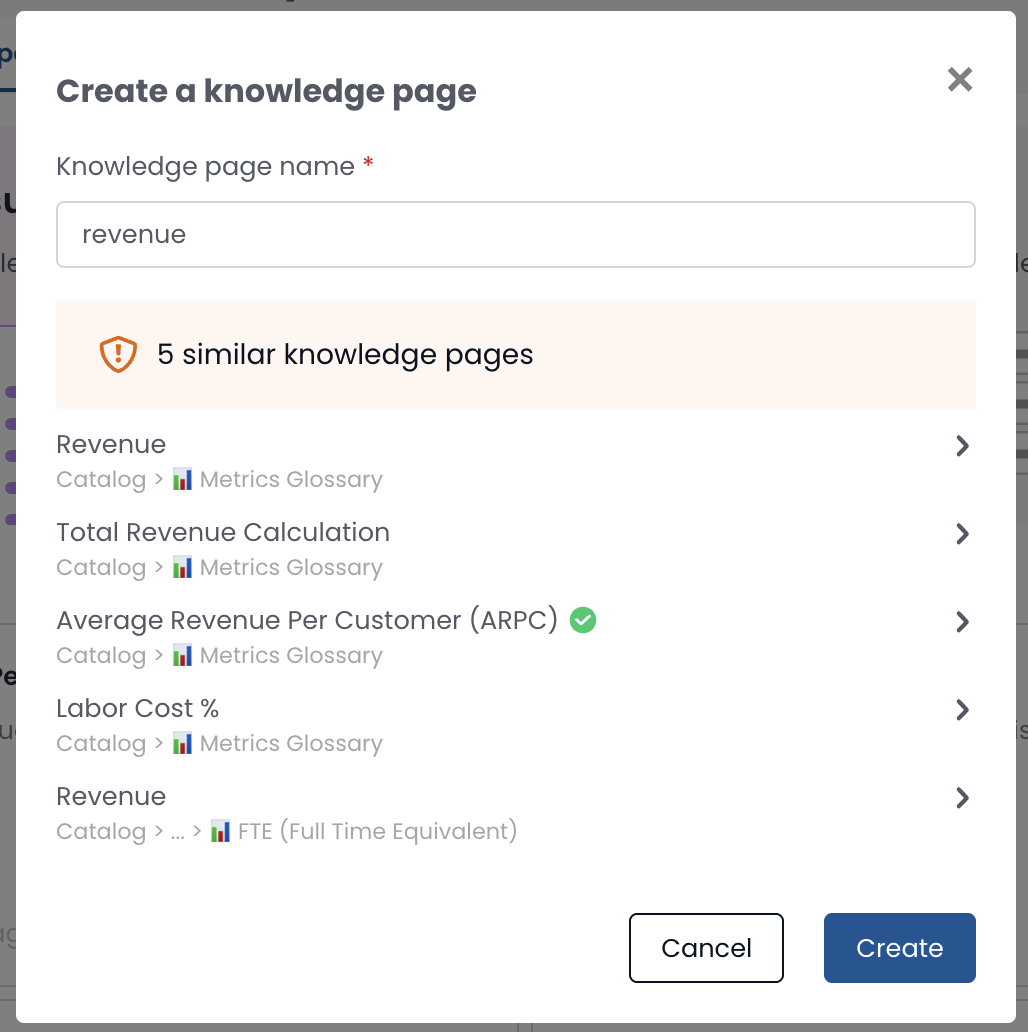
Knowledge Duplicate Warner
Avoid duplicate knowledge pages by flagging existing similar content as you're creating a new one.
Use Case
- Say you're about to create a knowledge page on Revenue. You type in the title…
- A warning appears: “There are 5 existing pages with similar names.”
- You can then: Review existing pages, Edit one of them instead, Avoid adding redundant content
This helps to
- Keep knowledge clean and well-organized
- Prevent confusion and rework
- Minimize governance overhead for data teams
07-15-2025
🔎 New Filters in advanced search
You can now choose AND/OR behavior in the Advance Search Filters for Owners and Tags
📊 Analytics: Column Monitoring
Find it here
Gain visibility over your column metadata at scale:
- Total number of columns
- Description coverage by percentage
- Count of distinct column names
- Distribution of column name occurrences (e.g., "C Phone" appears in 2,500+ tables)
Clicking a column name redirects you to its detailed view.
🔍 Analytics: Column Details
Find it here
Dive deeper into individual columns:
- See which tables use a specific column
- View column descriptions directly
- Prepare for upcoming support for inline column metadata editing
🏷️ Analytics: Column Tag Filtering
Find it here
You can now filter columns by tags—e.g., see all columns tagged as sensitive:email.
Quick stats are available:
- Total tagged columns
- Distinct column names
- Distribution breakdown
06-19-2025
🎉 New native integration: Strategy connector now available
We're excited to announce the launch of our Strategy connector, the latest addition to our suite of BI tool integrations.
With this new Strategy connector, you can:
- Seamlessly connect your Cubes, Reports, Documents and Dashboards to our platform
- Gain visibility into column-level lineage, providing a clear understanding of your data's journey
- Access all relevant metadata and get instant answers to your questions directly within Strategy, thanks to our Chrome Extension that appears on each asset
Check out our documentation for setup instructions!
04-17-2025
Introducing Catalog’s AI Assistant in Microsoft Teams
Get instant data insights right from your everyday communication tool!
- How it works: Chat 1-on-1 or mention
@Coalescein a group conversation to instantly get trusted answers to questions like: • What is ARR? • What dashboards track user activity? • How is customer margin calculated? - Stay focused: No need to switch tools, get the insights you need without ever leaving Microsoft Teams
- Extra support, anytime: The data team is always here if you need a hand
 (2).gif)
04-16-2025
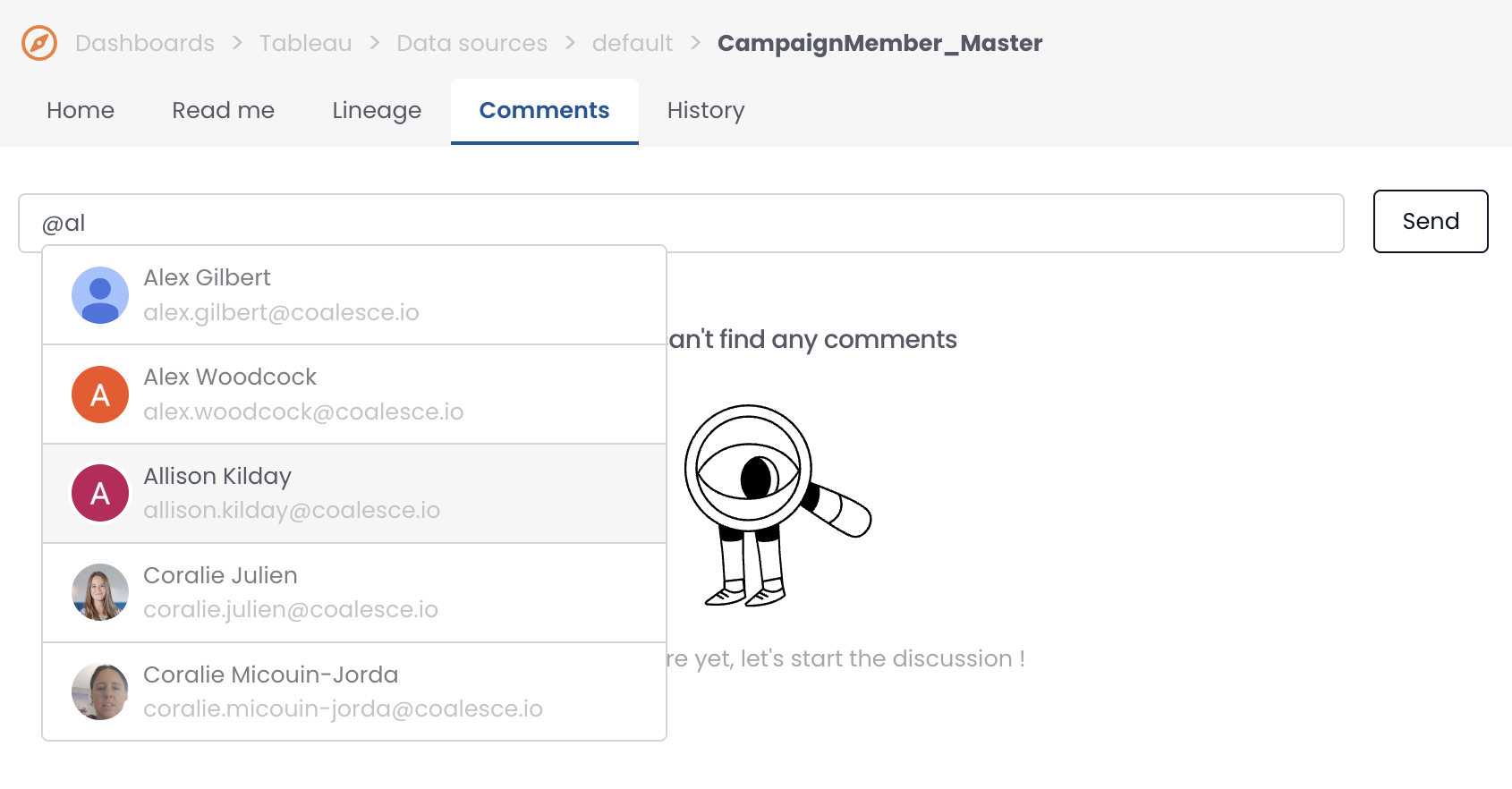
Mentions users
You can mention users using the "@" handle. They will receive a notification of mention.
New Homepage
The Homepage now allow:
- Each user can pick the relevant widget they want to see
- The Admins can add company news
.png)
.png)
Dashboard & Table Description AI Generator Upgrade
AI generated description now leverage all available metadata for Tables and Dashboards, now 100% of them can be described with AI, it used to be 15%
03-26-2025
New Role Data Steward
How to use it? A steward can do everything an admin can, except user and integration management.
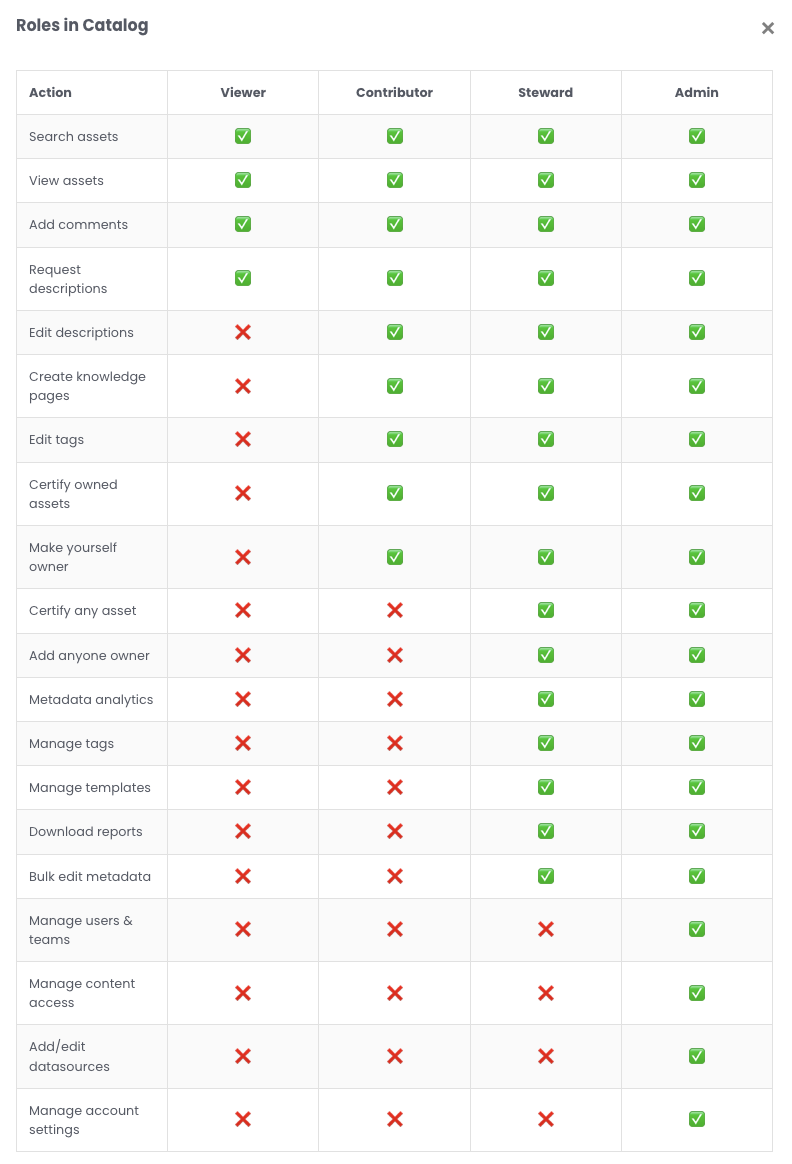
User Roles in Catalog
02-28-2025
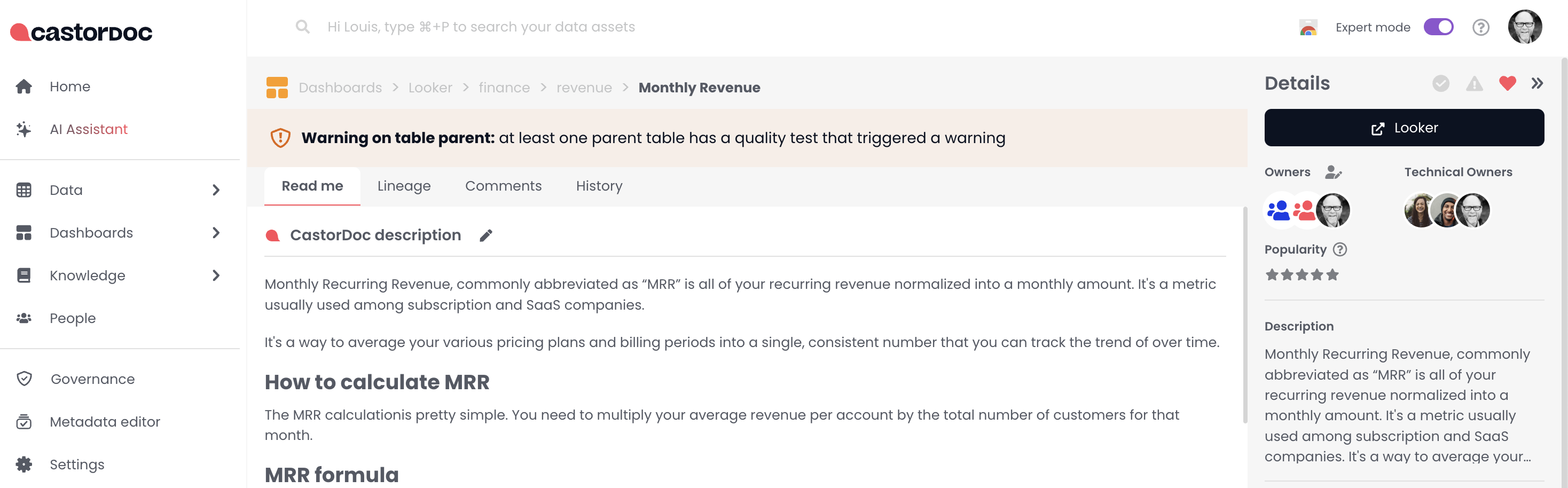
Show Quality issues on Dashboards
If a dashboard is using tables with failing quality tests, Catalog will show it in the app and the chrome extension.
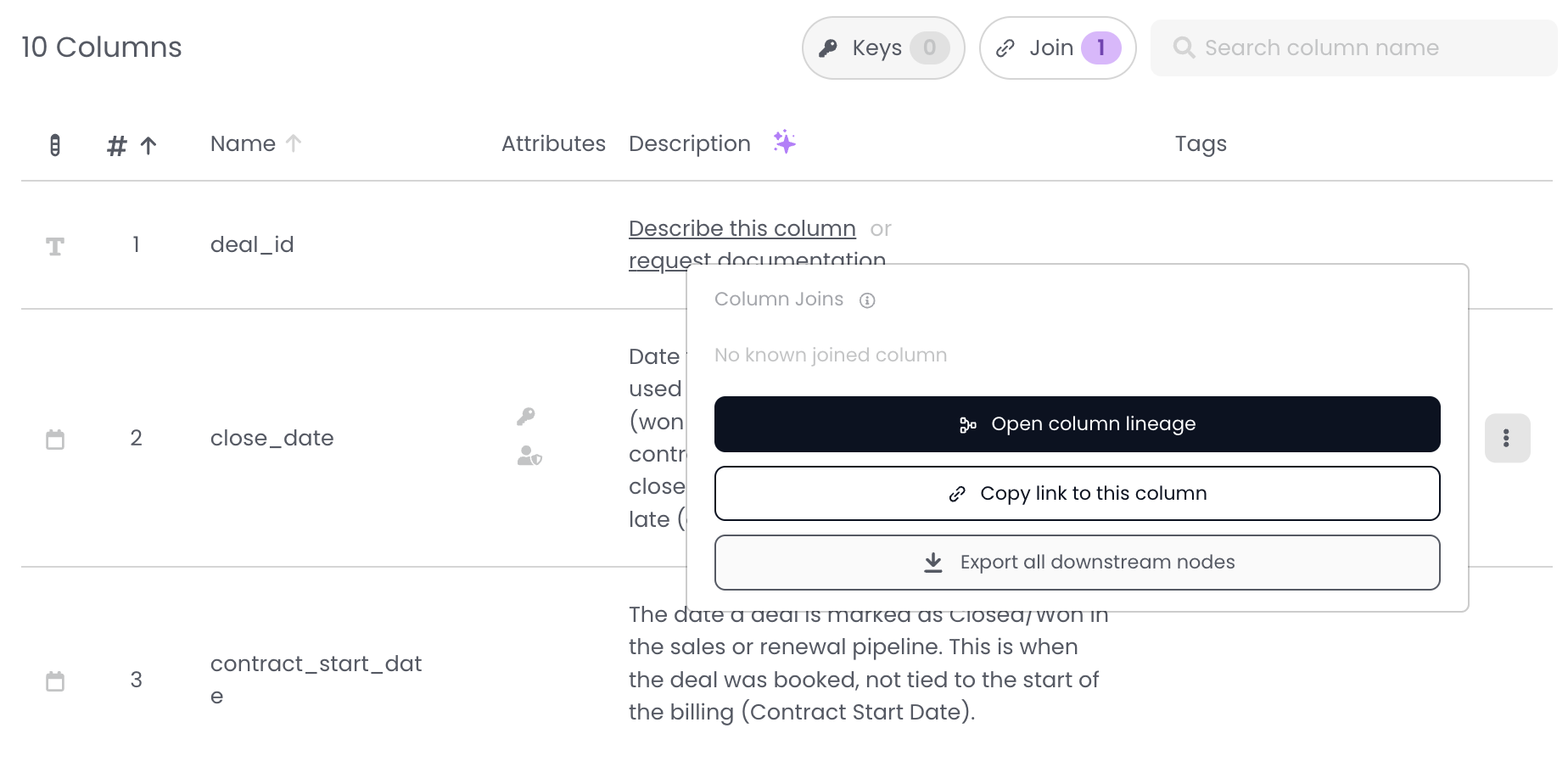
Export all downstream from a given column
We've offered for a few years the ability to download table downstream nodes list, now you can do with any given column. You want to know the impact of changing one single column? Simply click the button and you'll get the list of downstream columns and dashboards using it.
API for SQL Assistant
We enabled you to to build your own SQL assistant using our building blocks. How to use it? Here is the public code repository that can be shared with customers. It relies on existing and new API endpoints available here https://apidocs.castordoc.com/
Pinned Assets: Suggestions by AI
How to use it? Simply open the Pin Asset, you'll get suggestion of assets to pin based on title and nam. Updated documentation for asset pinning is here
.png)
Looker Studio Native Integration
The Looker Studio connector is now live in Catalog! This is a big deal because Catalog is the only one on the market to offer this integration.
Here is how to set it up
UI Improvements
- Editing Readme now sits behind a dedicated button to avoid misclicks
- The menu spacing has changed to allow for more space
- We’ve also updated the text block color and background in the rich text (Readme).
01-23-2025
ThoughtSpot connector: govern your Answers with Catalog
We have enhanced our ThoughtSpot connector to enable you to govern Answers directly within Catalog.
You can now:
- Track the popularity of each Answer
- View descriptions and tags, automatically retrieved from ThoughtSpot
- Visualize the complete lineage between Datasource ↔ Answer
01-17-2025
Knowledge Pages: simplified creation and more intuitive navigation
We’ve worked to make your Knowledge Pages even easier to manage and explore. Discover the new features:
1️⃣ New view for sub-pages
The sub-pages of a given page are now displayed in the “Sub-pages & Map” tab. This provides a clear and organized view of your documentation structure
2️⃣ Simplified sub-page creation
Creating sub-pages has never been faster and more accessible:
- From the left menu, by hovering over your assets
- Directly from the “Sub-pages” tab of a Knowledge Page
.png)
12-02-2024
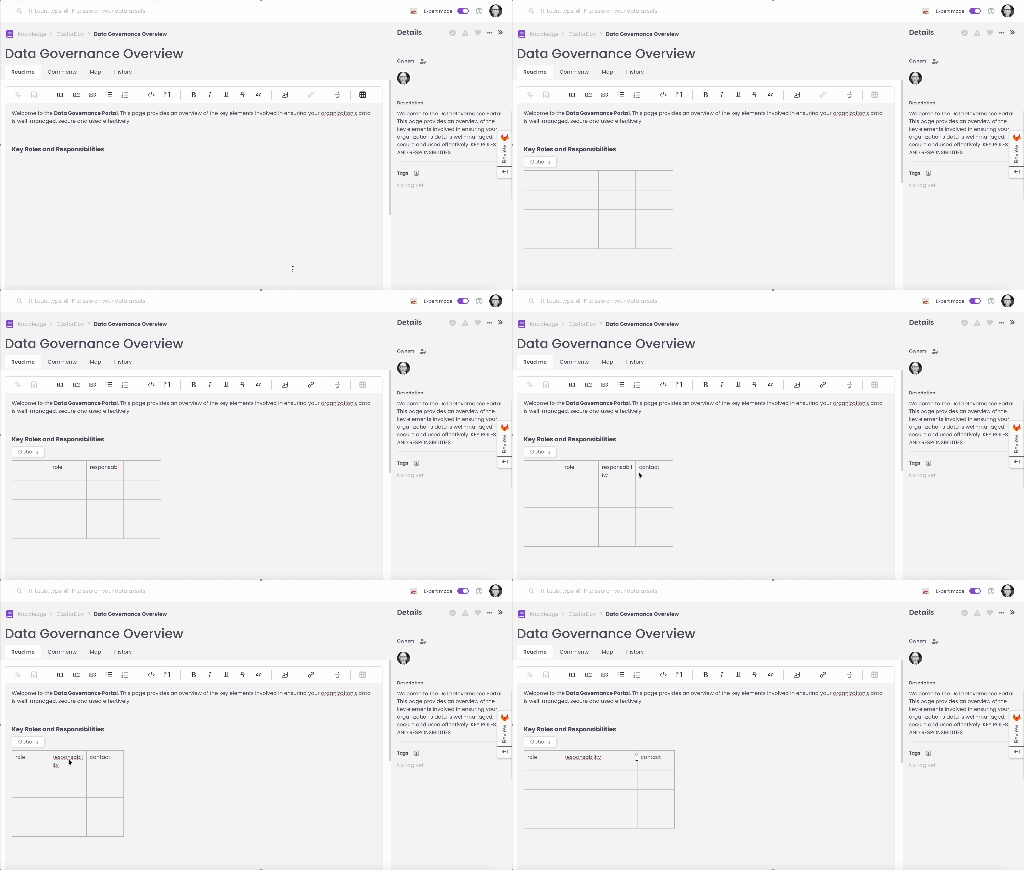
Enhance your "ReadMe" Sections with table elements
You can now enhance the “ReadMe” sections (of all your technical assets and documentation) by adding tables elements.
Why use it?
- Boost readability: organize your content into a structured format
- Simplify understanding: present your information concisely for improved comprehension
11-25-2024
Sync Your Notion and Confluence Content with Catalog!
What’s New?
We’ve made it easier than ever to maintain a complete and up-to-date knowledge base by integrating Notion and Confluence with Catalog.
Here's what you gain:
- Enhanced AI Assistant: The synced content feeds your AI Assistant, allowing it to provide smarter, more accurate answers to your questions
- Always Up-to-Date Content: Automatic synchronization ensures that your documentation stays accurate, eliminating manual copy-pasting and reducing maintenance efforts
How It Works Find step-by-step instructions to connect your workspaces here:
11-25-2024
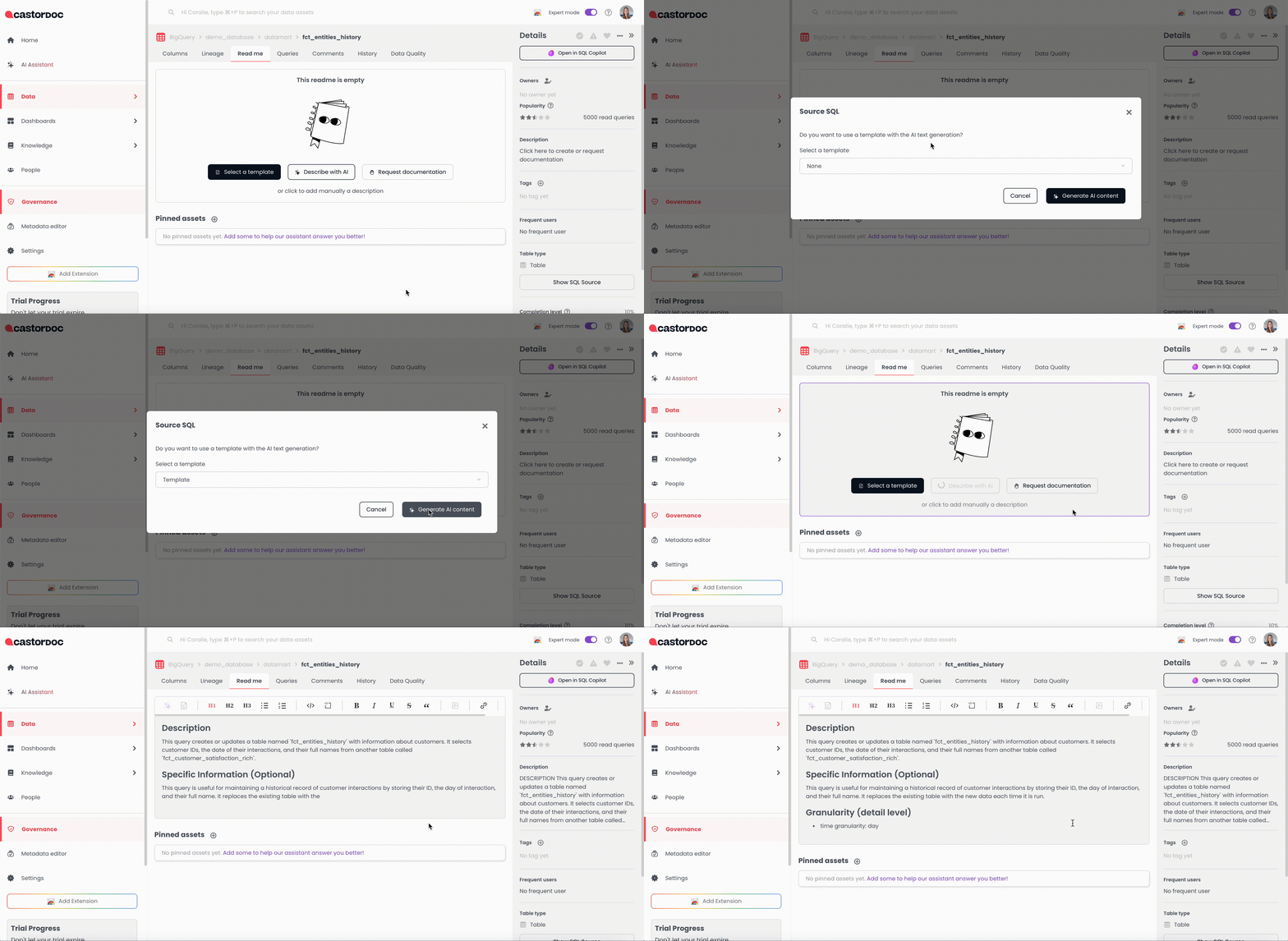
Something new in AI-generated descriptions for your assets
Your AI assistant for automatically generating descriptions just got even more powerful! What’s changing: generated descriptions now align with your templates The result: your documentation is both:
- Fully compliant with your internal standards, thanks to template integration
- Accurate (leveraging SQL sources for technical assets and document type for knowledge assets)
10-22-2024
AI Assistant: Improvement of result relevance through the popularity of assets ⭐
The search results for the Assistant are evolving!
We are now taking popularity of assets into account.
When you ask a question to the AI Assistant, the most popular assets are highlighted more prominently. This helps improve relevance.
What does that mean?
- Popular assets are boosted 🆙
- Less popular assets are less visible 🔽
- Assets without popularity (such as Knowledge assets) are neither boosted nor diminished in visibility, which means they are treated as equivalent to assets with a popularity rating of 2.5/5.
08-31-2024
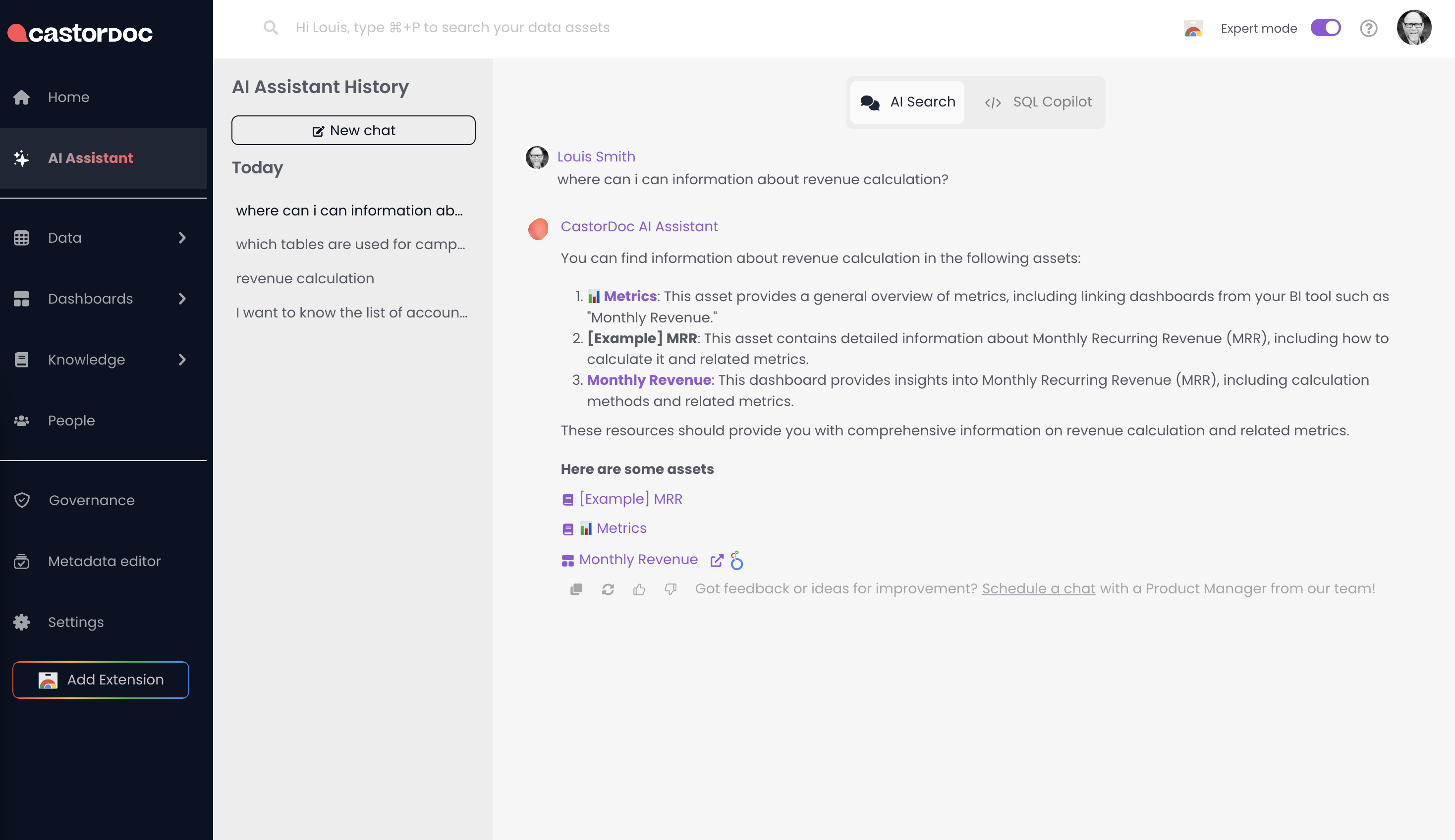
Never Lose Track: Unified History of conversation
- Unified Conversation History: Easily revisit past interactions with the Assistant in both the Chrome Extension and In-App.
- Seamless Continuity: Access your latest conversations across Dashboard Q&A, SQL CoPilot, and AI Search, even after navigating away or refreshing the page.
07-18-2024
Real-Time Response Streaming
- Instant Feedback: Watch responses build in real-time as you ask your questions.
- Reduced Wait Times: No more long waits for complete answers—see results immediately.
👉 Available on both the Catalog app and Chrome extension.
.gif)
07-12-2024
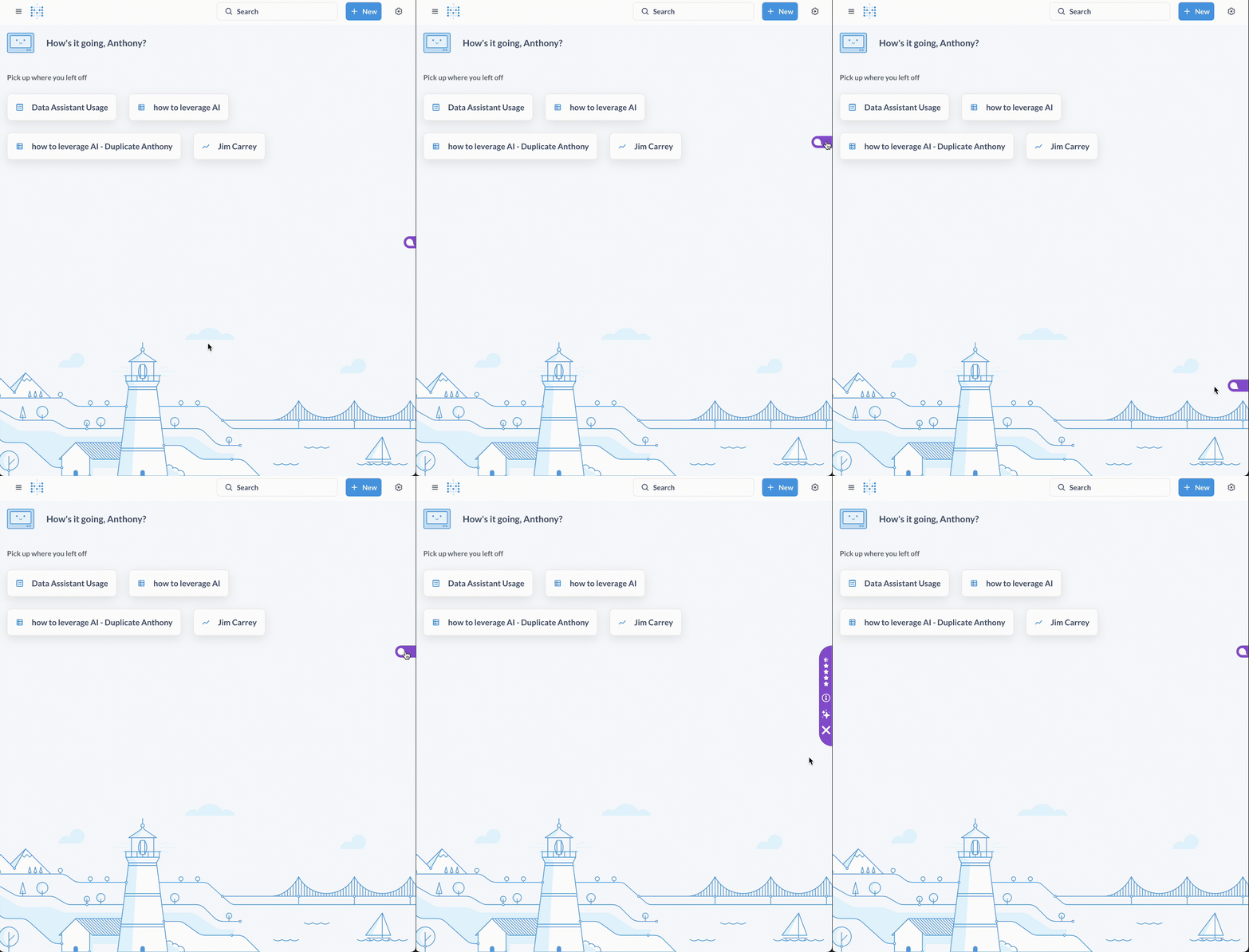
Optimize Chrome Extension Usability: Sleek & Mobile in Collapsed Mode!
- Compact Design: The extension now takes up less space in collapsed mode.
- Enhanced Mobility: Easily move the extension around your screen to fit your workflow.
06-14-2024
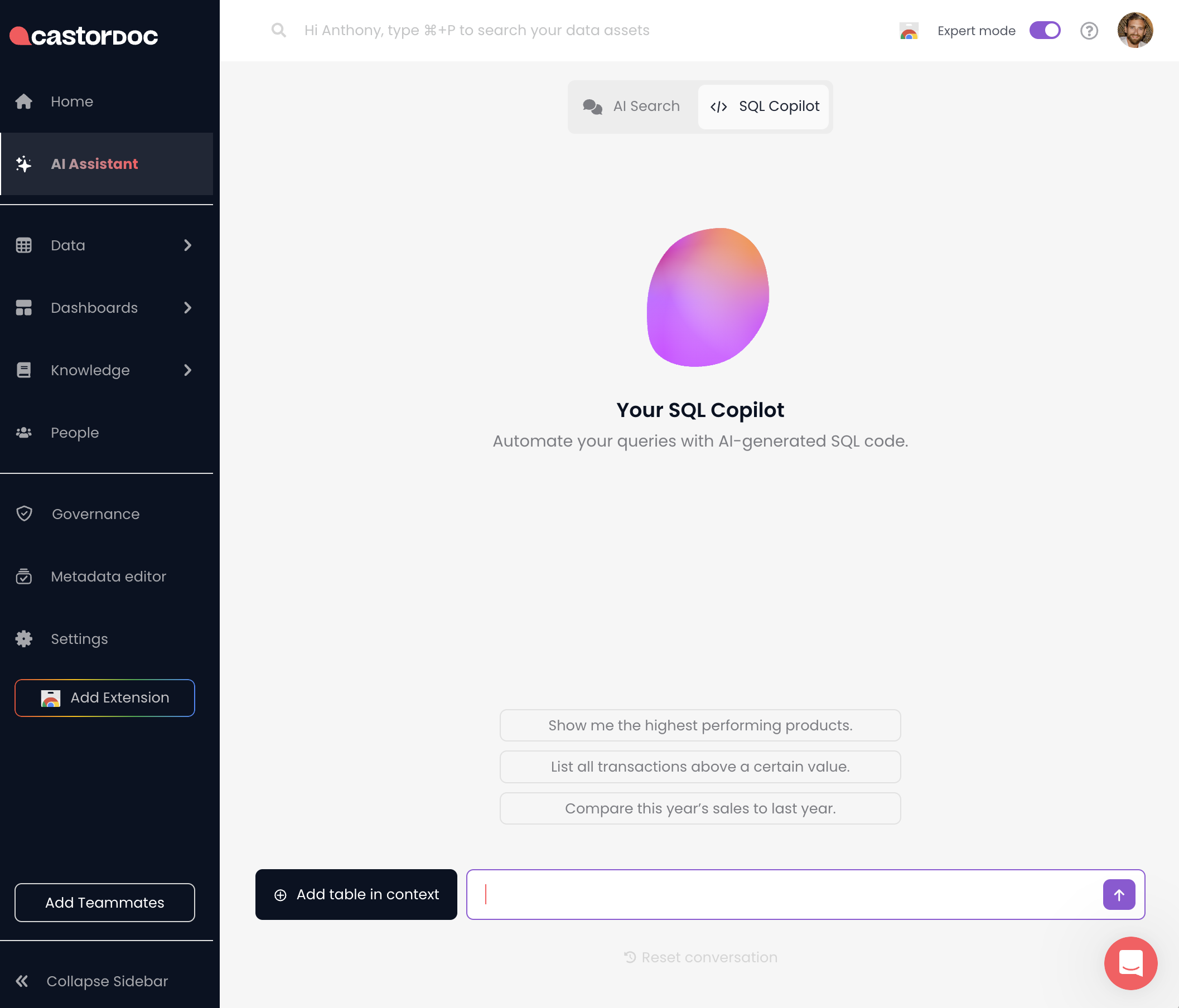
🌟 Introducing SQL Copilot Integration in Catalog App!
What's New
We are excited to introduce the SQL Copilot feature directly within the Catalog application. While the Chrome extension version remains available, you can now enjoy the convenience of accessing SQL tools without leaving the app!
How it Works
- Integrated Access: SQL Co-Pilot is now available directly in the Catalog app, located next to the AI search tab.
- Easy Switching: Seamlessly switch between AI search and SQL Co-Pilot within the same interface.
- Enhanced Practicality: Utilize advanced SQL tools directly within Catalog, streamlining your workflow and enhancing productivity.
Experience the enhanced practicality of having SQL Co-Pilot at your fingertips within the Catalog app. Try it out today and see how it simplifies your data analysis tasks!
06-12-2024
Introducing: Dashboards Access Control
Admins can now manage who can access which dashboard folders/subfolders in Catalog!
.png)
05-21-2024
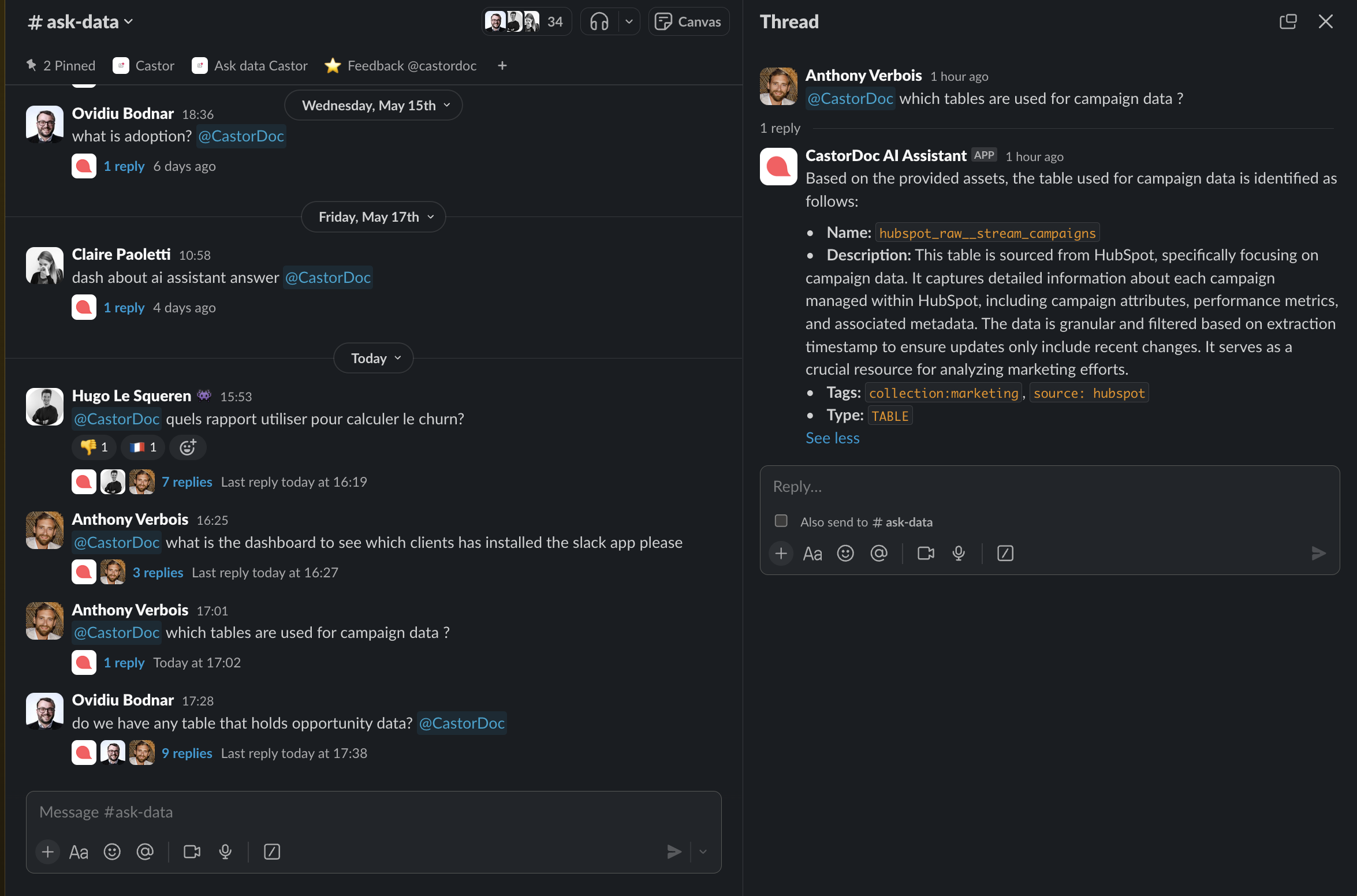
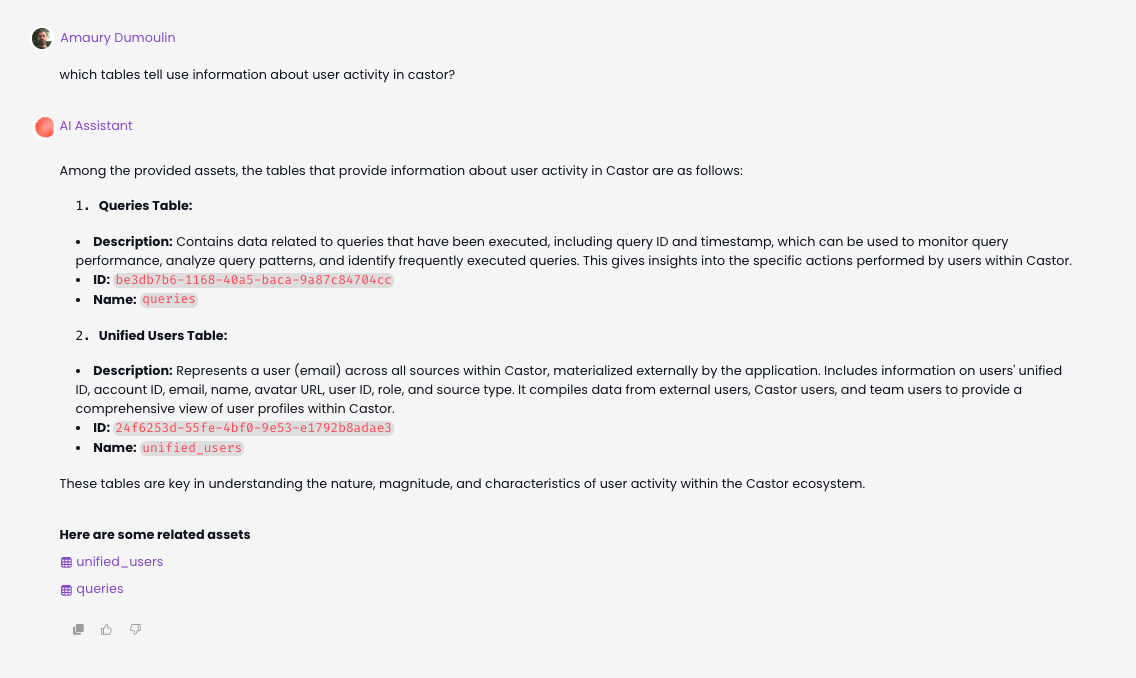
Enhanced AI Search for Data Analysts: Table Search
Previously, our AI could search for knowledge assets and dashboards. Now, it has improved to support natural language queries specifically about data tables.
How it Works 🔽 1. Natural Language Processing for Table Queries
- Our AI can now understand and interpret specific questions about data tables.
- Simply ask the AI about the table you need, and it will recognize your request.
2. Direct Access to Data Tables
- When you query the AI, it will confirm the existence of the table.
- You'll receive direct links or shortcuts to access the tables quickly (only in App for the moment), eliminating the need to manually search through databases or consult colleagues.
05-06-2024
Catalog's AI Assistant now within Slack!
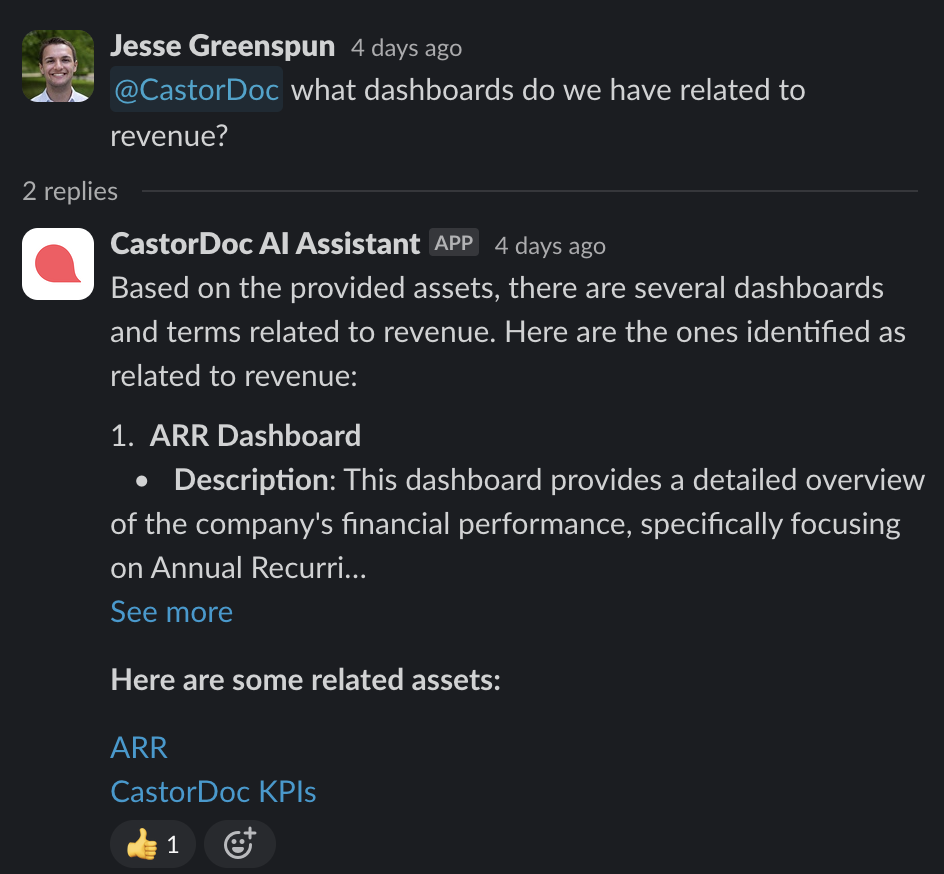
What's New:
- Effortless Interactions: Just "ping" the assistant in your #ask-data channel. When you're in a channel, simply type in
@CastorDocand ask your question, the Assistant will answer you! - Instant Insights: Access instant, reliable data insights without leaving Slack.
- Enhanced Support: The data team is on standby for additional help if needed.
03-22-2024
Introducing templates for assets documentation
Full documentation here: Templates
Define your documentation good practices and must-have. Guide your contributors and improve your overall documentation quality by sharing the same formatting throughout your company.
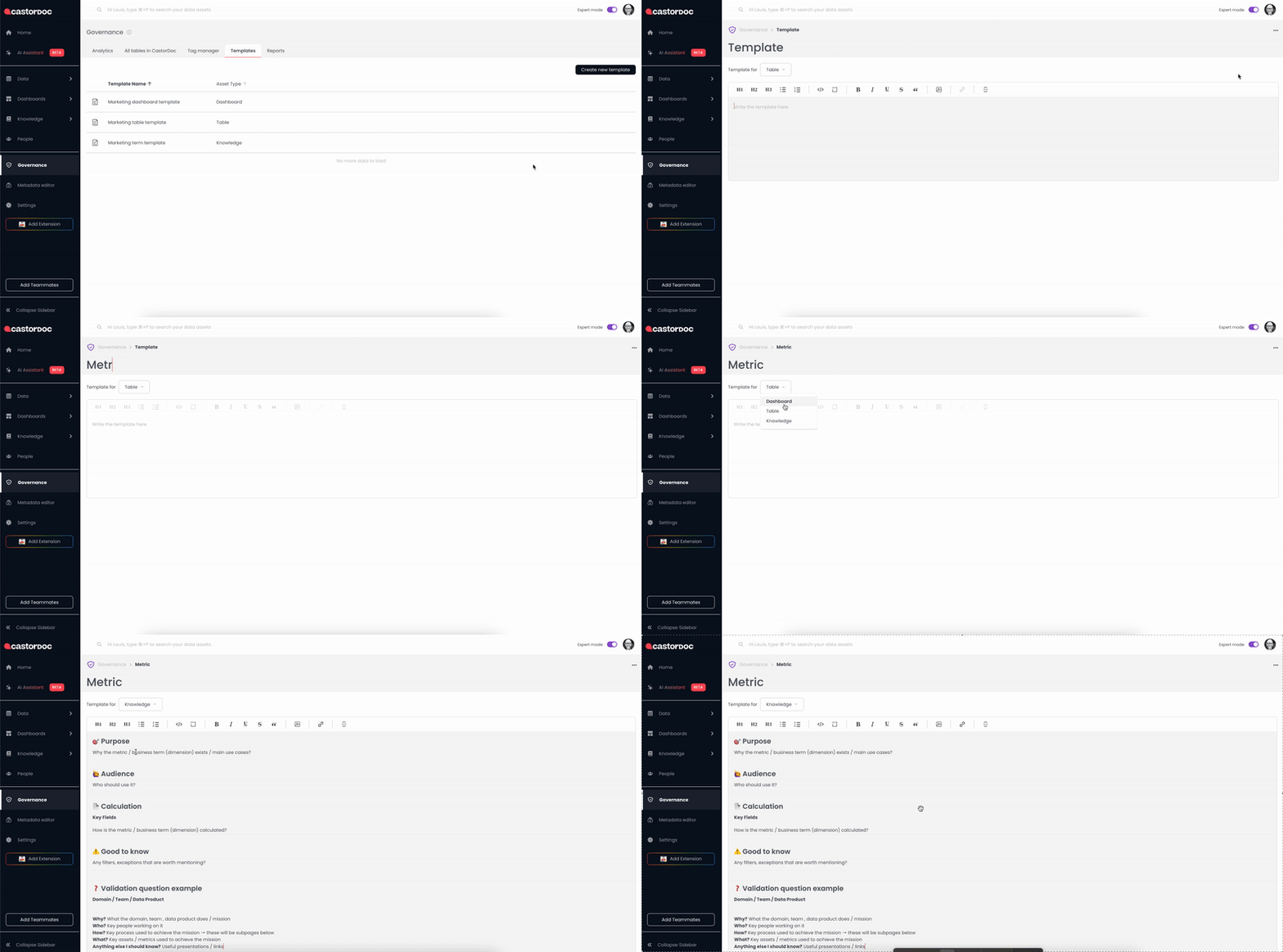
Create your templates under the Governance page
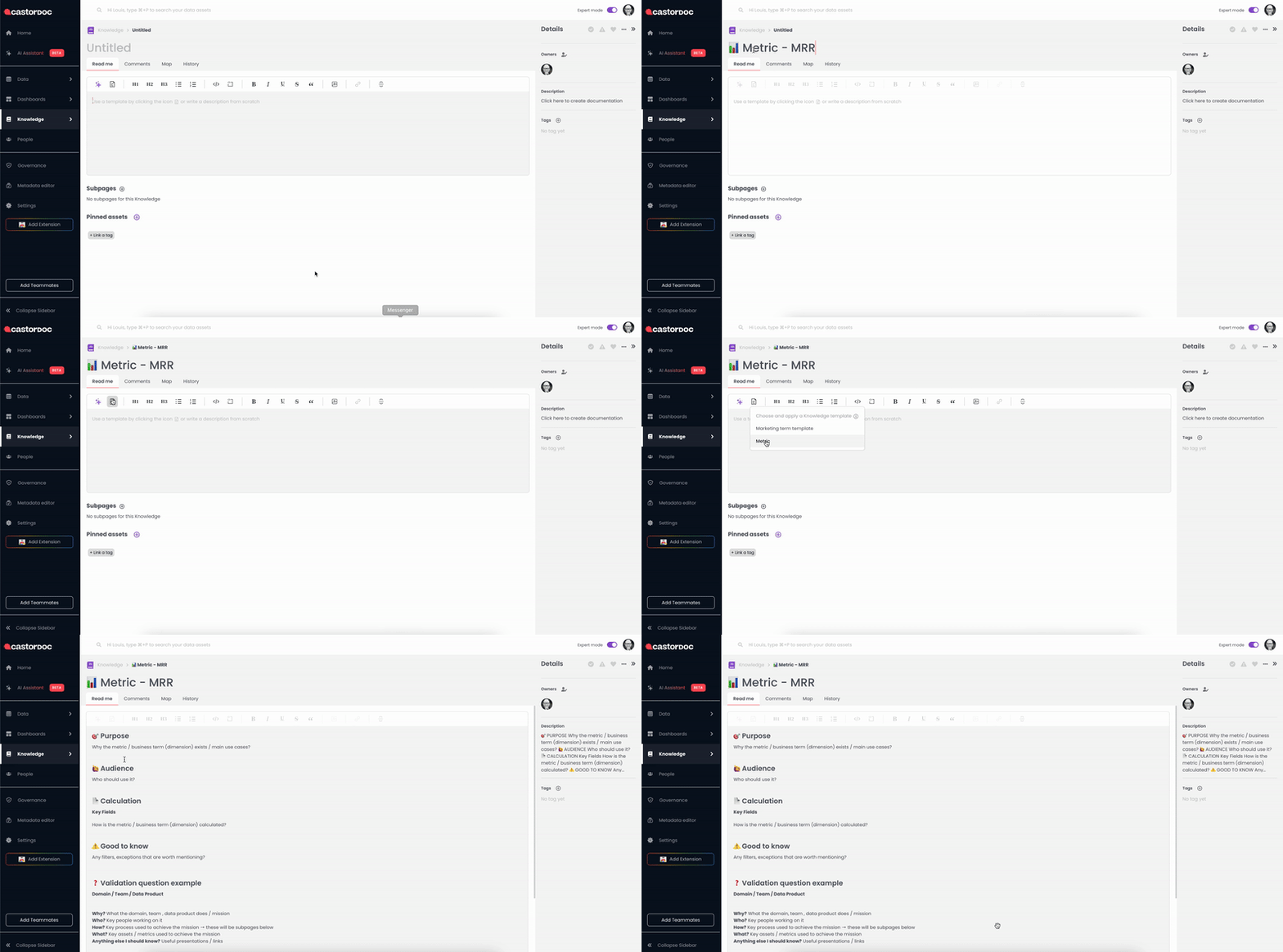
Then your contributors apply templates to the asset's read-me sections
02-20-2024
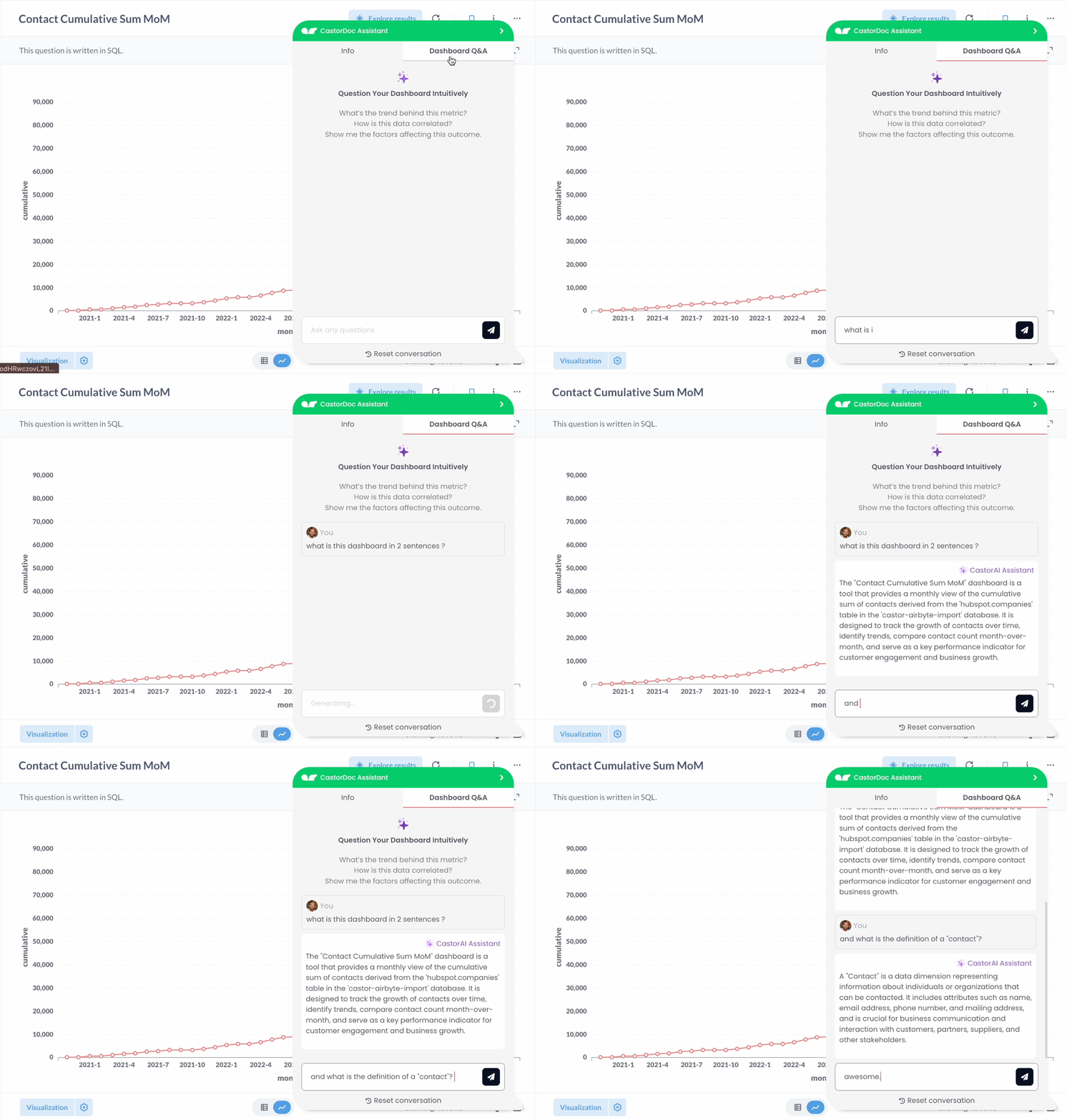
Introducing AI-Powered Dashboard Insights in Chrome Extension
Dive deep into the 'hows' and 'whys' behind your data dashboards. Understand not just what your data shows, but how it’s structured and why it matters.
You can ask questions related to those attributes: Dashboard Name, Source Name, Technology, Type, isVerified, Folder Path, isDeprecated, Description User, Description External, Pinned Assetsand Mentioned in
02-13-2024
- Delete a team - You can now fully manage teams: create, edit team information, edit members and delete the team
01-30-2024
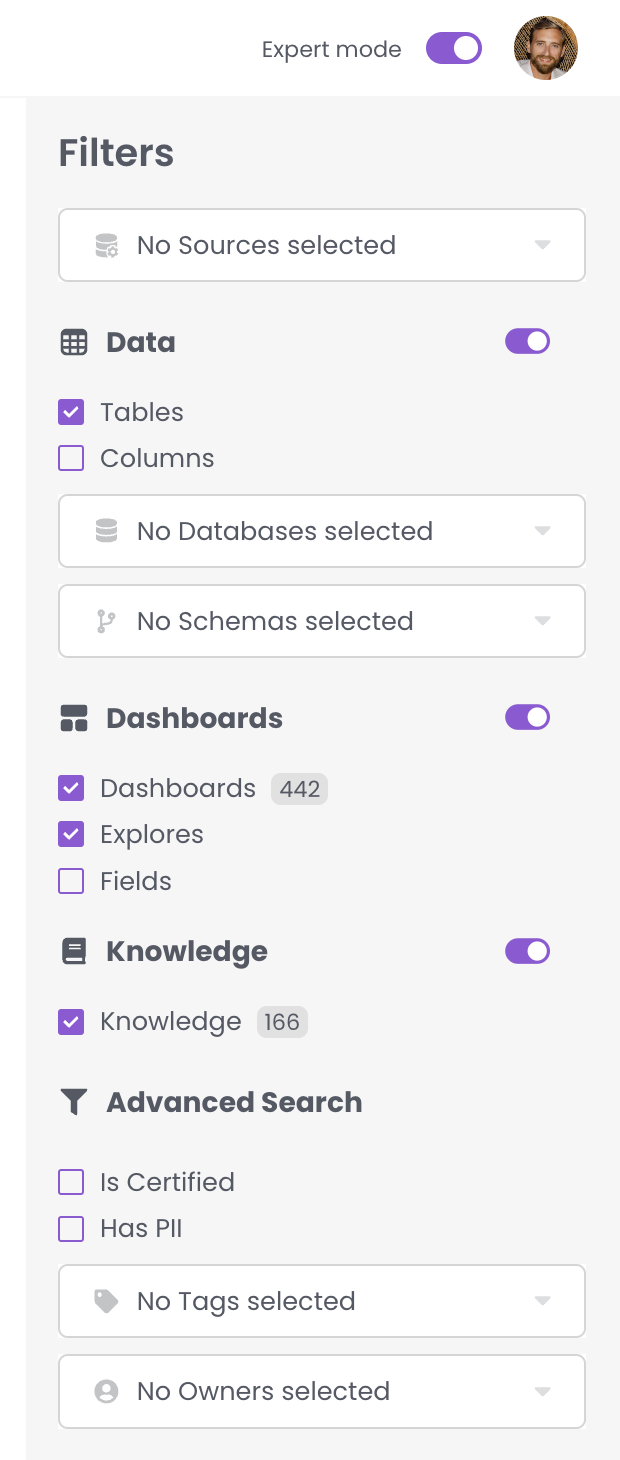
Introducing Advanced Filtering: Search by Source and Database
Filter your searches more precisely by selecting specific sources and databases.
01-17-2024
- UI update on the "Mentioned In" section
- Notification for teams - teams as owner can now get Slack notifications. Set it up on your account
Admin features
-
Assets access control at Schema granularity
-
Tag edition: Color Picker - more info
-
Integration settings page
.png)
12-27-2023
Enriched tooltip for teams as owner
.png)
Admin features
- Tag renaming from the Tag Manager page - More info here
- Reportings: tag column has been split in three columns for each type of tags: User tags, Catalog tags, External tags
- API new endpoints for user and team management
12-13-2023
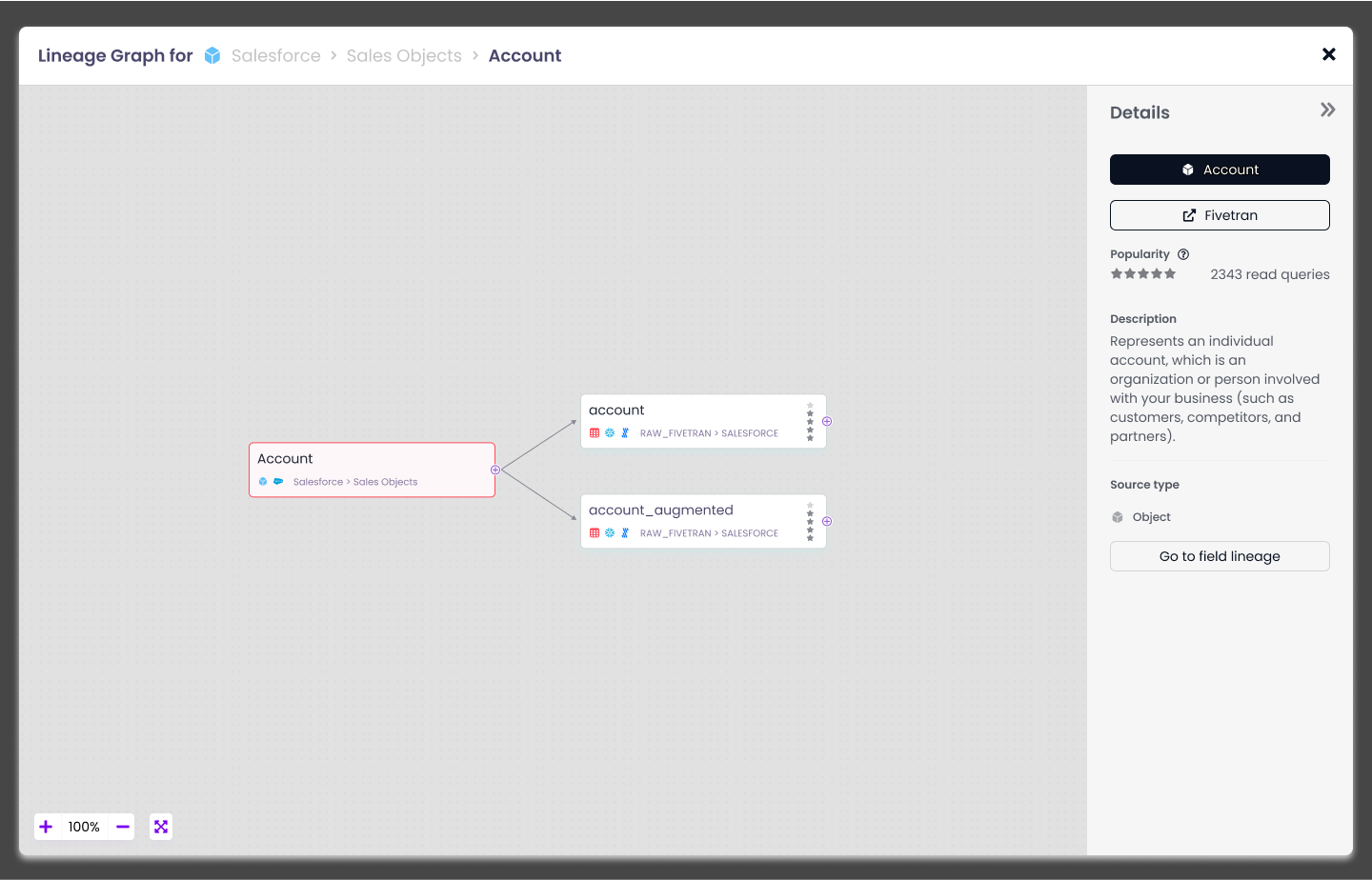
Fivetran Integration
Catalog
- represents objects extracted and loaded by each Fivetran connector
- computes lineage between Fivetran assets and the warehouses where tables are loaded
12-7-2023
External Lineage
Your data is sometimes used somewhere else than warehouses or dashboards: ML algorithms, data apps or third party services. Catalog materializes these usages in catalog and lineage.
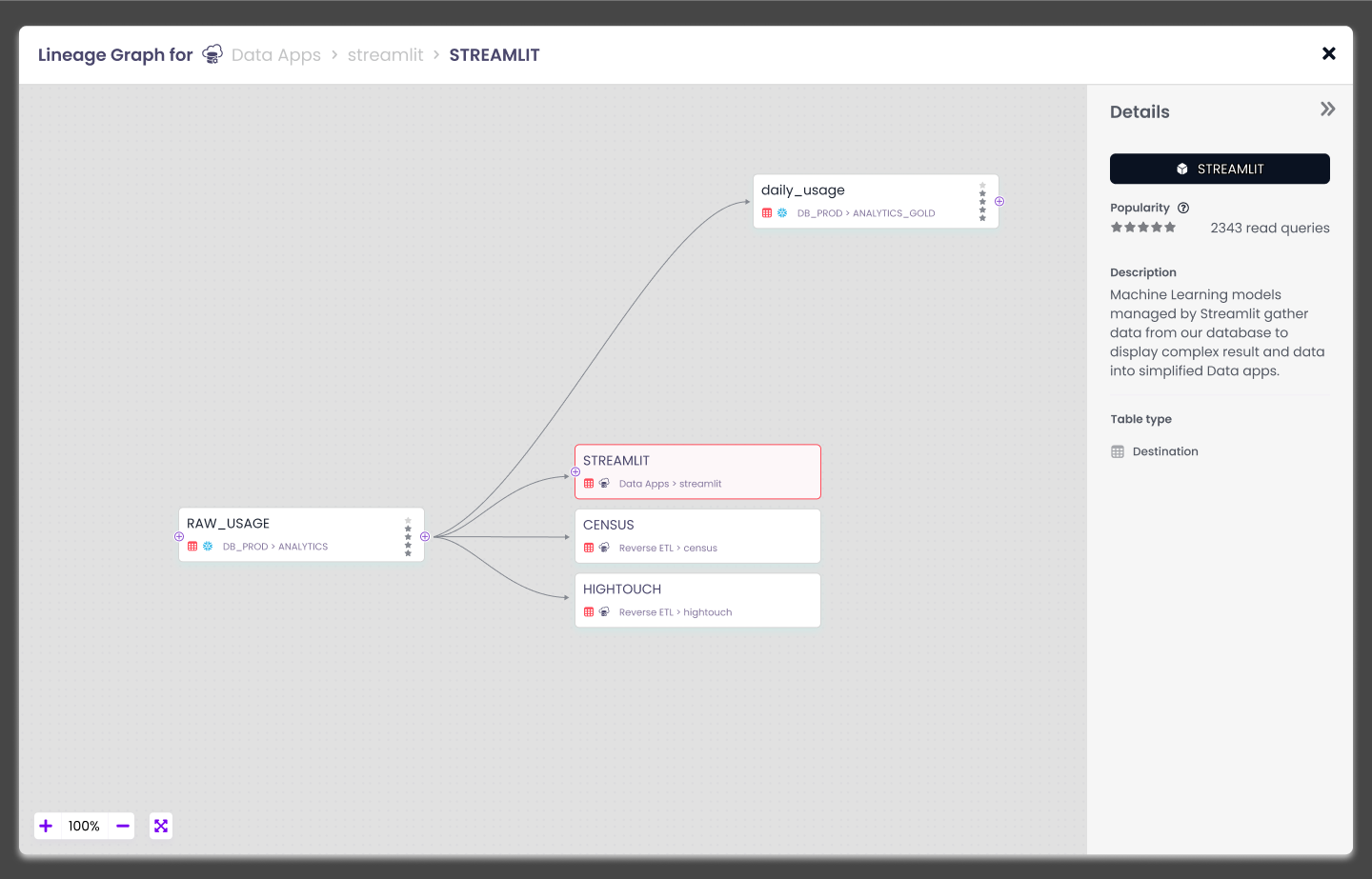
Representing data apps and reverse ETL reading into a Snowflake table
Lineage to service accounts
12-1-2023
Table Links
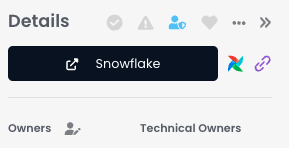
From a table in Catalog, jump back to either Snowflake, Airflow or the URL of your choice 🔗
Source Link
BigQuery and Snowflake Tables now have their link to redirect to respectively the BigQuery console or the Snowsight interface.
External Links
Tables can be associated with links (Airflow, GitLab, GitHub, other), via the Catalog API.
Tables
dbt test managed by Catalog
Catalog now manages the dbt test integration, no more files to push and schedule. All Tables present in Catalog and that dbt tests evaluate will display these tests in their Data Quality tab.
dbt tests
11-30-2023
AI Search over your knowledge content. Like a Q&A, your users get their questions directly answered if the answer is within one or several knowledge pages.
11-20-2023
Asset Access Control
Admins now have a way to manage who can access which database in Catalog!
Assets Access Control
Next iteration will introduce assets management at schema granularity!
10-18-2023
InApp Selection of Database and Schemas
It is quite common to have to finetune content extracted from a warehouse. You may want to exclude that particular schema or later add back that other database. You can now do that autonomously in the app.
Integration settings
Notifications via Emails
Catalog, while pushing for Slacks notifications, understands that some customers prefer having their notifications via email, it is now available
Native Column Tags Extraction
- Snowflake and BigQuery column tags are now extracted natively
Chrome Extension Improvements
- New technologies covered now: Domo, Sigma and Qlik. Refer to the page to get an overview of the capabilities
- You can now see "Mentioned Assets" on the snippet"
Salesforce Native Integration
Search, leverage, and govern all your Salesforce Data Assets from day 2 with Catalog. See here how to connect your Salesforce Instance to Catalog. This connector is also available for Client-Managed configuration.
Catalog extracts Object metadata as well as reports and dashboards.
Salesforce
Holistics Native Integration
Catalog now supports Holistics BI Tool
Domo Native integration
Domo can be used as a BI tool but as well to store data itself. Catalog now fully supports all Domo implementations, federated or not.
Domo
9-14-2023
Ingestion Report
You want to know what was loaded by Catalog when we last extracted metadata from your warehouse? This new report is made for you
View Ingestion report details
9-07-2023
API Warehouse Management Endpoints
You can now fully manage a warehouse using our API. This means you can add, update or delete tables, columns, or lineage to a warehouse. Please note that this warehouse must be entirely managed via API, to avoid conflicts with the catalog-run extraction
Create Source endpoint
Create Source endpoint
API Data Quality Endpoint
After releasing integrations to MonteCarlo and Soda, we now enable our customers to load observability and quality tests from any tools, SaaS or home made
View our Data Quality Endpoint documentation here
Upsert data quality test endpoint
Upsert data quality test endpoint
Teams as owners
We all agree that having a team owning a dataset is ten times better than having an individual user. This is now possible in Catalog.
Team ownership will also appear on teams profile page.
Lineage from S3 to Snowflake, out of the box
Just by looking at your Snowflake queries Catalog can now the origin of data loaded from S3. We can identify buckets, paths, and files used to load data into your snowflake tables.
From that we create an S3 source, add all these buckets, paths and files and finally automatically create lineage to your Snowflake tables.
8-31-2023
Columns Tagging
You can now tag columns in Catalog, these tags can be added by a user or come from an external source such as dbt or snowflake
New: dbt Owners
Catalog analyses the contributions to each of your dbt models to determine the top contributors and display them in the app as Technical Owners.
.png)
8-15-2023
New: Chrome Extension
Catalog can now be leveraged directly from your BI tool or SQL editor. There is a lot more coming from the team but lot of value to get from already
See how to install the chrome extension here
.gif)
Improvement: "Struct" Column Lineage
The Catalog SQL Parser can now retrieve column for STRUCT elements. This increases heavily our coverage for customers relying on that pattern.
8-8-2023
New: AI Knowledge draft generation
Do you think the definition of ARR, Customer Success, or Churn may be somewhat similar across different companies? We do too!
That is why you can now generate a draft for your Knowledge Metric/Domains/... pages, leveraging OpenAI capabilities.
.gif)
See the full details here:
New: Source Tags Automated
For several years, Catalog has been able to identify data extracted from popular SAAS tools. Think about SAP, Salesforce, Google Ads, and 53 more.
Now Catalog will automatically tag any tables or dashboard leveraging data from one of these SAAS tools
So if one of your Dashboards uses Salesforce data, it will be tagged with "source:salesforce" as on the example below
.png)
Improvement: dashboard popularity for more BI tools
Catalog now automatically computes popularity for
- PowerBI
- Sigma Computing
8-1-2023
New: Curated Content
For business users, information about schemas, tables, and columns can be overwhelming. This is why Catalog has released a Business User view, simplifying the UI by removing technical data elements. It also changes the defaults search filters to exclude searching within technical data assets.
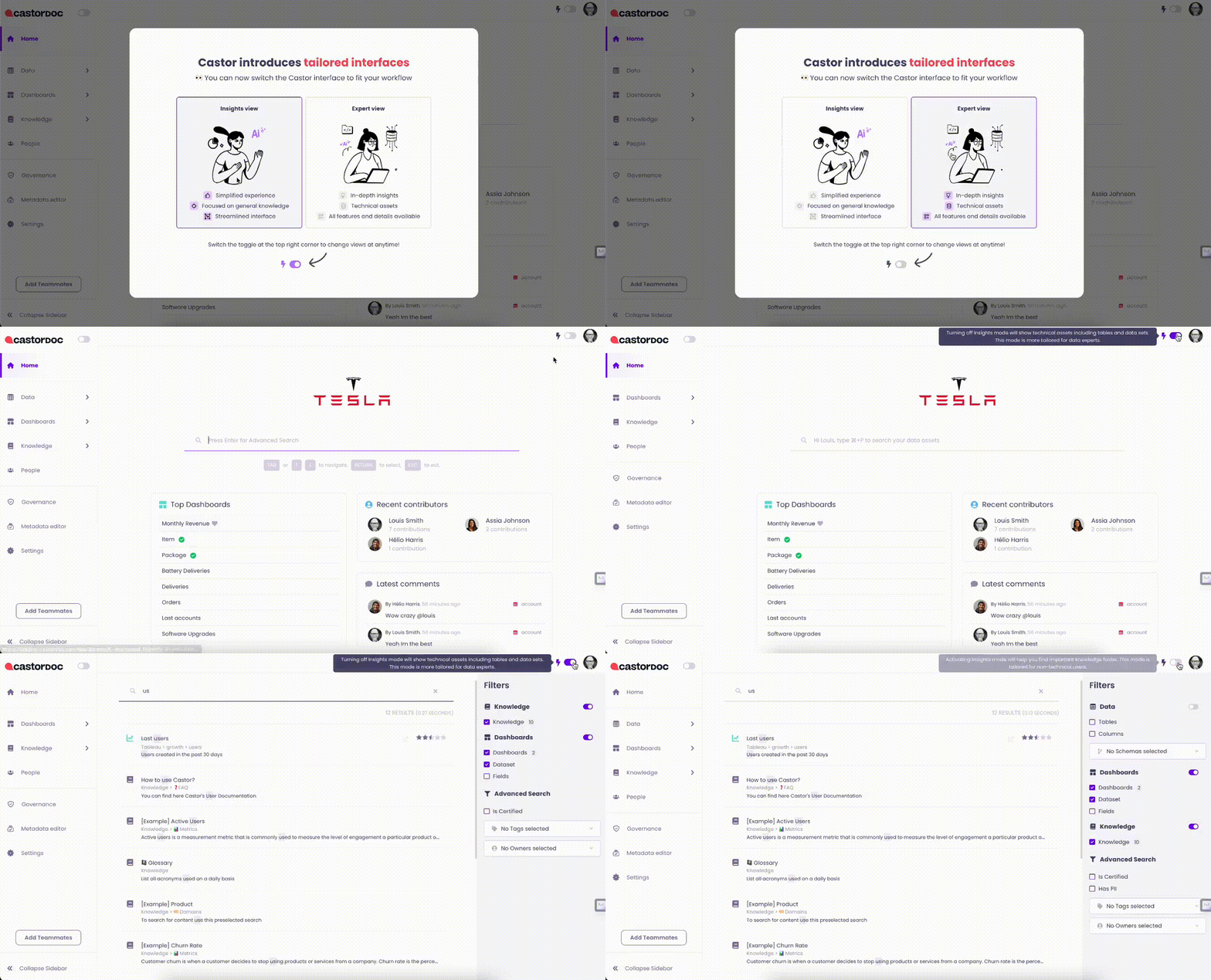
See more here
Improvement: Looker Lineage upgrade
Your Lookml is full of User Attributes and Constants? Catalog now resolves these with any issue
7-25-2023
New: Catalog Scribe
Writting description for tables and dashboards is bothersome and at least a part of the description can be inferred from their underlying SQL queries and metadata.
This is exactly what Catalog Scribe does. Ask AI to write a description for you.
.gif)
New: Teams Editable
You can now create and edit teams directly within Catalog.
.gif)
Find more information here
Teams in Catalog
Improvement: lineage partial matching
Sometimes, due to missing context, our parser in only able to retrieve a table name but without its schema or database.
From now on, if that table name is unique in your catalog, the lineage link will be created. Huge improvement coming, especially for users of Postgres and Redshift.
7-18-2023
Dashboard Frequent Users
Who uses which dashboards? Answering that question can bring a lot of trust in a given dashboard! Catalog now enables it on Looker
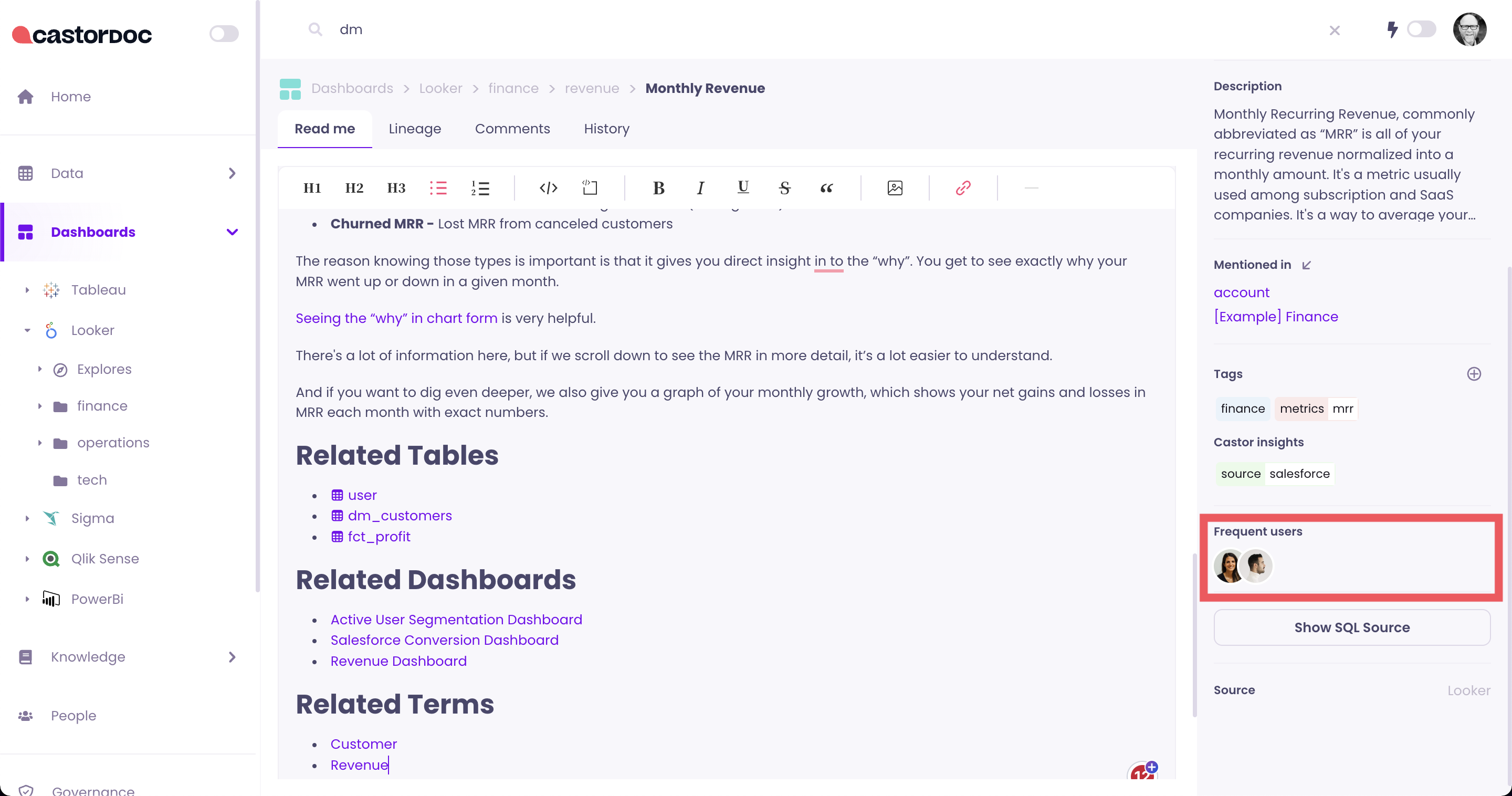
This comes out of the box for any customer with a live looker integration. If you are using the Client-Side set up, make sure to update your castor-extractor package.
7-11-2023
New: Integration to Domo
Catalog now connects to Domo dashboards and datasets, including lineage.
6-27-2023
New: Unused Assets Report
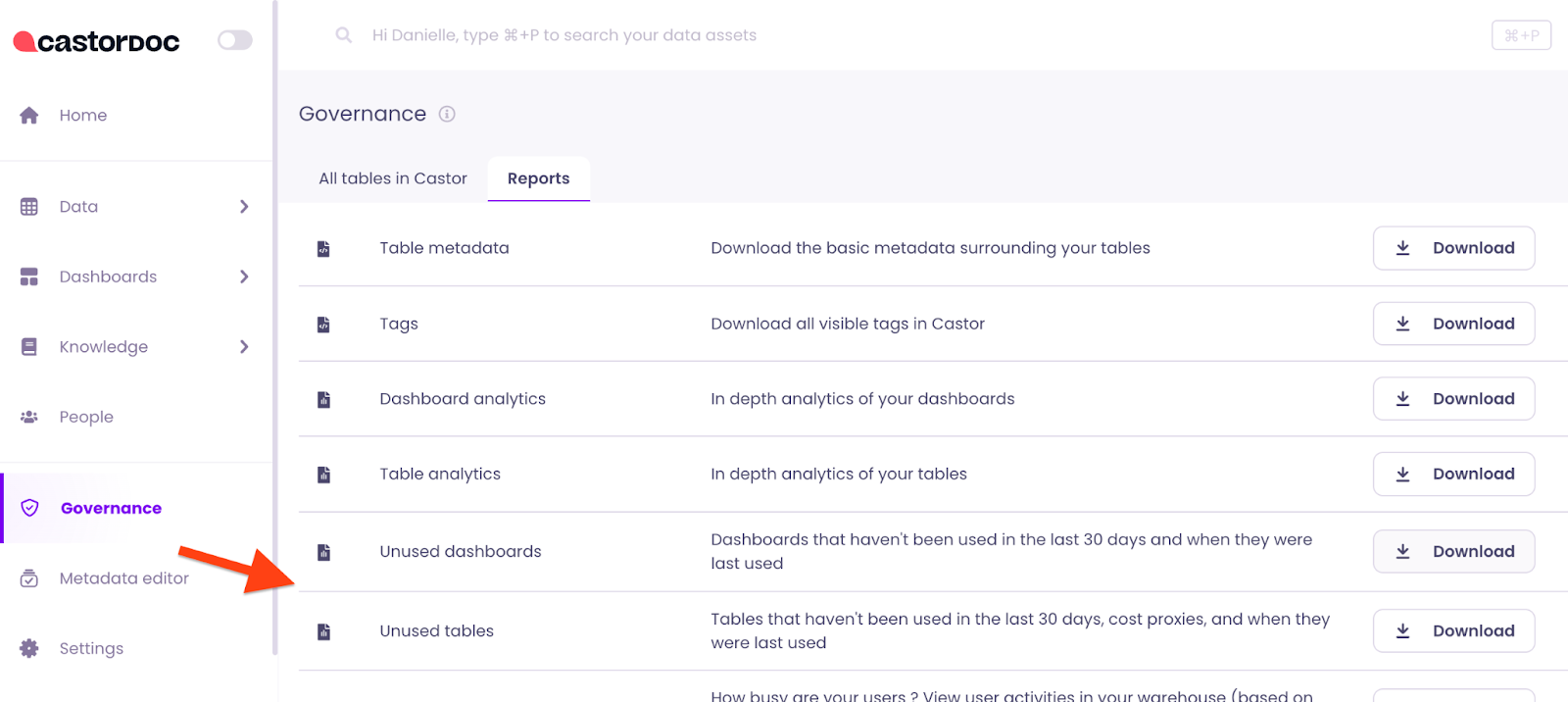
You can now generate an unused assets report to clean up your unused data assets and build an efficient data stack. You can download the unused assets report directly from the Governance > Reports section of Catalog. You can read more here.
6-23-2023
New: Rich Text Images
Our rich text fields now support images! Now you can supplement you documentation with image assets, with more rich text improvements on the way.
New: Sigma Integrations - Datasets Support
Catalog's Sigma Integration now supports Sigma Datasets. You can read more about integrating with Sigma here.
New: Sync a Tag to a Knowledge Page
You can now sync a tag to a specific knowledge page. This means you can easily link all assets with a tag to a specific knowledge page.
Improvement: Certified and Deprecated Details
You can now see more details on who certified or deprecated an asset by hovering on the respective icon.
Improvement: Looker Column Field Lineage
We have improved the lineage for Looker, so you can now see the lineage between a field of an Explore and its related columns.
6-13-2023
New: User Teams
Assign users to teams, so you can build context around teams and access associated knowledge pages that document the context of their domains.
6-7-2023
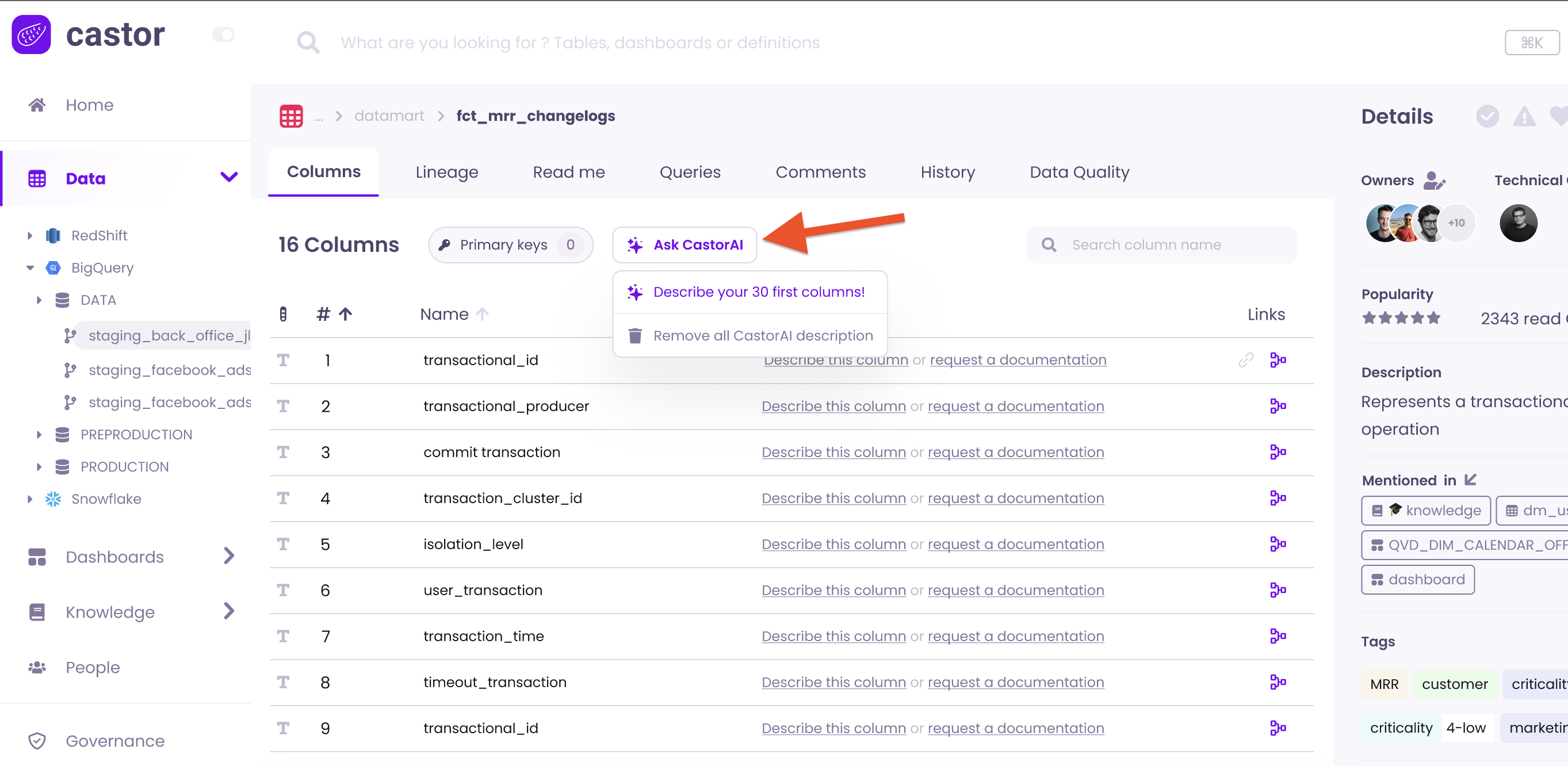
Early Access: Assistant AI for asset descriptions and knowledge pages
Assistant AI now supports generating column, table and dashboard descriptions and drafting knowledge pages, so you never have to start with a blank slate.
Read more about Assistant AI here.
6-6-2023
New: Knowledge Map
We are excited to introduce Knowledge Map, a full visual overview of your organization’s knowledge pages. With Knowledge Map, you can now see the complete hierarchy of how your organization’s data spans domains, metrics, and KPIs you’ve documented.
.gif)
5-5-2023
New: Catalog API
Catalog now has a public API available with new endpoints for integrations. You can read more here.
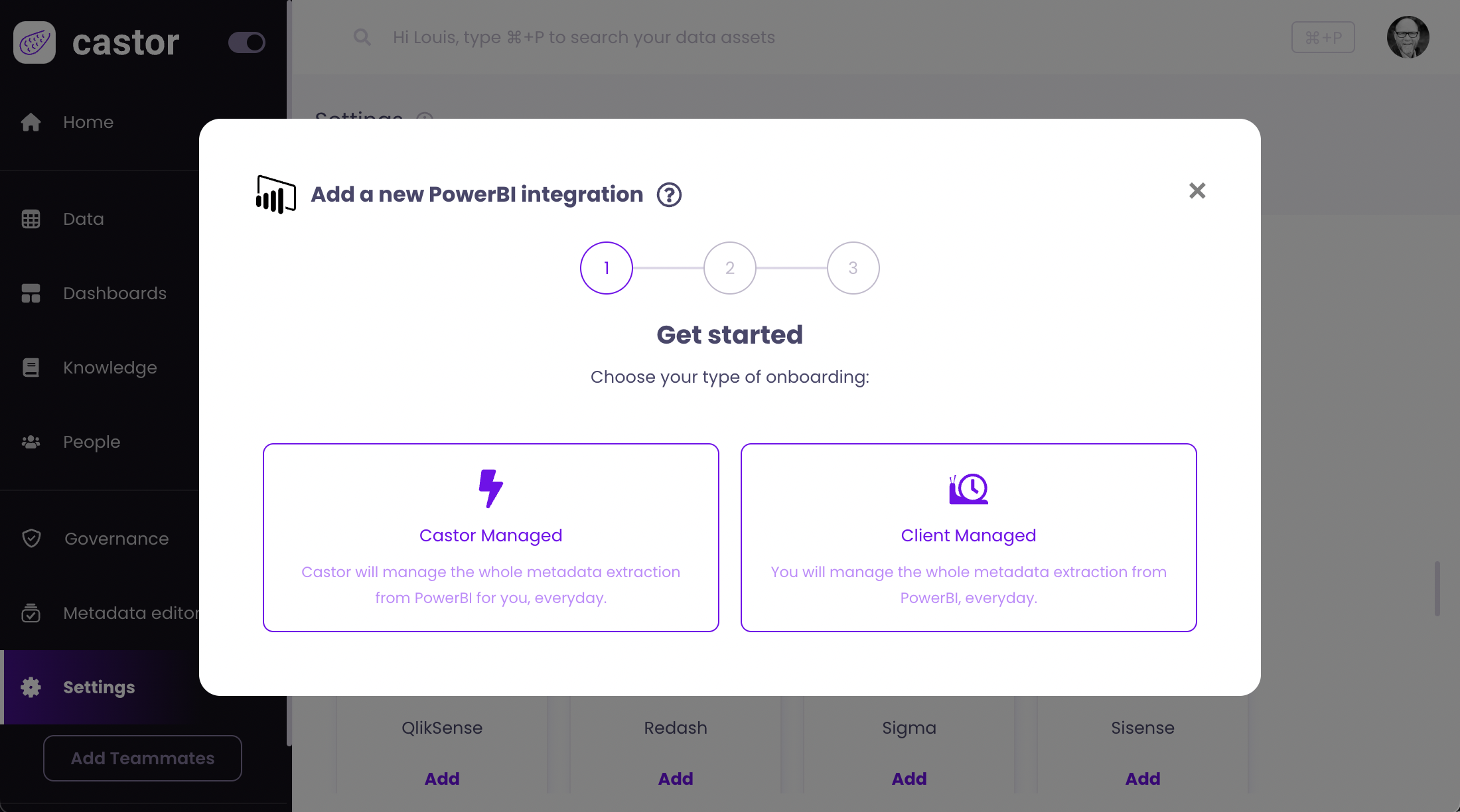
New: PowerBI Datasets Integration
Catalog now integrates with PowerBI datasets. You can set up your PowerBI integration directly from the Integrations tab in the Settings. You can read more on how to integrate here.
5-2-2023
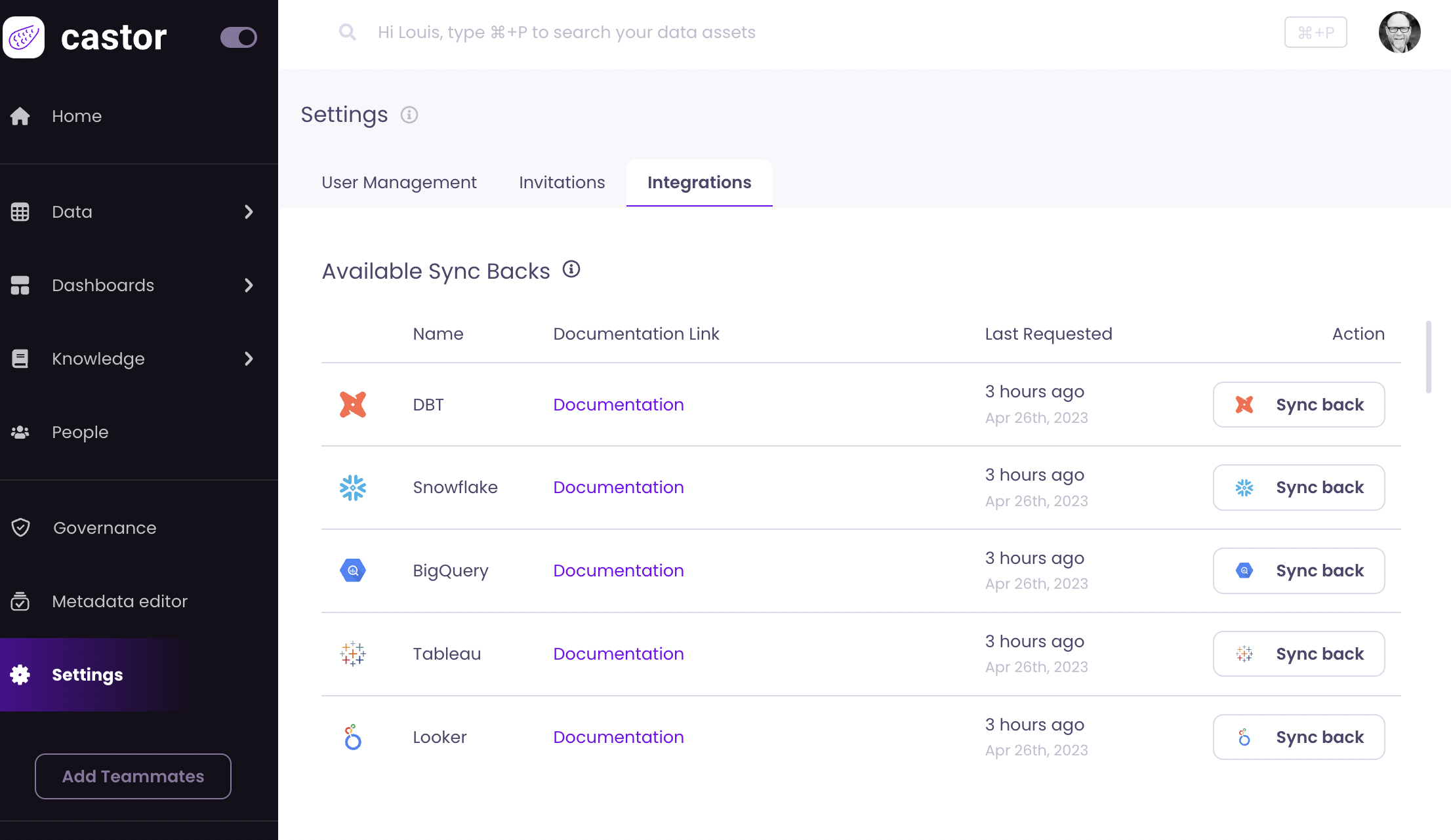
Early Access: Sync Back to Snowflake, BigQuery, Tableau & Looker
We are excited to announce Sync Back early access with more tools, now supporting Snowflake, BigQuery, Tableau, and Looker in addition to dbt. So you can now push your data documentation out across your entire data stack.
These new Sync Backs are available by request for Early Access, and current customers can reach out now to get started. If you’re not yet a customer and would like to learn more, get in touch today to discuss how Sync Back improves your data experience.
Read the full announcement here.
4-25-2023
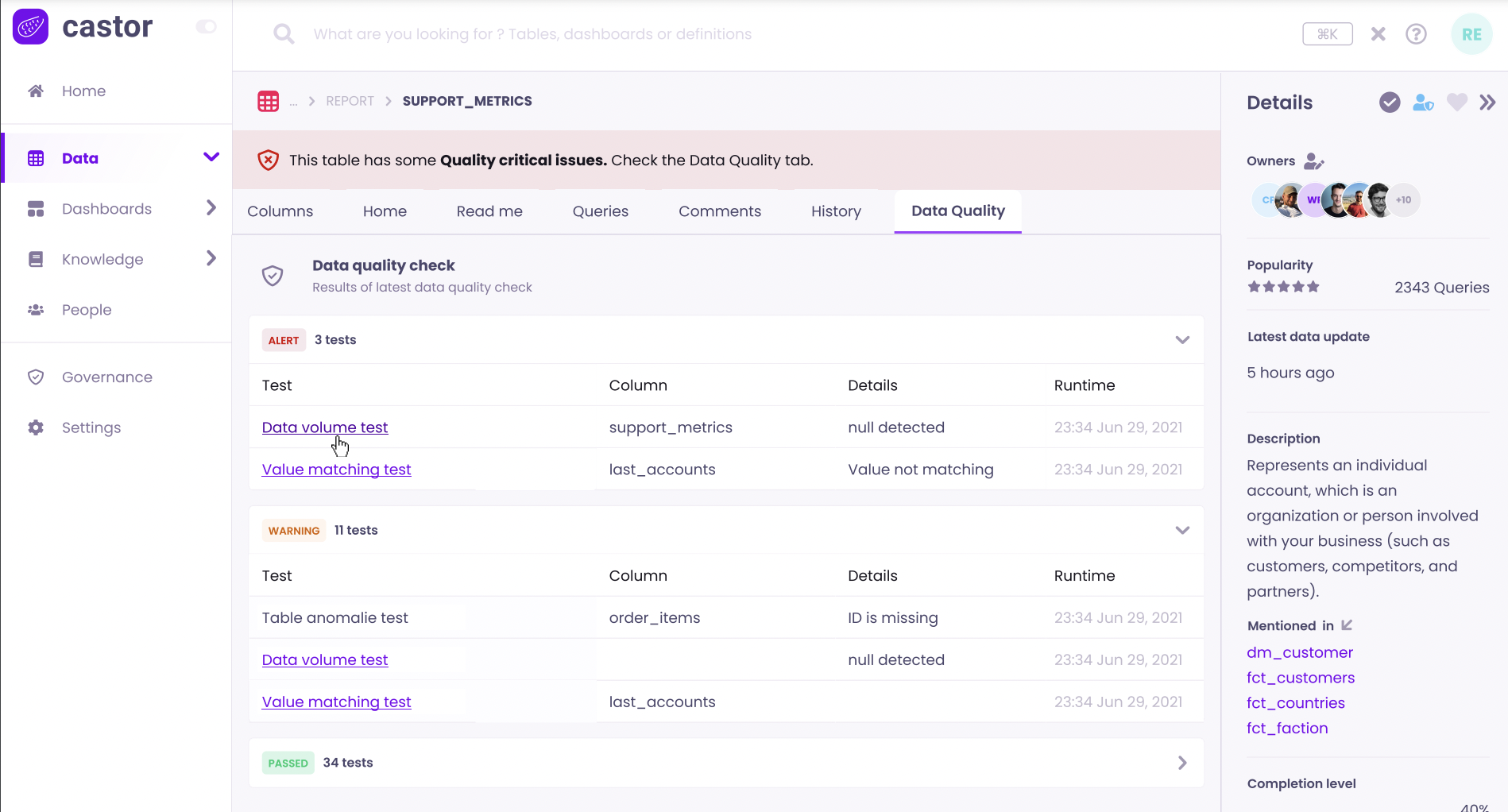
New: Surface Data Quality with dbt Tests & Soda
You can now see data quality tests from dbt Tests and Soda directly alongside your assets in Catalog. Easily stay up to date on your data’s health at a glance and let everyone in your organization know they can trust your data.
Read more about using data quality integrations here.
4-21-2023
New: Source Tagging
Catalog now supports source tagging on tables and will be rolled out to customers starting April 25th. These source tags will appear alongside your existing tags, supporting tools like Intercom, Stripe, Mixpanel, Salesforce and more, so you can see exactly which tool your data originates from.
Read more about source tagging here.
New: Tableau Data Source Field Lineage
Catalog now supports field lineage for published Tableau Data Sources. Lineage will be available for table columns and dashboards connected to Data Sources, from Columns to Field to Workbooks.
4-14-2023
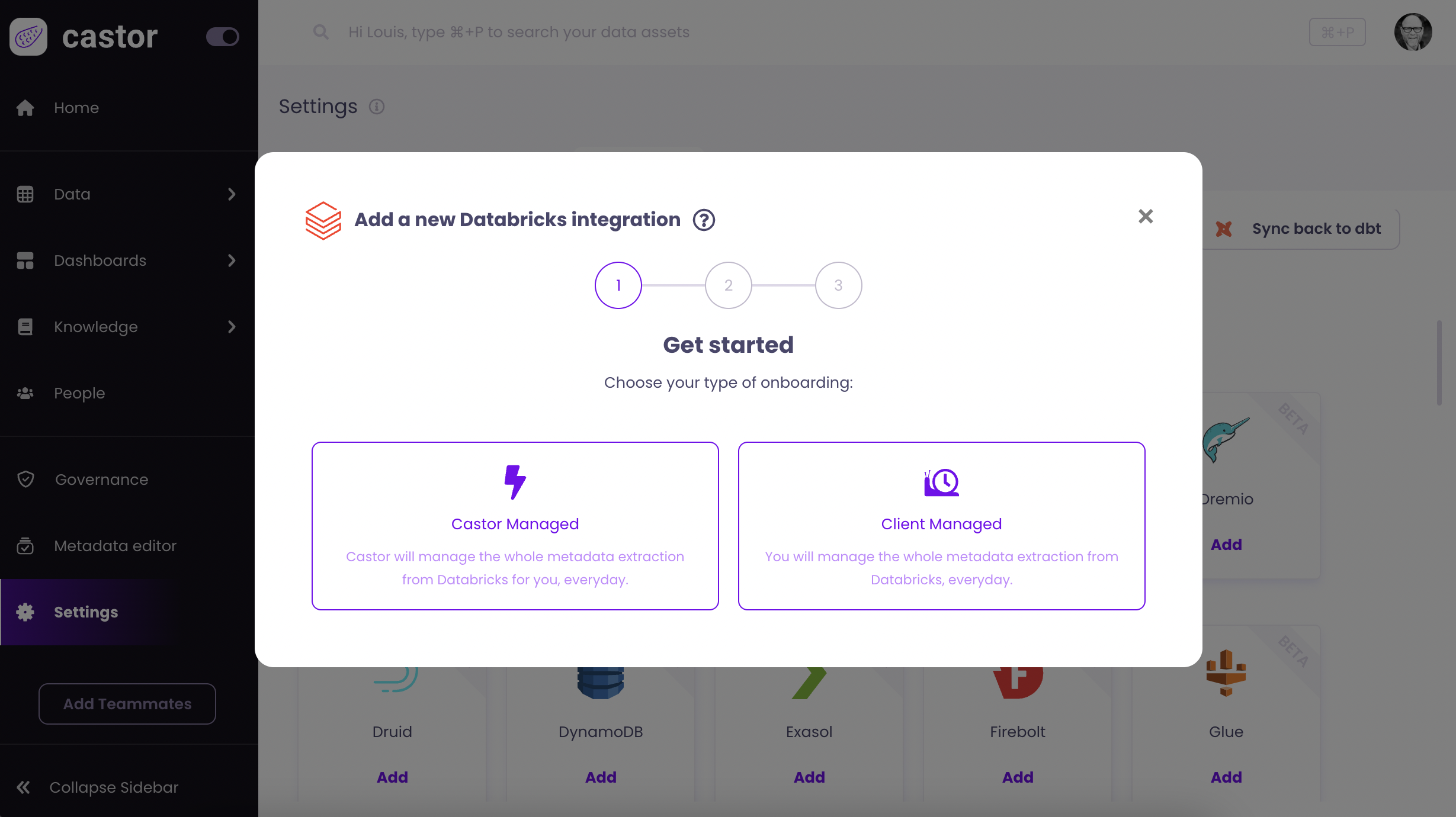
New: Databricks Integration
Catalog now integrates with Databricks. You can set up your Databricks integration directly from the Integrations tab in the Settings. You can read more on how to integrate here.
New: Tag Styles
We made tags prettier with new styling options. Tags can now be colored, support emoji use and have new formatting options to support subcategories like Priority: Low, Priority: High.

4-12-2023
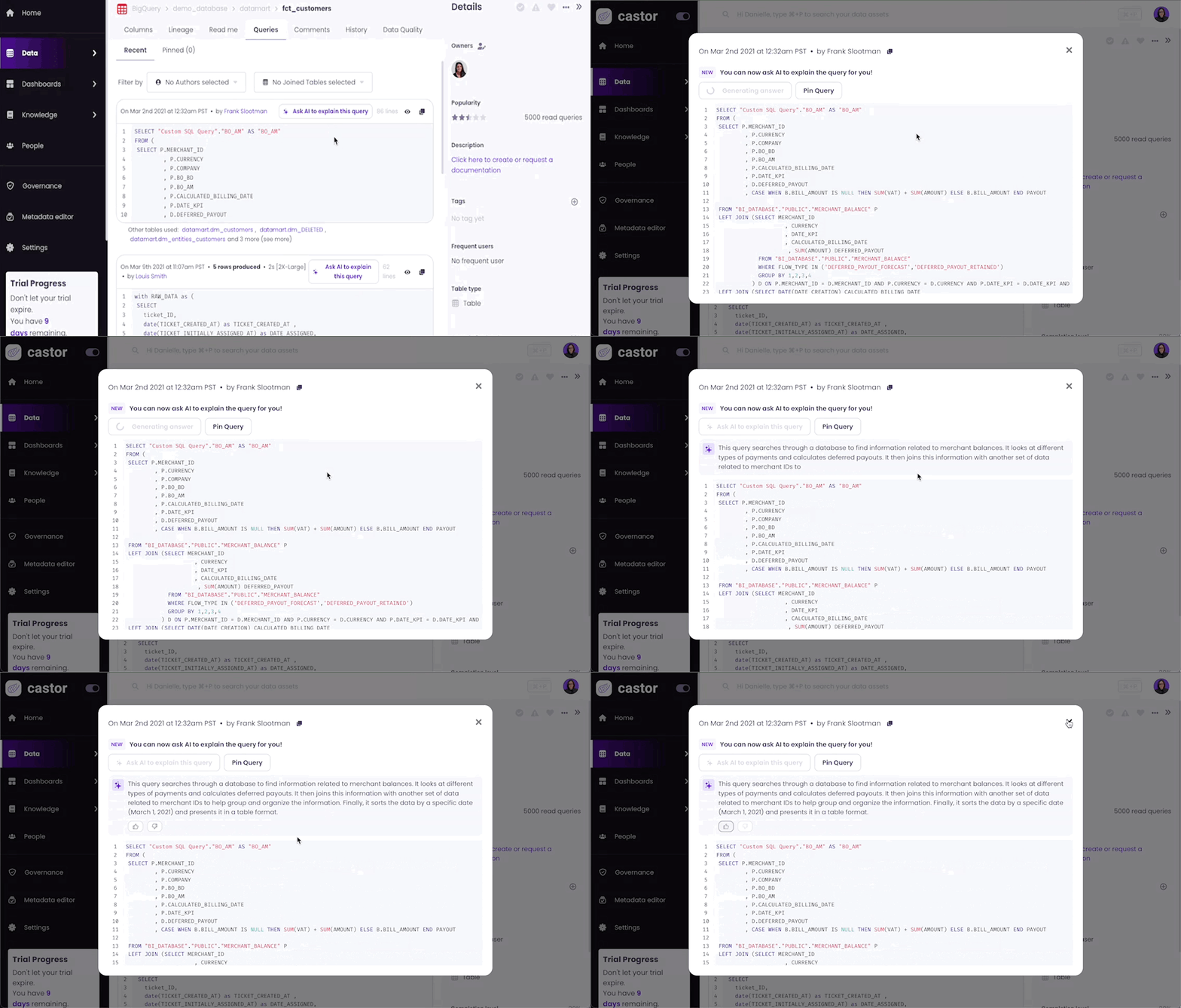
New: Catalog AI Query Explainer
Catalog AI is here with the first AI powered feature, Query Explainer. This translates queries into natural language and lets anyone in your organization easily understand the logic behind queries with a single click.
Read more on using Catalog AI's Query Explainer here.
3-31-2023
New: Tableau Data Sources
Catalog now supports Tableau Data Sources as assets, similar to Looker Explore. These will now appear in the side navigation under Dashboards, as the related visualization models as well as in lineage.
Read more on using Tableau DataSources in here.
 (1).png)
3-03-2023
New: Export Reports for Excel
You can export Reports in an Excel format in addition to the previously available CSV format. You can read more about exporting reports here.

New: dbt Cloud Integration
We now integrate with dbt Cloud, you can set up your dbt Cloud integration directly from the Integrations tab in the Settings. You can read more on how to integrate here.

Improvement: Column Lineage
These improvements surface column lineage directly in the Lineage tab. So you can now select Lineage and choose between dashboard lineage or selecting a specific column to view column lineage. This update also makes additional UI improvements to the Snowflake column lineage experience.
Improvement: Looker Explore UI Updates
These improvements update the experience for Looker Explores by adding view labels, filters for view labels, displaying field usage, as well as ordering by field usage and filtering on field type.
2-24-2023
New: Report an Issue
Let your whole team help keep an eye on your data’s health. You can now report an issue with a table from within Catalog. When the issue is reported, a comment will added to the asset in Catalog and the owner will be notified.
.png)
Read more on using Report an Issue here.
2023-02-06
New: dbt Sync Back
You can now push table and column descriptions back to your dbt GitHub repo. To start using, grant contributor access to our technical GitHub user techcastor and trigger a sync using the “Sync back to dbt” button in the integrations section.
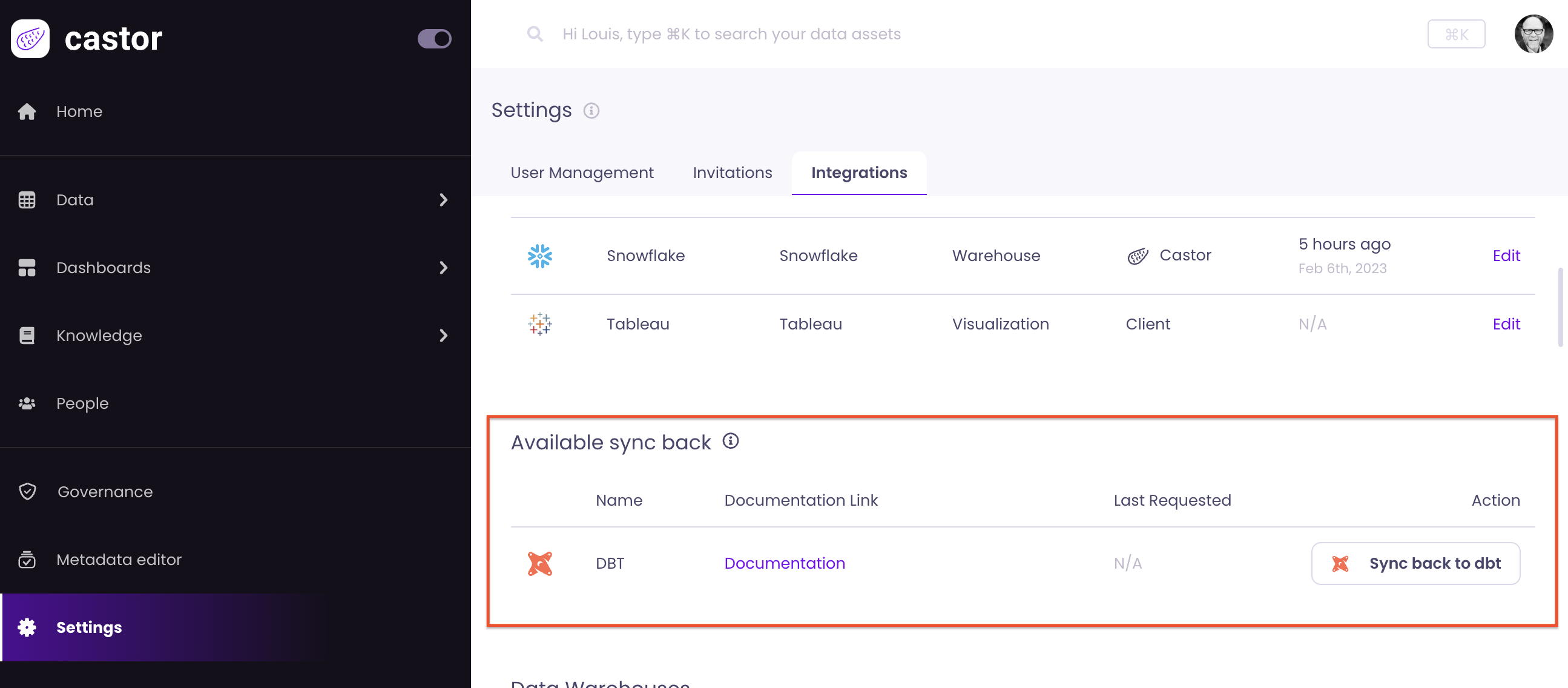
Read more on how to use dbt Sync Back here.
2023-02-04
New: Manual Lineage
Incorporate your full lineage in Catalog with manual lineage. You can now link directly to the backend and delete links via Ops notebooks for tables and columns for sources where Catalog cannot retrieve data.
2023-02-02
New Integration: Amazon Athena
We added a new integration with Amazon Athena. You can read more on setting this integration up here.
2023-01-31
New: Request Data Access
You can now request access to a table directly in Catalog without needing to hunt down an admin to grant permissions.
.png)
Request access while viewing a table.
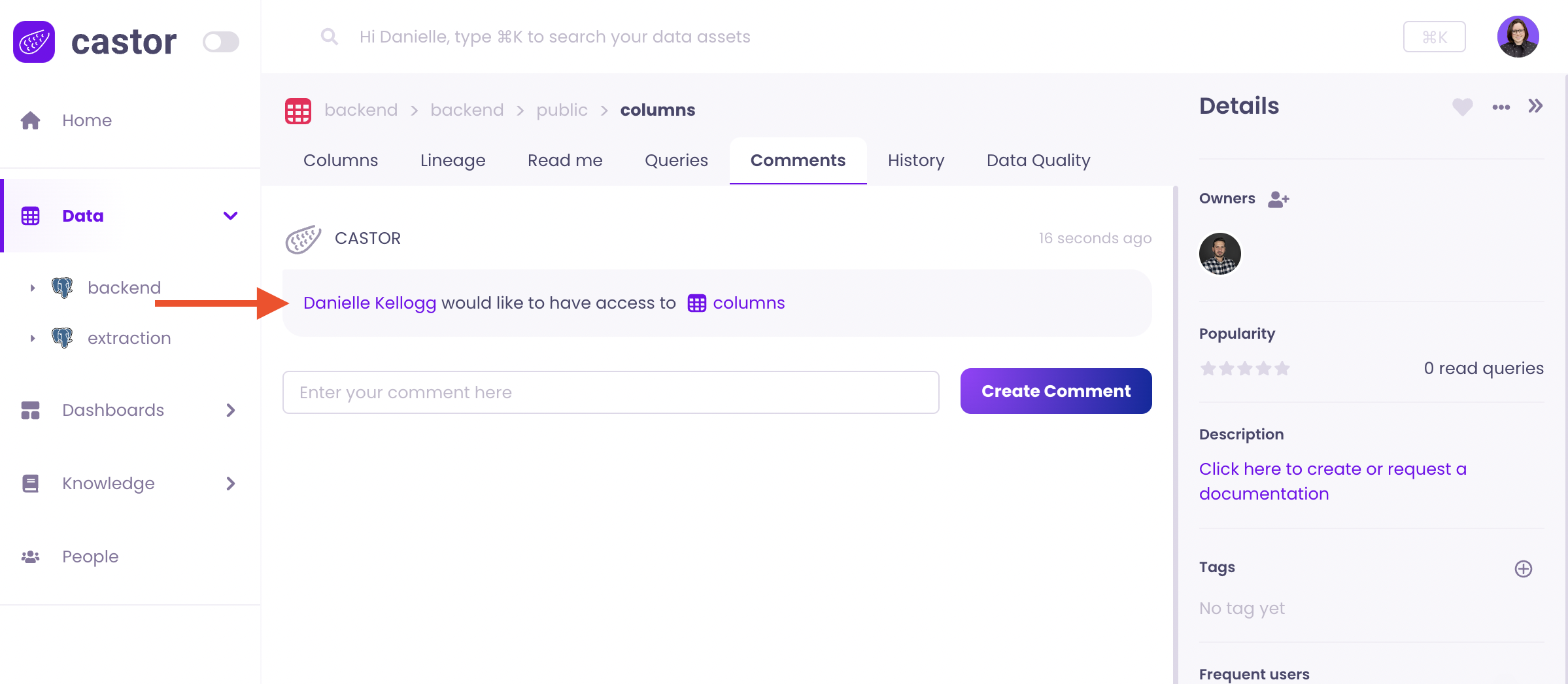
The access request will be logged in the asset comments.
2023-01-27
New Integration: Glue
We added a new integration with AWS Glue. You can read more on setting this integration up here.
2023-01-25
Coming Soon: Data Quality
Soon you will be able to easily keep an eye on your data’s health, with Data Quality on tables. You will soon be able to see data quality at a glance when searching for tables, along with a detailed breakdown of the tests and statuses. Expect the first test integration in the coming weeks.
.png)
See results of your latest data quality check.
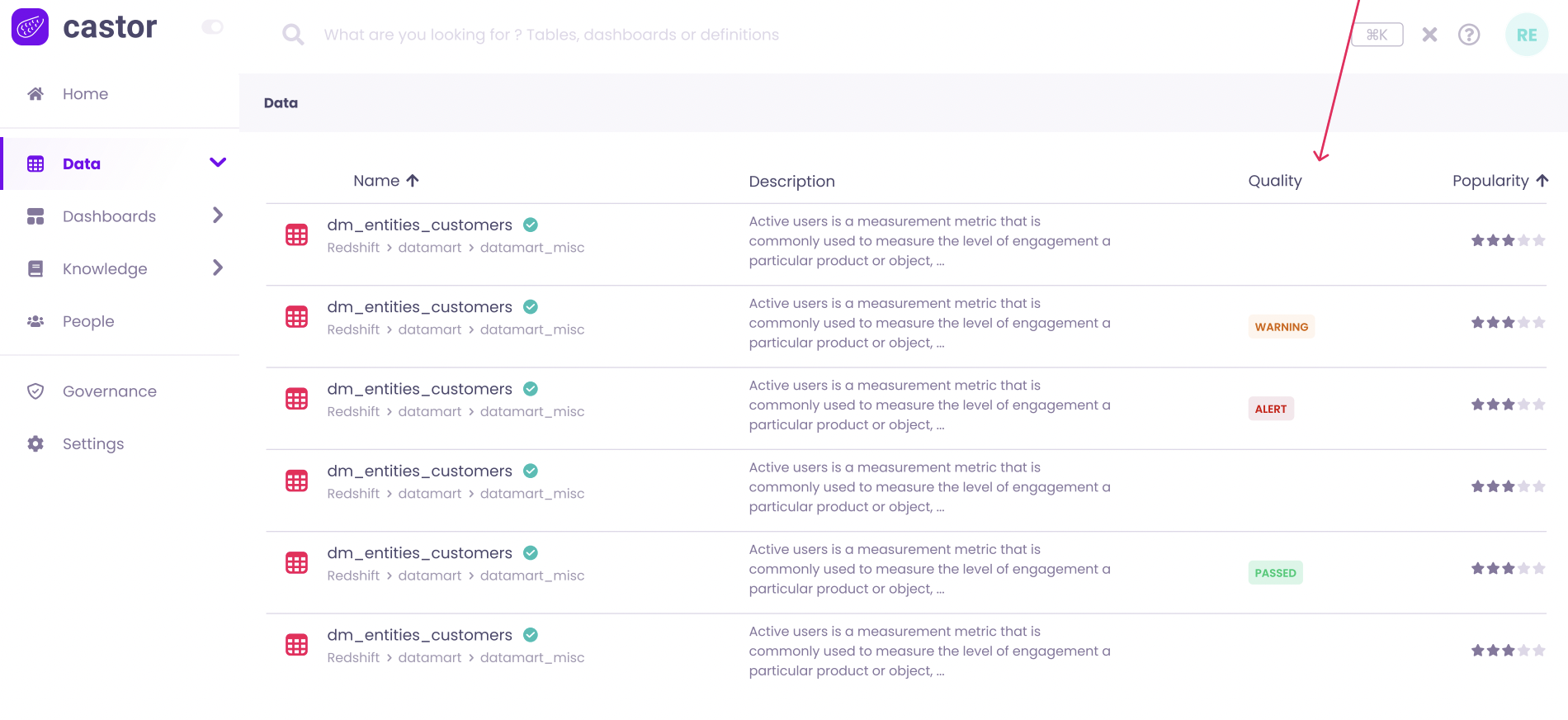
Data quality status for tables at a glance.
2023-01-23
New: Request Documentation
You can now request documentation for a table or column. This will trigger a slack or email notification to the table owner to update the documentation for the related asset. If no owner is specified, admins are notified of the request. Read more here.
.png)
New Reports Available: Deeper insights on user activity and data usage.
Admin can now access metadata on user activities in their warehouse, table analytics and dashboard analytics. These new reports can be used for insights to identify tables and dashboards with high compute costs, see who is running the most queries, or identify gaps in documentation.
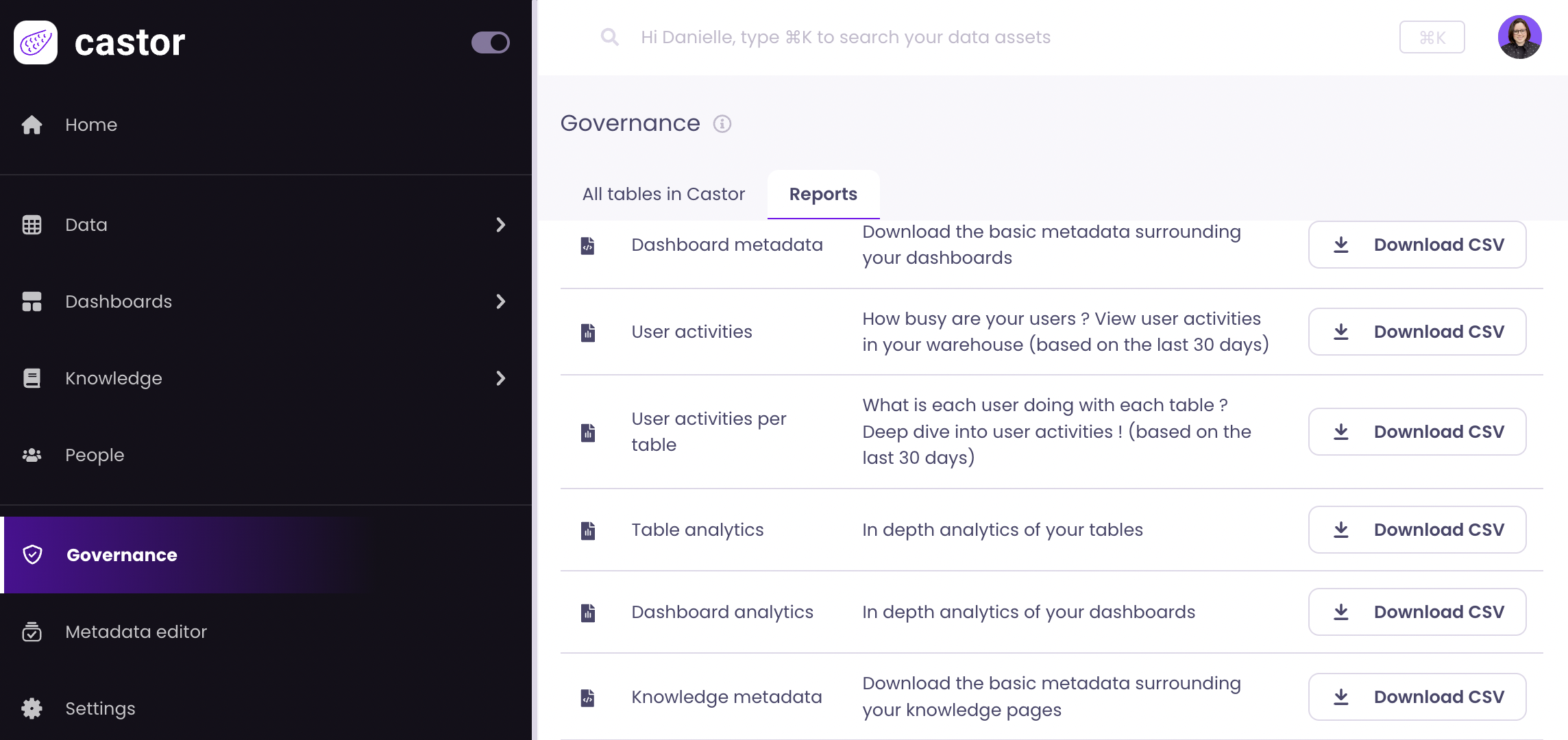
The following tables were added:
- PII Columns: Includes metadata on columns like Catalog URL and data type of a column.
- Knowledge Metadata: like path and tags for a knowledge page.
- User activities in the warehouse: Includes user activities in your warehouse for the last 30 days.
- User activities in the warehouse per table: Includes user activities by table in your warehouse for the last 30 days.
- Table analytics: Includes tables usage data like number of queries and number of parent tables.
- Dashboard analytics: Includes dashboard usage data like, url path, and number of parent tables.
Read more on what is included in each table here.
2023-01-20
- Increased coverage for large queries
- LookML lineage improvements
2023-01-13
- Updates user mentions with link formatting
- Updates UI for invite modal
- Updates to column lineage for Tableau
2023-01-06
- Reports to include Tag metadata
- Updates UI of Lineage tab to provide clearer view of lineage
2023-12-30
- Adds Knowledge Metadata report
- Add PII Column report
- Enables dbt self onboarding in integration setup
2022-12-23
- Reports update to include dashboard analytics report
2022-12-16
- Added loader for pinned assets so users know they are loading
- Metadata Bulk Edit - Add tags to tables
- Bug fixes:
- Catalog icon size issue
- Make horizontal scrolling possible when there are long menu items
2022-12-09
- New feature: Metadata bulk Edit
- Bulk add owners to tables
2022-12-02
- Renamed tags to attributes on table’s columns page
- Bug fixes
- Selecting an asset in the pinned asset modal causes the search to reset
- Modal overflow
- Column lineage coverage improvements
- Tableau tags are not dropped anymore when name’s too long
2022-11-18
- Added clickable breadcrumb paths on dashboards
- Bug fixes:
- Toast error message
- Resolve incorrect user count in People page
2022-11-11
- Support table of type
CLONEfor BigQuery - Allow self onboarding for all warehouses and BI tools in Catalog managed mode
2022-11-04
- Direct lineage from dashboard to table for Metabase
2022-10-21
- Hide Google service accounts from People page
- Allow self onboarding for all warehouses and BI tools in Client managed mode
- Download table and dashboard metadata
2022-10-14
- Create your teams in Catalog
- Ability to assign teams as table/dashboards owner
2022-10-06
- Search improvements: more context on assets location, search by database
- Fix on dashboard popularities
- BigQuery extractor safe mode
2022-09-23
- Download all downstream nodes as CSV file
- Hide “Sources” in lineage when asset has no parent
- Order History in reverse chronology
- Contribution links in home page redirects to user contribution tab
- dbt manifest parsing upgrade
- Table lineage: handle
INSERT_INTOpatterns
2022-09-16
- More context in search: table and dashboard descriptions are systematically displayed in search
- More assets in profile pages: tables, where user is a technical owner, and dashboards, where user is an editor
- Added a toggle/input on the lineage graph to recompute it on less than 30 days
- Qlik integration is live
2022-08-26
- New native integration: Qlik in Catalog
- Export lineage children as CSV file
- Column lineage: official release and UI improvements
- Complete search for very large Looker explores
2022-08-12
- Lineage Graph: Ability to decrease the 30 days default period in order to visualize recent changes
- Slack Notification on user signup to Catalog
2022-07-29
- Lineage: added sources (first ancestral tables) of element & improved perf issue on fetching it
2022-07-22
- Profile tabs performance improvements
2022-07-15
- Column lineage developments
2022-07-01
- Quotes added to BQ Table descriptions
- PyPi package - Looker: Add timeout as parameter and allow using
all_looksend point to fetch Looks - Lineage revamp: group tables by schemas and group BI assets by type and technology
2022-06-24
- Support
MERGEstatement in column lineage - Tableau syncs can be Catalog managed
2022-06-17
- Dashboard Fields can be pinned
- Slack avatars are synced
- DBT owners automatically added
- Support SAML SSO loggin
- Support line breaks in Looker fields descriptions
- Revamp of lineage (step 1)
2022-06-10
- Larger assets nodes in graph lineage
- Upgrade from linked to Pinned assets
2022-06-03
- Fix DBT last refresh
- Clean blank Looker avatar pictures
- Exclude users only present on Slack from people page
- Dependency resolution for PyPi package
2022-05-27
- Handle null characters in Looker Dashboard titles
- Handle Looks with no directory
- Remove deprecated assets from home page
- Show last Catalog sync for each integration
2022-05-20
- Fix Okta sign-in bug
- Add "source queries" for Generic viz
2022-05-13
- Add Dashboards from Metabase "Our Analytics"
- Admins can now deprecate dashboards and knowledge pages
2022-05-06
- Handle generic warehouse ingestions
- Improve data catalog sync performance
2022-04-29
- Display by default the most 5 popular linked assets in lineage - click on "+" to display all links
- Support additional SQL statement for column lineage
- Owners get Slack notification when a comment is added on their assets
2022-04-22
- Handle markdown table rendering and h3-6 headings
- Deal with Snowflake latency issues: avoid empty tables
2022-04-15
- Fix: can use spaces in "refers to" search bar
- Display all "+" and "-" on lineage graph
- Handle more thoroughly sync with warehouse descriptions
2022-04-08
- Possibility to "deprecate" table assets
- Update of Column lineage target metric
- Ability to batch upload "Knowledge pages"
- Handle of "Update" queries for table lineage
2022-04-01
- Support multiple domains for independent user creations
- Trial count downs now present in app
- Knowledge "Drag and drop" (easily move knowledge subpages) is now live
- Read only role now live
2022-03-25
- Prep of external users as asset owners: allow users without Catalog account to be set as an asset owner
- Prep of knowledge "Drag & Drop"
2022-03-11
- Ingestion of multiple DBT manifests now possible
- Slack unfurls Dashboard and Knowledge links
- Hide Dashboards in lineage graph
2022-03-04
- Top Dashboards appear on homepage
- Dashboard source queries added
- Added additional filters in advanced search: owner, PII and verified
- Deleted transient filter for Snowflake accounts: all transient objects on imported into Catalog
2022-02-25
- By default, advanced search does not contain columns and fields
- Added external description to column description suggestion (AutoDoc) and column describer
- Improved column description suggestion performance
2022-02-18
- Fixed broken favorite links: tables appear in user pages
- Added new warehouse technology icons
- Fixed query mismatch in user pages
2022-02-11
- Added "Tables", "Dashboards", and "Knowledge" tabs to user pages
- Filtering by schema and tags now possible in advance search
2022-02-04
- All BI tools extraction agents merged into 1 package
- Scheduling now possible for Mode
2022-01-28
- External descriptions can now be rendered as markdown
- Advanced search applies filters based on quick search
2022-01-21
- External description for tables used as fallback on Table Explorer
- Dashboard editors appear in addition to dashboard owners
2022-01-14
- On people pages, view queries performed by user
- Display "is Certified" in search results
2022-01-07
- Save your favorite queries with "Pin queries"
2021-12-31
- Hide links in Graph lineage
- Mode package release
2021-12-17
- Display labels of Looker Explore fields
- Dbt Tags Automated Sync
- Client-side Extractors for Redshift, BigQuey and Snowflake
- Extended search filtering design preparation
2021-12-10
- Lineage graph with expansion and details
- Nested Knowledge pages
- View all active members on your Data Stack in People page
- View on which technology each member is active
- Invite to Catalog from People page
- Catalog Slack App can be installed from the Admin's integration page
2021-12-03
- Lineage graph first version: table parents and children
- Sharded tables Exploration for BigQuery
2021-11-26
- Slack: show message snipped in Catalog
- Redshift Spectrum is supported by Catalog
- Datastudio is compatible with Generic Dashboard
2021-11-19
- Slack App allow to trace back Slack message to Catalog
- Users can link columns in any text area of Catalog
- BigQuery nested fields are handled
2021-11-12
- Catalog integrated natively with Tableau
- Table freshness information is refreshed hourly
- Users can describe schemas and databases
2021-10-22
- Admin can edit Warehouse credentials
- Improved python module to push to GCP bucket
2021-10-15
- BigQuery Views now have popularity and lineage
- Catalog URLs are formatted prettily in table and column descriptions
- Looker Lineage Dashboard ↔ Explores
- Richtext Toolbar now always appears in descriptions
2021-10-08
- Catalog Auto Doc is live. See the dedicated page here
- Admins can change user roles and deactivate/reactivate them
- Source queries for dbt tables are now available
2021-10-01
- Users can use table schemas to find tables
- Admin can see their company's employees on Catalog
- Users can see SQL queries that created/edited the tables
- Catalog sync your tags from BigQuery
2021-09-24
- Users can link data assets together, with backlinking activated
- URLs in Catalog are nicely formatted everywhere in the app
- Catalog offers a python package to push content to a GCP Bucket
- Lineage Parent and Child are redesigned