Documentation index: llms.txt. This page is also available as markdown: append .md to this URL or send Accept: text/markdown.
Coalesce
Our integration with Coalesce Transform brings deeper visibility and context to your data lineage, documentation, and quality monitoring. By connecting your Coalesce environment to the Catalog, you can trace, understand, and trust your data pipelines.
Use Cases
Connect your Coalesce environment to Catalog to unlock the following capabilities.
1. Understand Data Origins at a Glance
Quickly identify which tables in your warehouse were built with Coalesce, directly from the Catalog interface. This gives data teams immediate visibility into how and where transformation logic is applied.
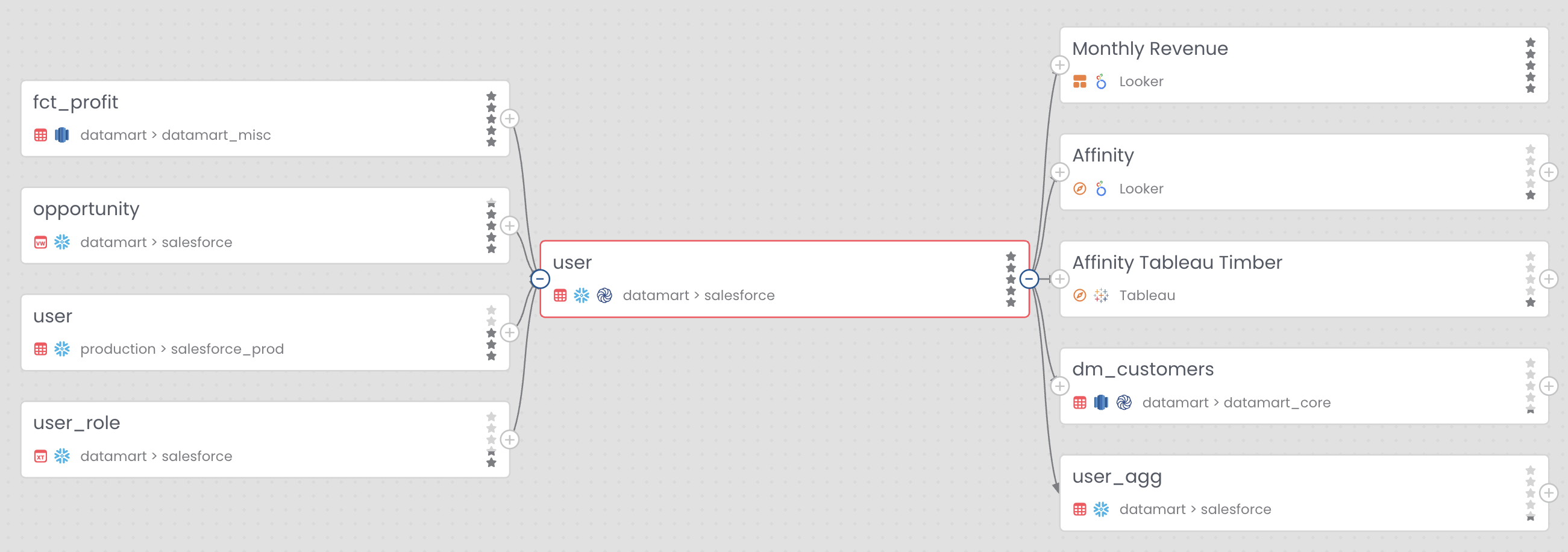
2. Explore Lineage with Visual Cues
See Coalesce-built tables marked with the Coalesce logo directly in the lineage graph. This allows for fast troubleshooting and intuitive exploration of upstream dependencies and downstream consumers.
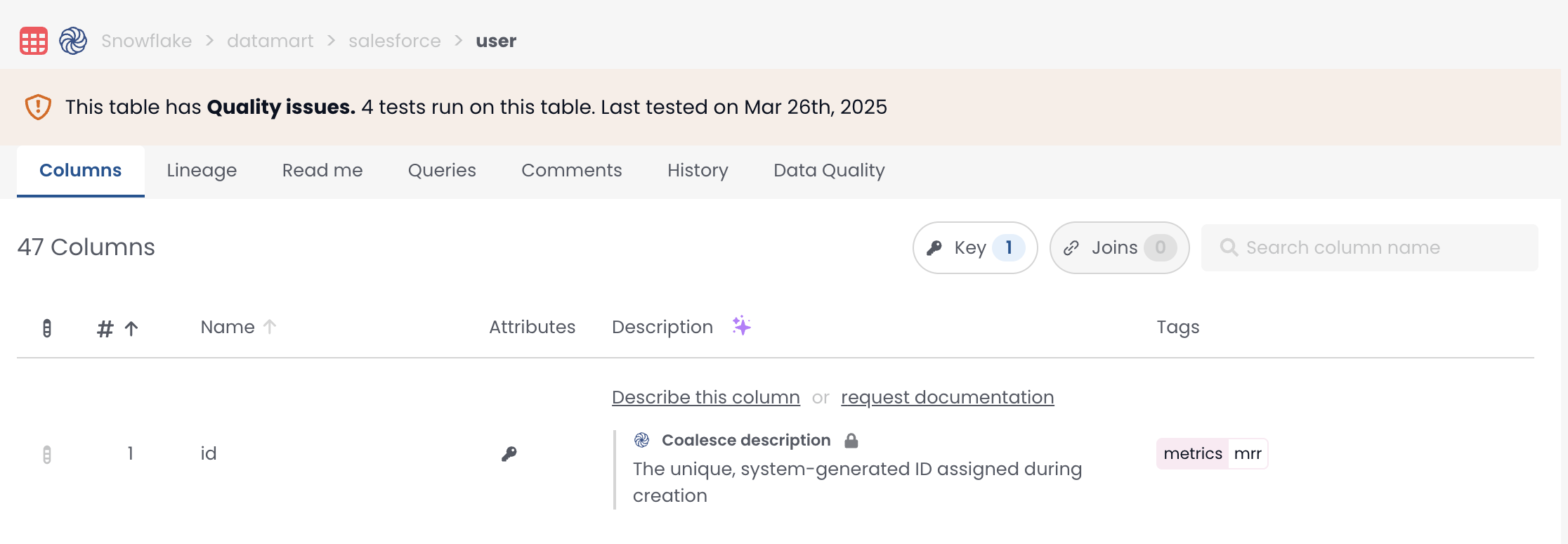
3. Enrich Documentation Automatically
Pull in external table and column descriptions directly from Coalesce, ensuring your documentation stays consistent and up to date across platforms. This feature currently supports:
- Full-stack integration ✅: Direct sync of descriptions
- Extraction-based sync ⚙️: Pull-only (read-only) metadata
4. Monitor Data Quality
Activate Coalesce Quality as a Data Quality Source to bring test results into the Catalog. This helps teams proactively identify issues and surface data quality insights alongside technical metadata.
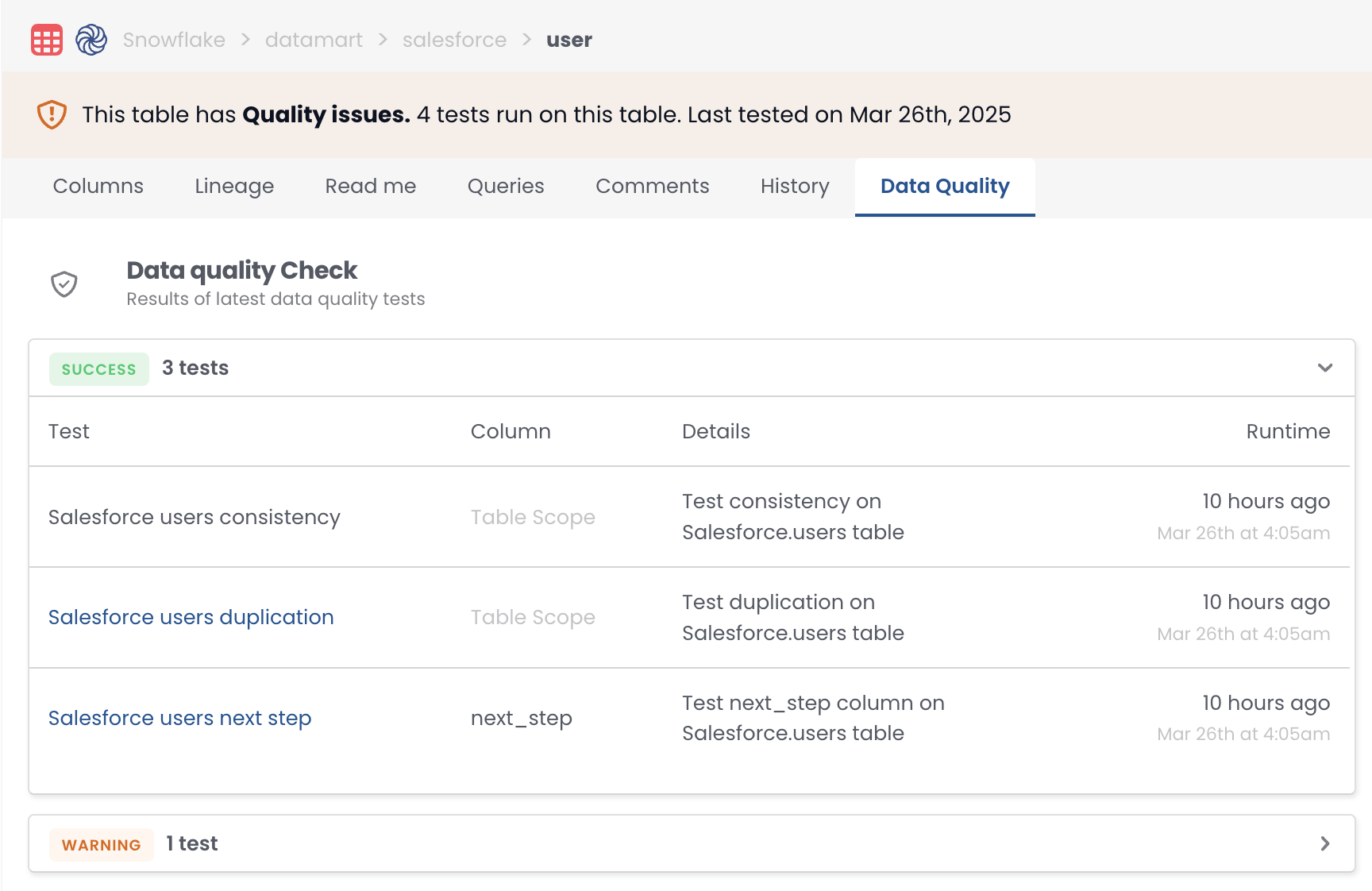
When a new test is added to a transform in Coalesce, it will appear in the Catalog after the next hourly data quality sync following the test's first run. For example, if you create and deploy a test at 9:15 AM, and it runs at 9:45 AM, the test will be visible in the Catalog after the 10:00 AM sync
5. Sync Back Descriptions: From Catalog to Coalesce Transform
Sync Back Descriptions to Coalesce Transform
Required Setup
A Warehouse type integration must already be configured to complete the first ingestion of this integration.
Two configurations are required to unlock all features:
- Setting up a Coalesce Transform API access
- Granting read access to your Git repositories
See below which features require which setup.
| Feature | API Connection | Git Repository Access |
|---|---|---|
| Table or Node: Mapping | Required | Not Required |
| Transform Descriptions Retrieval | Required | Not Required |
| Data Quality Test in Catalog | Required | Not Required |
| Description Sync Back | Required | Required |
| Owner Auto Detection | Required | Required |
Set up the API Connection
In the Catalog integration page, scroll to the Transformation or Quality section, click on the Coalesce integration.
For credentials, you only have to paste your Coalesce Transform token, which you can find on your deploy homepage.
Replace the placeholders with your host and token, then paste this code:
{
  "host": "https://<your_host>.coalescesoftware.io",
  "token": "<****>"
}
Grant Access to Your Git Repositories
Make sure to take this action for all your relevant repositories
For GitHub
- We only need you to grant contributor access to our technical GitHub user
techcastorto your Coalesce GitHub repositories so we can push a new branch with the updates. For more details, see managing teams and people with access to your repository - The GitHub user is available on the GitHub user page
For GitLab
- We need a Project Access Token (PAT) to your dbt GitLab repository. For more information, see create a project access token
- In token configuration the only scope needed is write_repository and Contributor role must be selected so we can push a new branch with the updates
- The token should then be sent to our support either through the support team or Slack alongside the URL needed to clone the repository