Documentation index: llms.txt. This page is also available as markdown: append .md to this URL or send Accept: text/markdown.
Catalog and Marketplace Interfaces
Learn how the Catalog and Marketplace interfaces differ, when to use each one, and how to publish consumption-ready data products to the Marketplace.
Coalesce Catalog includes two interfaces: the Catalog and the Marketplace.
 (1) (2).png)
The Catalog: Your Main Interface
The Catalog is the primary interface where you find all assets from your data stack and documentation.
All use cases described in the rest of the documentation refer to the Catalog interface unless explicitly stated otherwise.
The Data Marketplace: For Data Consumers
The Marketplace is a curated, consumer-friendly interface that showcases only production-ready data products in a simplified, business-oriented view.
Key Benefits of the Marketplace
The Marketplace helps business stakeholders find trusted data without navigating the full Catalog.
- Assets are organized by Domain, using familiar business language
- Only consumption-ready assets are shown
- It acts as a central entry point for business stakeholders to explore and use data easily
How to Set Up Your Data Marketplace
Step 1: Define Guidelines
Before publishing, align your organization on what qualifies an asset for the Marketplace:
- What assets should be surfaced?
- What are the minimum requirements, for example definition, owner, and domain?
Contributors cannot publish assets that do not meet your organization's criteria.
Step 2: Publish Assets
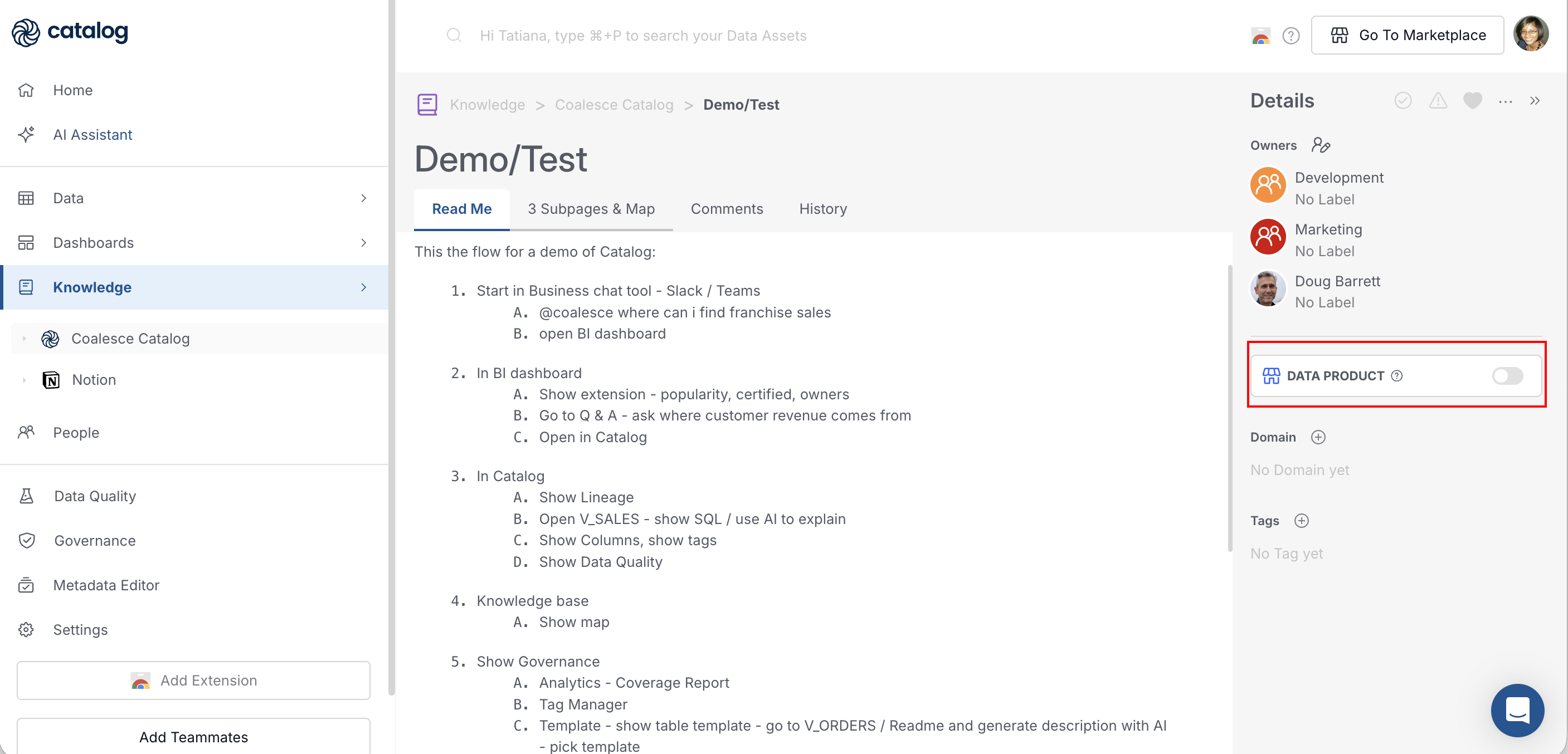
When an asset meets your guidelines, publish it from the Catalog:
- Open the asset in the Catalog interface
- Enable the Data product toggle once all requirements are completed
- The asset is now automatically visible in the Marketplace
Step 3: Share With Consumers
Share the Marketplace with the audiences who will consume the data:
- Point stakeholders to the Marketplace view
- Filter by domain and share targeted URLs for specific audiences
Marketplace is available on select accounts. Contact Coalesce Support if you want Marketplace enabled for your organization.
What's Next?
- Review who can publish to the Marketplace in User Roles in Catalog
- See the Data product toggle and other asset metadata on Dashboards
- Continue onboarding with the Catalog Onboarding Guide