Documentation index: llms.txt. This page is also available as markdown: append .md to this URL or send Accept: text/markdown.
Knowledge Pages
What Is the Knowledge Section?
You can think of the Knowledge section as the place where you link business concepts and definitions to data assets.
You can create and group your documentation in different sections with pages related to your:
- Organization domains
- Business processes
- Metrics and KPIs
- Glossary terms
- Business concepts
- Policies
- FAQs
Below are some examples of the key categories of knowledge. The list is not exhaustive and can differ from organization to organization.
Domains Documentation and Structure
A data domain is a broad grouping of data assets based on its function, usage, or subject matter. Each domain is typically associated with specific governance policies, ownership, and quality standards.
Typical examples of domains:
- Customer: including data assets and metrics related to customer lifecycle, customer health, customer attributes, etc.
- Finance: that includes data assets related to financial transactions, budgets, revenue, or expenses
- Employee: including job information, talent retention, hiring, etc.
- You can have multiple teams contributing or using information from a single domain.
- Typically, there are no more than 10 data domains as part of an organization.
- If your organization is not used to the concept of domain, you can start by simply using your department hierarchy instead.
How To Structure Your Domains
A basic structure in the domain structure can follow the domain list and the key areas for each domain. For example:
- Typically an organization will have activities split by lifecycle and you can split it based on its stage: prospect, customer, etc.
- For prospects you will have qualification stages and sales stages, each with its own processes and KPIs
- For existing customers you will have onboarding processes, but also data assets related to customer deals
It is a good idea to start with just one or two levels in the domain hierarchy before expanding further.
.png)
How To Document Your Domains
Some typical questions your domain or team pages should answer:
- Why? What the domain, team, or data product does or its mission
- Who? Key people working on it
- How? Key processes used to achieve the mission. These will be child pages below
- What? Key assets or metrics used to achieve the mission
- Anything else you should know? Useful presentations or links
For more complex organizations you might want to consider using domains and teams at the same time. In that case you should have separate hierarchies, using tags to intersect.
Metrics Documentation
A metric or Key Performance Indicator (KPI) is a quantifiable measurement used to evaluate the performance or success of an organization, process, team, or individual.
Putting metrics under a domain or a team bears the risk of adding multiple definitions for the same business concept. For that reason we recommend having a separate section for metrics that is either flat or is only grouped by the type of metric (and not by domain, team, etc.).
For example you can group MAU, WAU, Number of events, etc. under Adoption. But we do not recommend grouping them under Product, for example, as other departments or teams might play a part in influencing them.
When documenting a metric you should consider what questions you want the documentation to answer. Some question examples can be found below:
- Why was the metric created? Describe the purpose of the metric
- Who should use it? Target audience
- What does it measure? Describe where it is commonly used
- How and when? How is it calculated, when and how often is it refreshed
- Anything special we should know? For example, always uses a specific filter
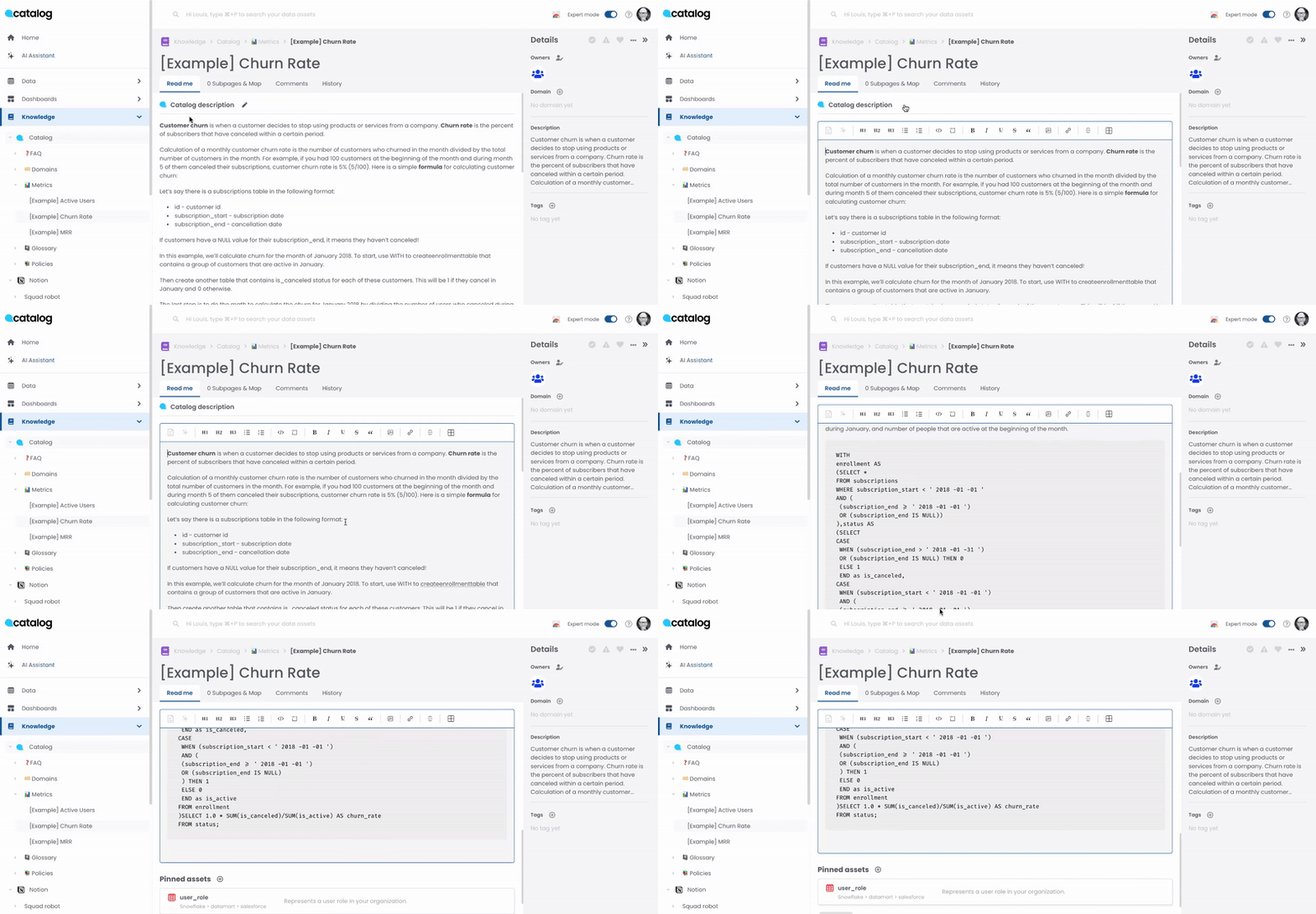
Metrics and KPIs will be present in one or more dashboards, data sets or semantic models, and fields, and can be sourced from one or two tables and columns. We recommend using Pinned Assets in order to highlight these relationships.
- Each metric should have at least one owner and corresponding domain or team tags.
- Each metric should have at least one pinned asset to either a dashboard or source table used in the calculation for the metric.
Glossary Documentation
Under glossary (or business concepts) you can add any of those business terms that do not fit under the metric umbrella.
Some examples could be:
- Acronyms: for example, GDPR, QBR, etc.
- Business groupings: for example, territory, EMEA, APAC, etc.
- Business terms: for example, active employee, commercial or enterprise account, customer, etc.
The documentation of these terms should include a business definition, a technical one, and possibly the source of the data.
Other Categories of Documentation
Data Products
- You can group tables, models, and dashboards into data products
- Use the knowledge pages to document the data product (purpose, frequency, sources, etc.)
- Use the asset documentation sections to document the individual components
Policies
- Add knowledge pages for your data and governance policies
FAQ
- A place to add your training and common questions received from your users