Documentation index: llms.txt. This page is also available as markdown: append .md to this URL or send Accept: text/markdown.
AI Assistant Monitoring
This dashboard allows admins and governance teams to monitor how the AI Assistant is used, how it performs, and identify documentation opportunities. Learn more in the AI Assistant introduction.
What Is This Dashboard About
Learn how to activate the assistant and what it does in the AI Assistant introduction. This dashboard shows usage metrics, conversation history, and fields that need documentation.
Monitor Usage
Usage Evolution
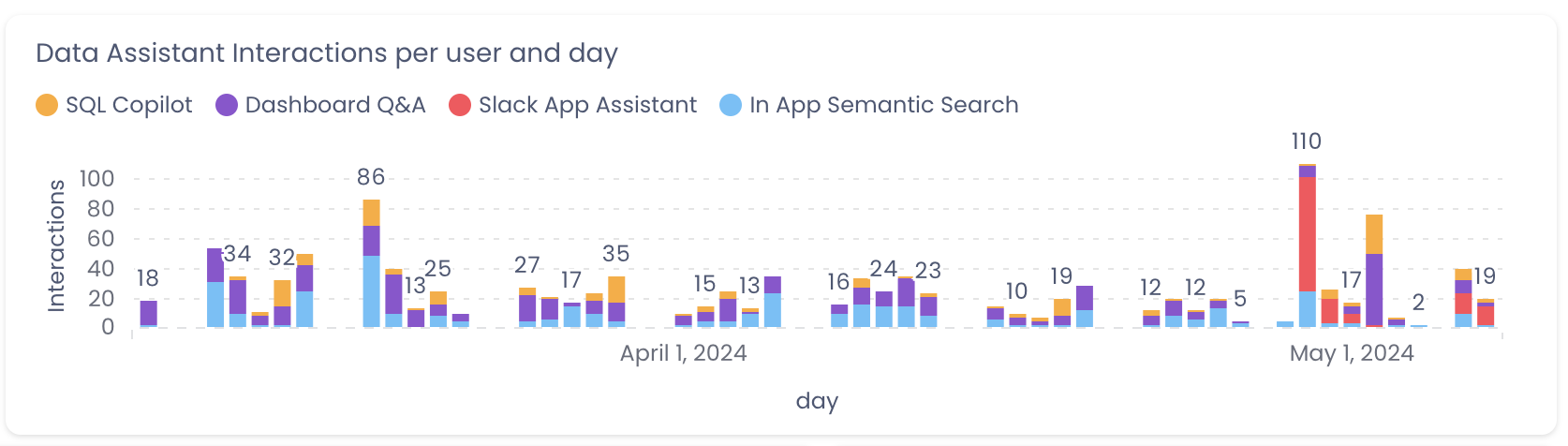
You can view the number of interactions your users had with the assistant over the last 60 days.
Conversation Overview
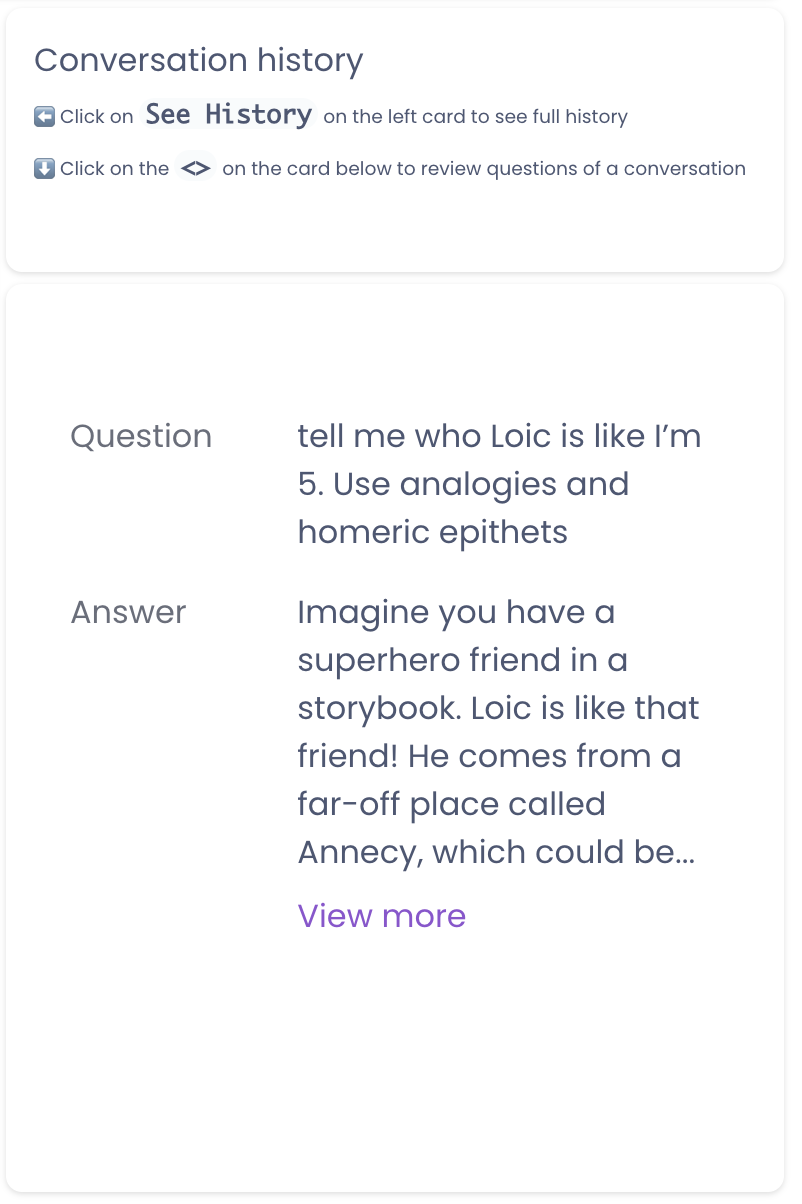
See all conversations. Note that a conversation can have several questions and answers. You can click the See History button to load the questions and answers of the conversation.
This is where you can dig into the content of each question and answer.
Identify Missing Content
How to improve the answers of the assistant?
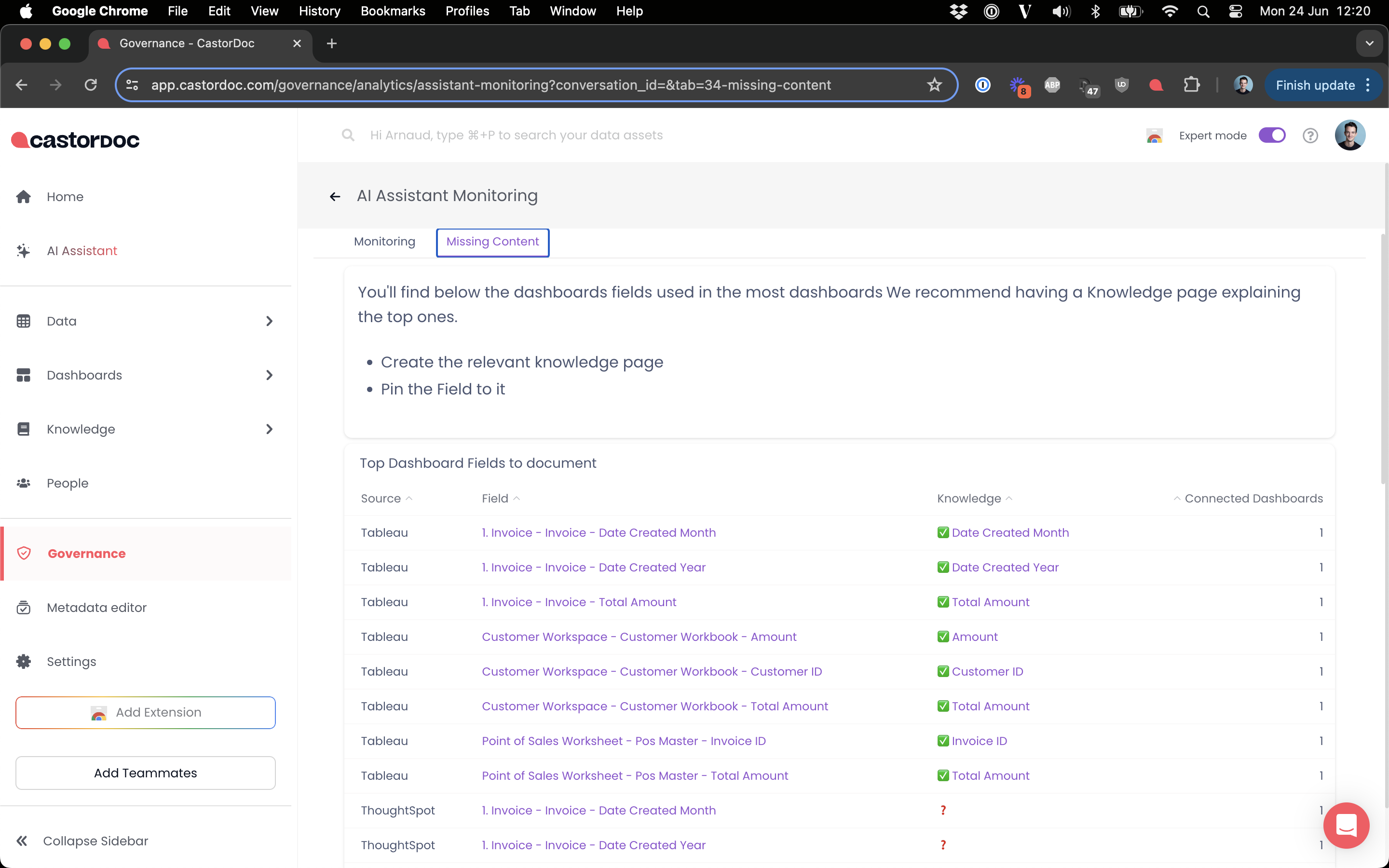
On the Missing content tab you will find the most used fields in your BI tool. You will be able to see if these popular fields are documented.
We strongly recommend documenting your top 20 fields with detailed knowledge pages.
Export Raw Data
On any of these dashboard elements, you can download the underlying raw data. Simply click the ... on the top right corner of the element.
Then click Download results.