Documentation index: llms.txt. This page is also available as markdown: append .md to this URL or send Accept: text/markdown.
Introduction to the Catalog AI Assistant
The Catalog AI Assistant has three capabilities: AI Search, SQL Copilot, and Dashboard Q&A. Use them to find data, write SQL faster, and understand your dashboards.
AI Search: Find Data You Need
Have you ever felt that finding information in a data catalog was tricky for people on the business side? The AI Search feature helps. Use it in the web app, in the Catalog Slack, Microsoft Teams, or Google Chat apps.
Search Assistant and Natural Language Filters
In AI Search, the Search Assistant can turn plain language into filters so you don't have to open the filter panel for basic narrowing. It recognizes these dimensions:
- Owner: Filter by owner for individual contributors or teams; partial or full match.
- Tag: Filter by tags on assets and on columns where column tags apply.
- Name: Filter by asset name; partial or full match.
For example: Which tables are owned by Alice?, Show dashboards tagged GDPR, or Find assets named customer.
The Catalog search bar also offers Advanced search filters that are not driven through this conversational path: result types such as tables, columns, dashboards, visualization models, fields, or Knowledge; Certified; PII; and tag or owner logic with AND, OR, or exclusion. Use those when you need that level of control. See Search Your Asset.
You can still ask broader discovery questions without naming a filter, for example below.
Question example: What is ARR?
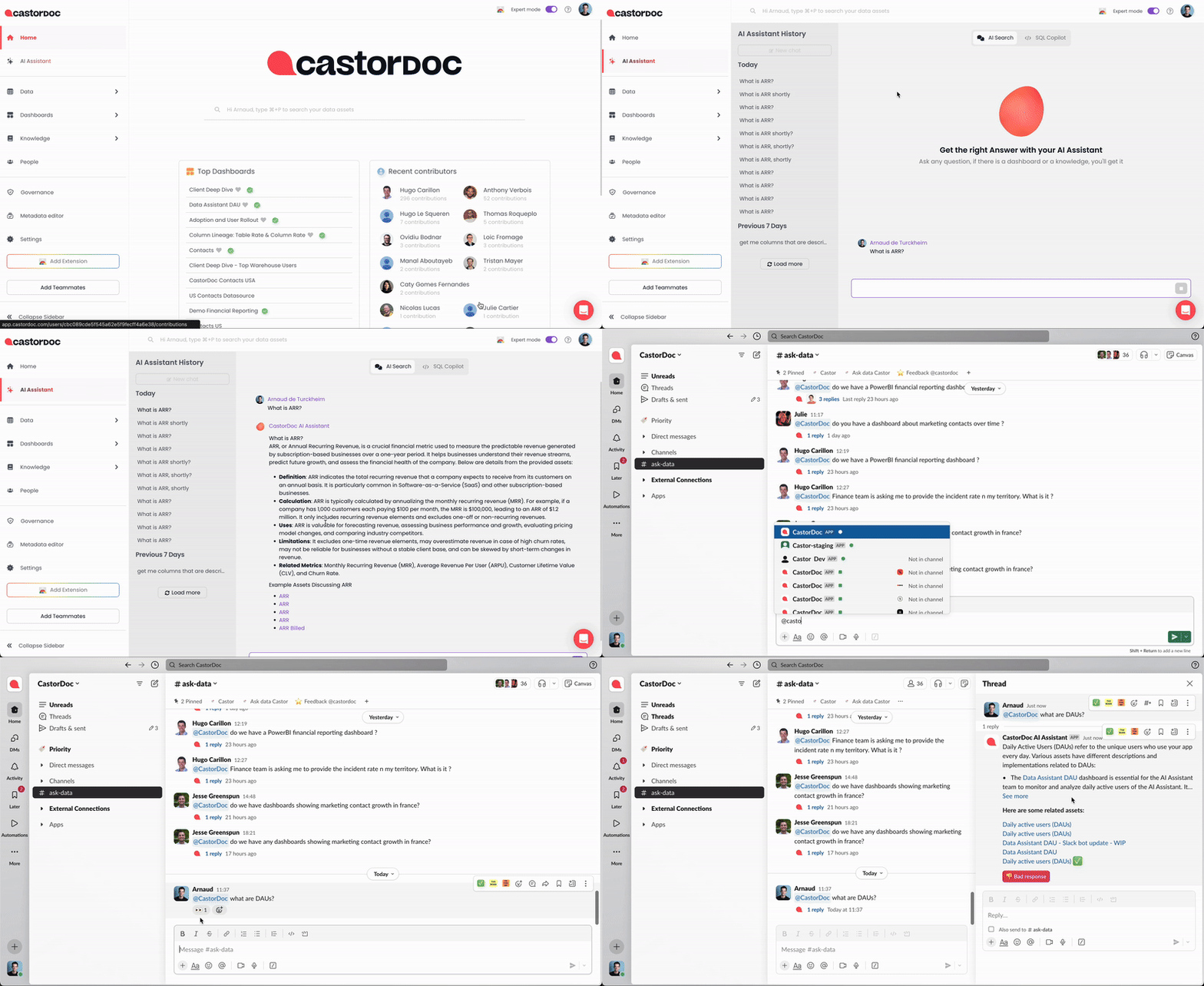
Find out more in AI Search.
SQL Copilot: Write SQL Faster
The SQL Copilot helps answer your data needs. It finds the right tables and writes SQL with them. It is embedded directly in your SQL cloud editors. Ask your questions, and it will get you to the right SQL query. Use it in the Catalog web app or in the Catalog Chrome extension.
Question example: Get the number of users per customer
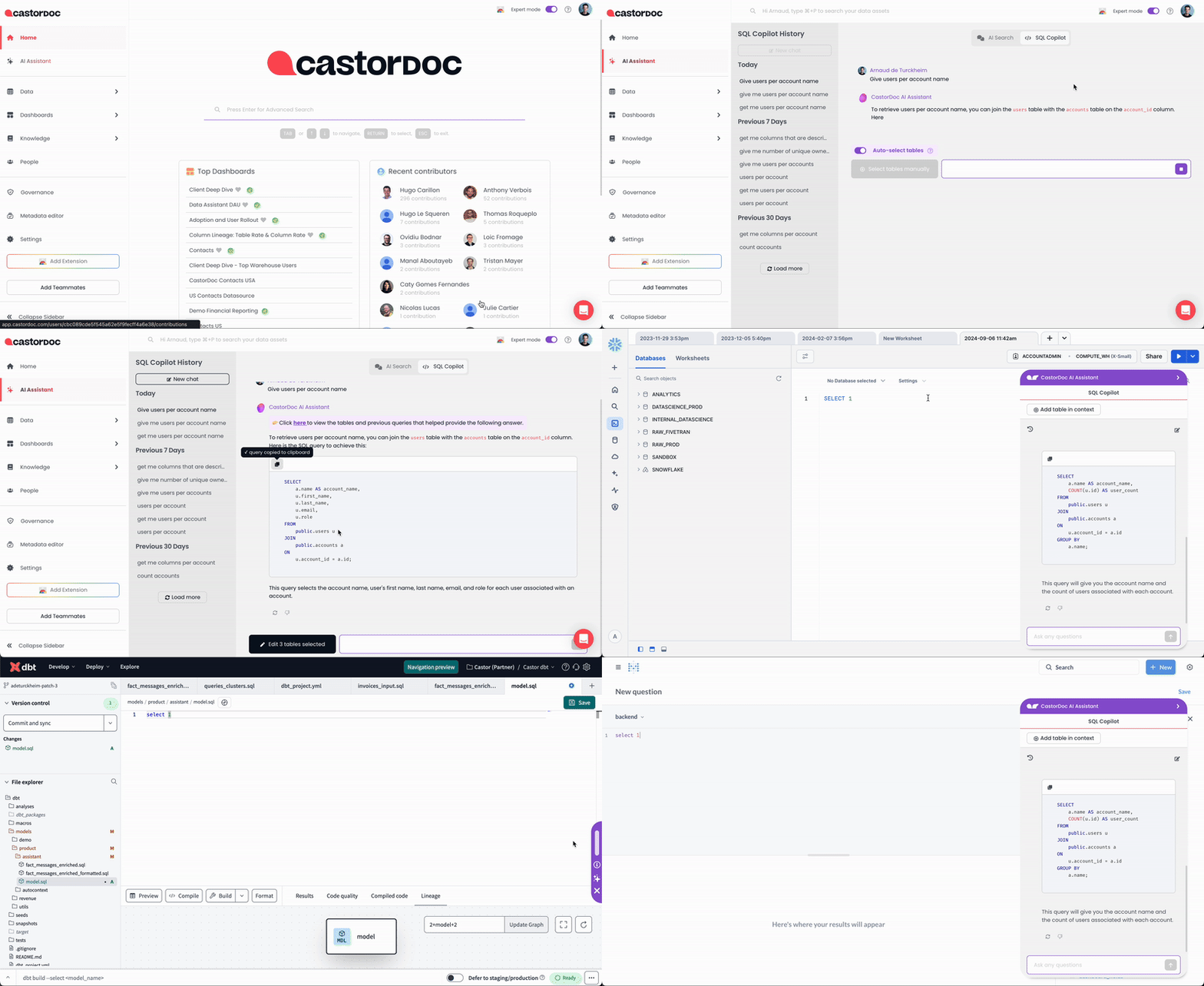
Find out more in SQL Copilot.
Dashboard Q&A: Understand Your Dashboards
When looking at a dashboard on Tableau, Looker, Power BI, and more, you can ask any question about how the dashboard is built, where the data comes from, right from the Catalog browser extension. Use it in the Catalog browser extension.
Question example: How is the dashboard built?
.gif)
Find out more in Dashboard Q&A.
Privacy Concerns
Refer to the Catalog AI safety notice for more information.