AI Assistant
Ask questions about your knowledge base as you would ask a coworker. The AI Assistant uses Knowledge pages, descriptions, and data assets to answer questions and point you to relevant dashboards, tables, or documentation.
What Does It Do
The AI Assistant answers your questions using filled Knowledge pages, asset descriptions, tags, and pinned content. It also redirects you to the best data assets, dashboards, tables, or Knowledge pages to get your answer.
Here are some examples of questions you can ask:
- What is ARR?
- What dashboards do we have about user activity?
- How do you calculate customer margin?
- What is the revenue evolution per quarter?
- Which tables are used for Google campaigns performance?
Questions it cannot answer yet
- Questions about lineage: give you all downstream dashboards of table X
- Questions about how to use the Catalog: how to tag a table
- Counting or aggregating assets: how many tables are there in schema Y
For a side-by-side comparison with Dashboard Q&A, see Comparison Between Dashboard Q&A and AI Search.
How To Use It
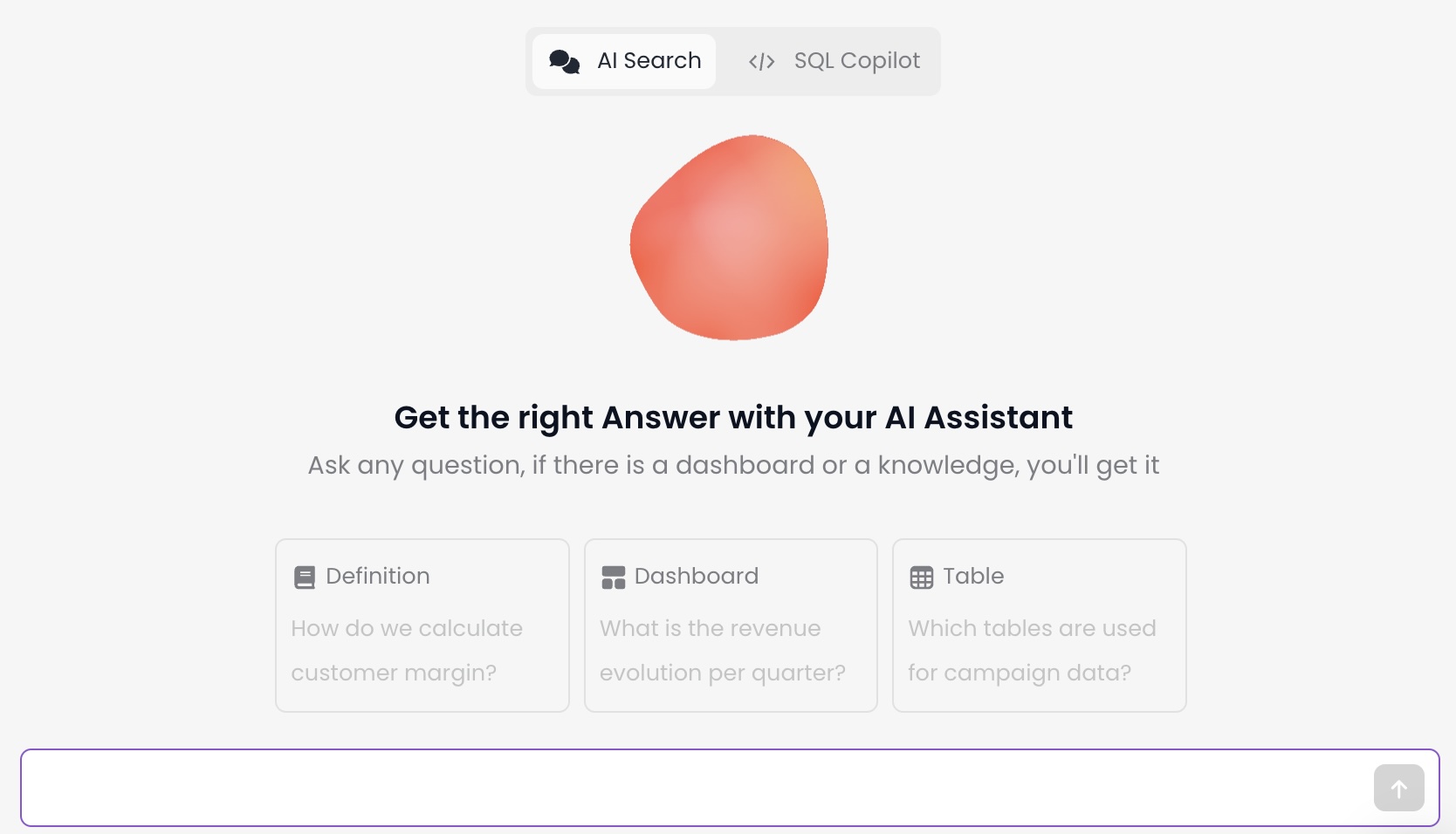
Open AI Search from the Catalog, then type a question in natural language. The overview image below shows the main search interface.
Where You Can Use It
You can use AI Search in the Coalesce App, Slack, or Microsoft Teams. Expand a section for steps and visuals for each surface.
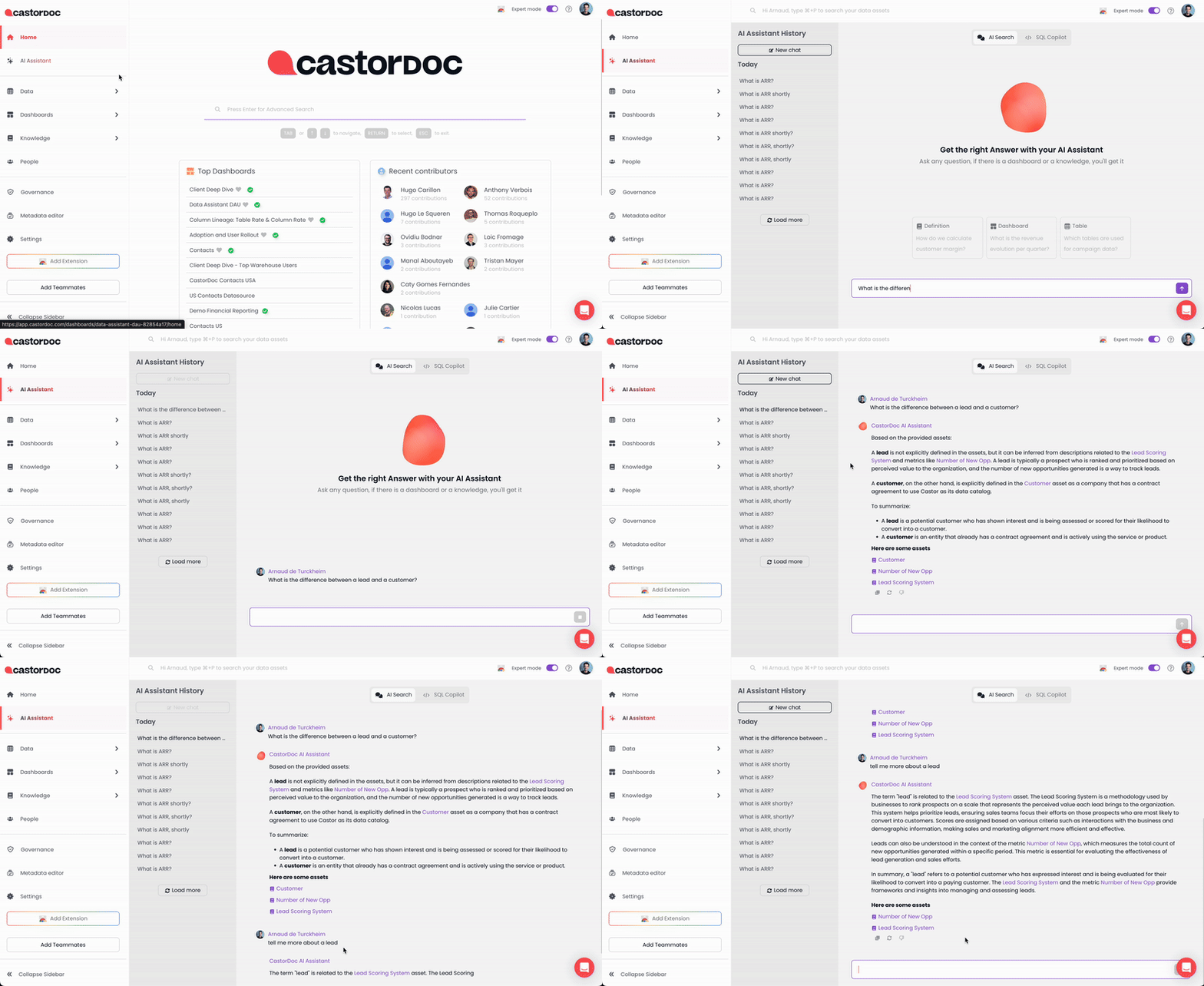
AI Search in the web app
AI Search in Slack
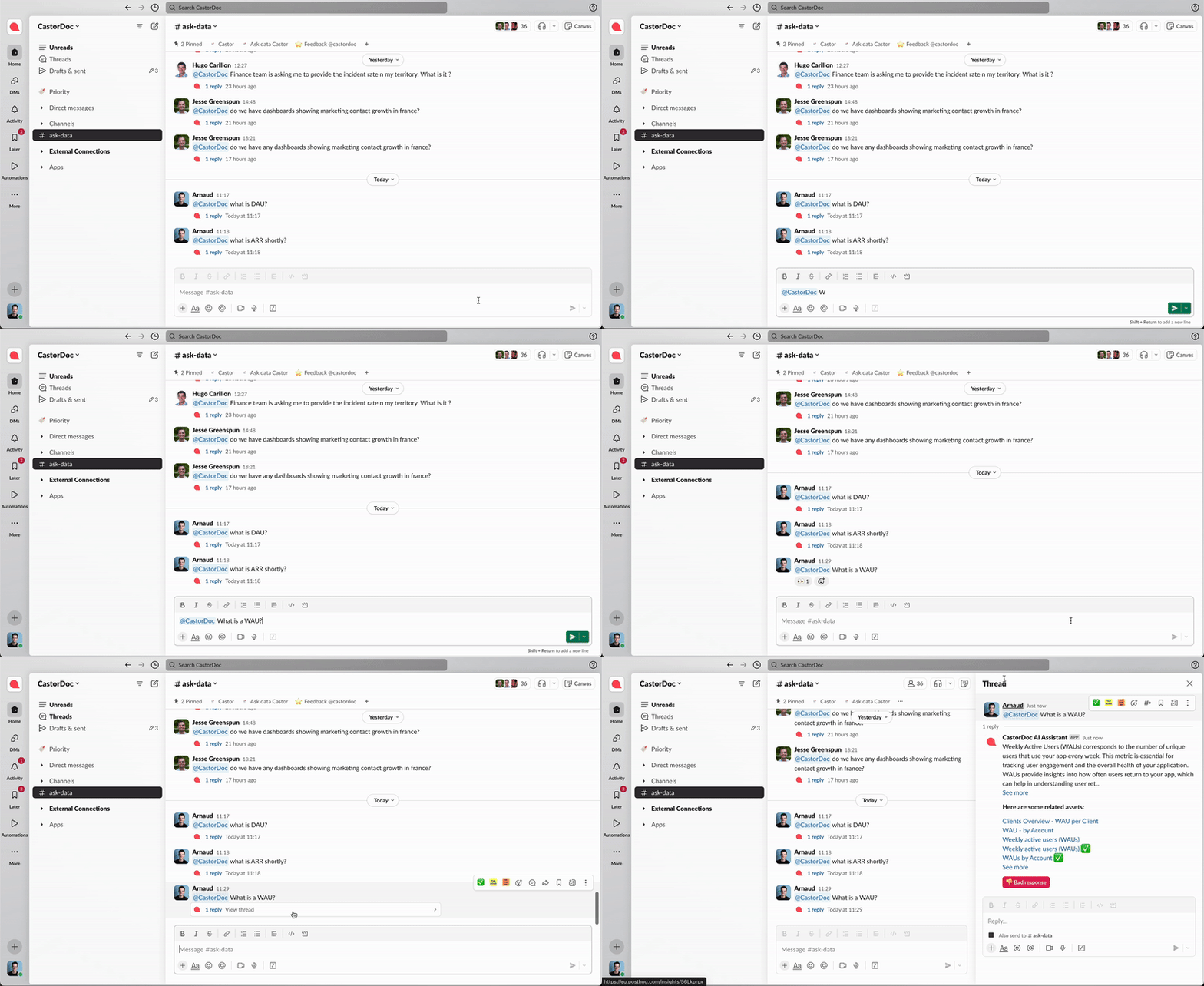
When you're in a channel, type @CastorDoc and ask your question. The Assistant will answer. Invite the assistant to the channel first if it is not already there.
Click the image below to open it full screen.
You need the CastorDoc Slack app installed. See Slack for setup steps.
AI Search in Microsoft Teams
You can ask your question in two ways:
- In a group chat, mention
@Coalesce. - In a 1-on-1 chat with
Coalesce, type your question in plain text. The screen recording below shows this flow.
The Assistant will reply directly to help you out.
 (1) (1).gif)
You need the Coalesce Microsoft Teams app installed. Learn how to install it in Microsoft Teams integration.
Iterate
You can refine answers the same way you would in ChatGPT. If the first answer is not what you need, tell the assistant what to change and ask again. The AI Assistant retrieves a set of relevant assets at the start of a conversation and reuses them for follow-up questions, so when you switch to a different topic, start a new discussion.
How It Works
This search uses content from your Knowledge pages, dashboards, tables, and columns. Ask it any question, as you would ask someone next to you. It will answer directly and provide the assets used to answer you.
For the technical breakdown of which fields the AI Assistant pulls from each asset type, see the AI Assistant Context reference.
When New Metadata Appears in Answers
The AI Assistant rebuilds its asset index about once a day. Changes you make in the Catalog, including new or edited descriptions, Knowledge pages, tags, certifications, and deprecations, are typically reflected in answers the next day rather than instantly.
If you update a Knowledge page or asset description today, expect the AI Assistant to use it in answers about a day later. The same applies to certification and deprecation changes.
Metadata that flows in from connected integrations follows the same daily cadence for AI Search, separate from how often your warehouse data refreshes. For what is and isn't sent to the AI provider, see Catalog AI Safety.
Troubleshooting
If an answer looks wrong, incomplete, or surprising, work through the steps below before assuming the assistant is broken. Most accuracy problems trace back to missing or out-of-date metadata, not the model itself.
When Answers Look Wrong
Use this flow to investigate a specific answer:
- Open the cited assets. Every answer shows the assets it used. Open them and confirm the description, owner, and tags match the question you asked.
- Check certification and deprecation. Certified assets are boosted by the AI Assistant and deprecated assets are penalized. If a misleading asset keeps appearing, deprecate it. If the right one is missing, certify or document it. The full scoring impact is covered in the AI FAQ.
- Look at the Knowledge page that should answer the question. Confirm the page exists, has a clear definition, and pins the relevant tables, columns, or dashboards.
- Start a new conversation when you change topics. AI Search reuses the assets retrieved at the start of a thread. Switching subjects mid-thread can carry stale context into the new question.
- Rephrase with the right keywords. Column searches are lexical, so the exact column name or a close keyword works better than a paraphrase. For asset searches, name the asset type, for example "dashboard," "table," or "Knowledge page."
- Confirm the question is in scope. Lineage traversal, counts of all assets in a schema, and questions about how to use the Catalog in the Coalesce App are not supported yet.
- Review Missing Content. The AI Assistant Monitoring dashboard lists the most-used fields that still lack documentation. Filling those gaps tends to improve answers for the whole team.
If the answer still looks off after these checks, the underlying documentation is likely the gap. Apply the best practices in the AI FAQ to enrich descriptions and pinned content, then re-ask after the next daily sync.
Verification Checklist
Run through this checklist before sharing an AI Assistant answer with stakeholders or pasting it into another tool:
- You opened the assets the answer cited and they support the response.
- None of the cited assets are deprecated, or the deprecation is acknowledged in your share-out.
- The question matches a supported question type. Lineage, asset counts, and questions about how to use the Catalog in the Coalesce App are not supported yet.
- You're still in the same topic as the start of the conversation. If you switched topics, start a new discussion and re-ask.
- Any new descriptions or Knowledge pages you rely on were saved before the most recent daily sync.
Privacy Concerns
For details, see the Catalog AI Safety notice.
What's Next?
- AI FAQ for question patterns, scoring impact of certification and deprecation, and accuracy best practices.
- AI Assistant Context for the exact metadata fields each asset type contributes to answers.
- AI Assistant Monitoring for usage analytics and the Missing Content tab.
- Catalog AI Safety for what metadata is shared with OpenAI and how.