Documentation index: llms.txt. This page is also available as markdown: append .md to this URL or send Accept: text/markdown.
Data Documentation Coverage
The Data Documentation Coverage dashboard is designed to empower data governance teams with valuable insights into their data landscape.
What Does It Mean
- See which assets are missing an owner
- Find out your global documentation coverage
- Drill down by databases, schemas, tables, and users
- See which data sets are the most or least documented
- Identify which important assets are missing documentation
- Identify where you need to take action and improve the governance and knowledge of your assets
Where To Find It
As an admin, go to your Governance page and you will see an Analytics tab. Click Data Documentation Coverage dashboard.
Navigate the dashboard content using the tabs.

Overview
Get an overview of your data sets and who is actively documenting.
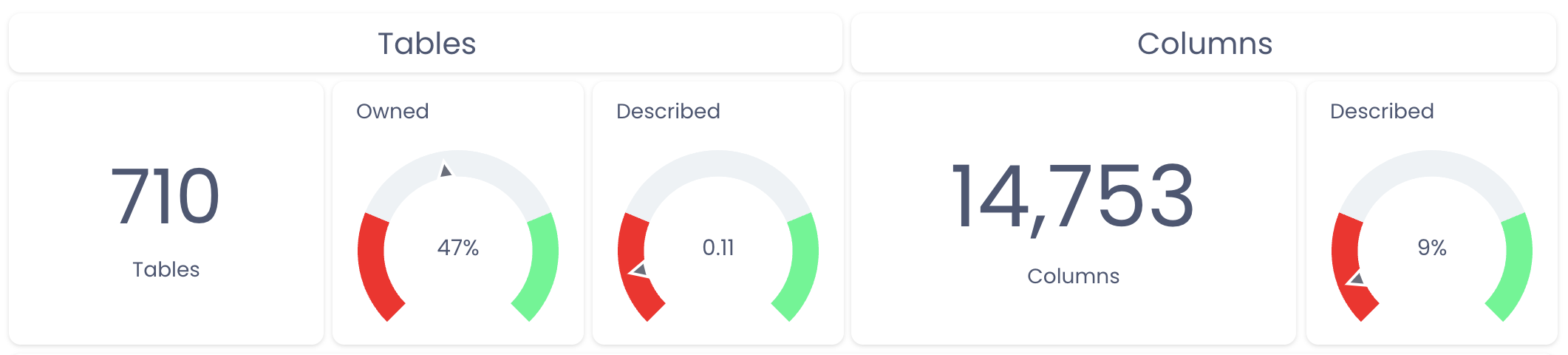
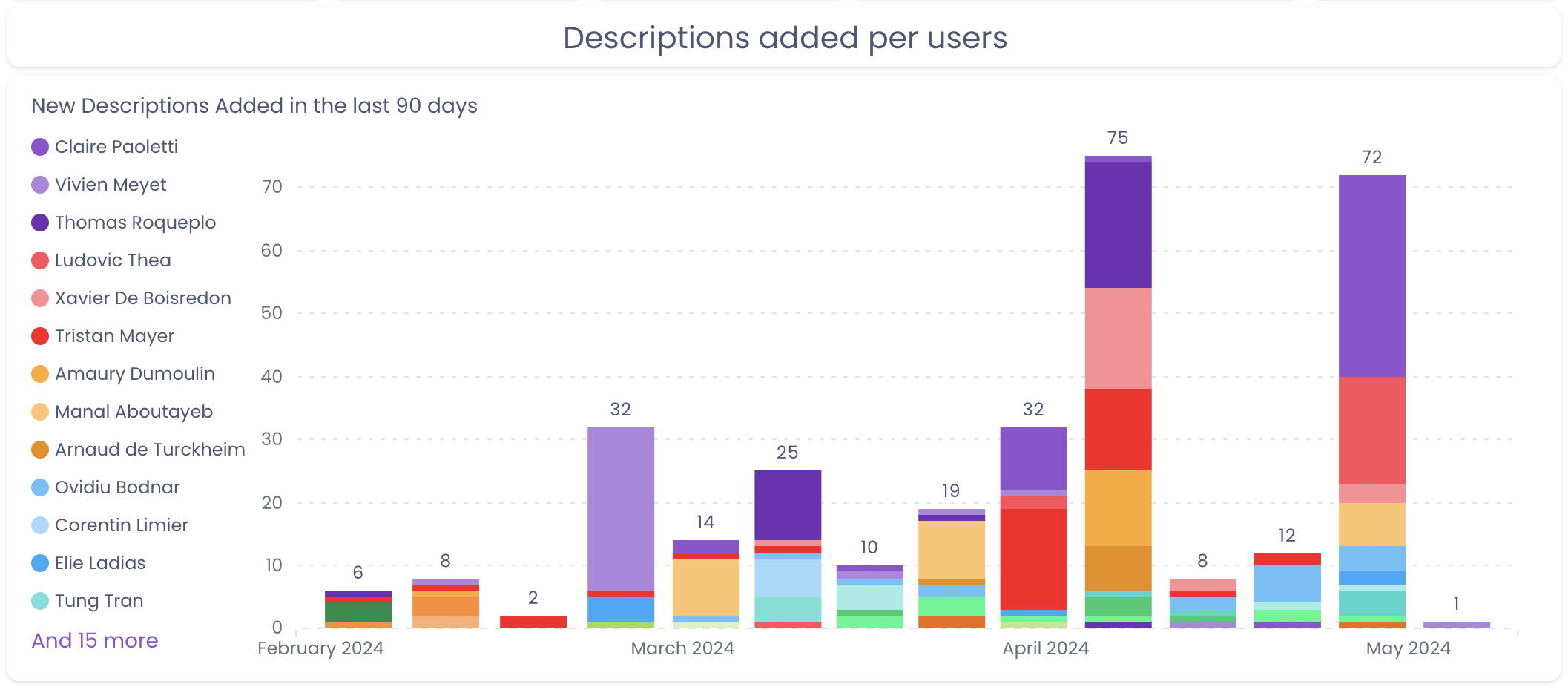
Ownership and Documentation Coverage
Once filtered, navigate to the View per warehouses, databases, schemas, or tables so you can see those percentages at the granularity that makes sense for your use case.
- Ownership: A table is owned when it has an assigned owner (user or teams). Having a technical owner (imported from the warehouse) is not considered as having an owner
- Table description: A table is considered as described once it has a non-empty README section or a source description
- Columns description: A column is considered as described once the description field is not empty anymore
For both tables and columns, a "non-empty" description means either a description in Catalog or an external description that we imported from your warehouse.
You can also leverage the View per Owners tab to check who should spend more time documenting in Catalog.
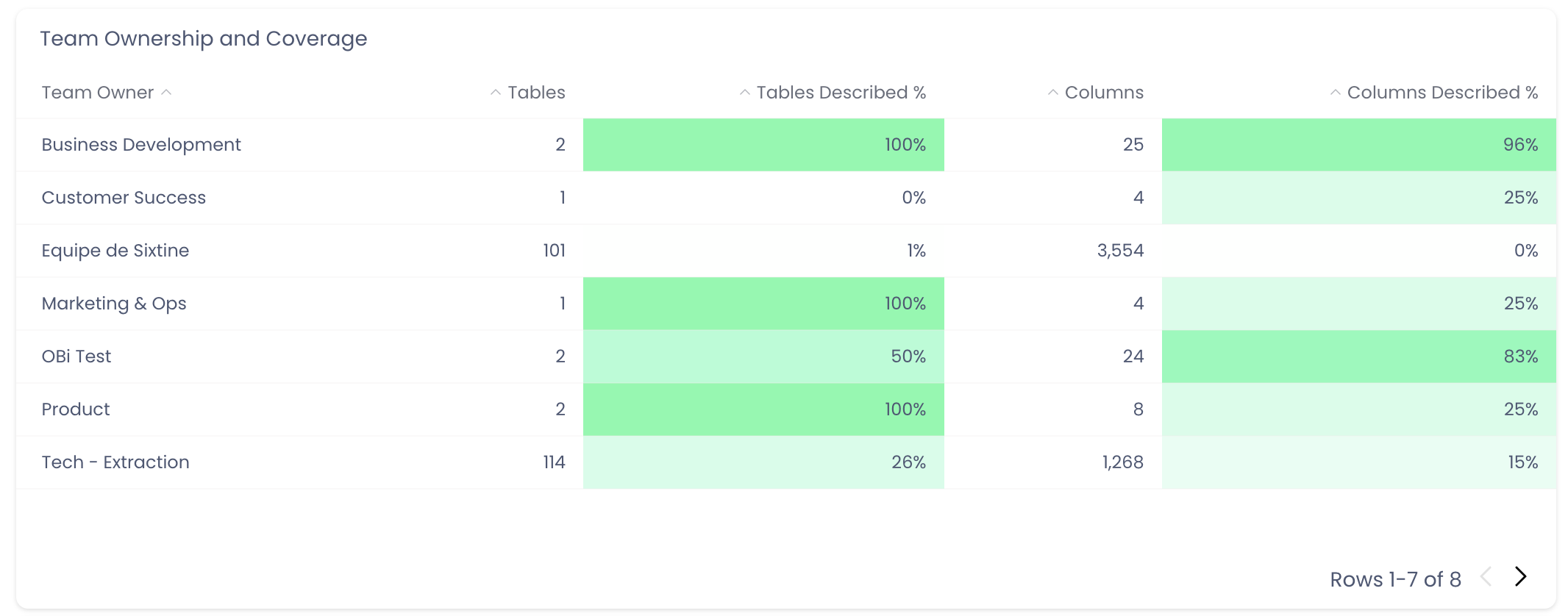
Share your thoughts about this feature so we can improve it. Slack is the best option, but email works as well.
Export Raw Data
On any of these dashboard elements, you can download the underlying raw data. Simply click the ... on the top right corner of the element.
Then click Download results.

Take Actions
Once you have identified the missing owners or descriptions, here is an example of the next steps you could take:
- Search for an item from the search bar at the top of the page or from the advanced search page, so you can assign an owner, comment on the page to notify the admin, review the documentation, and so on.
- Leverage the Metadata Editor page to assign ownership in bulk. See the Metadata Editor documentation for details.