Documentation index: llms.txt. This page is also available as markdown: append .md to this URL or send Accept: text/markdown.
Nodes and Node Types
A Node in Coalesce is the visual representation of database objects (tables and views) that form the building blocks of your data pipeline. Nodes are classified by Node Type.
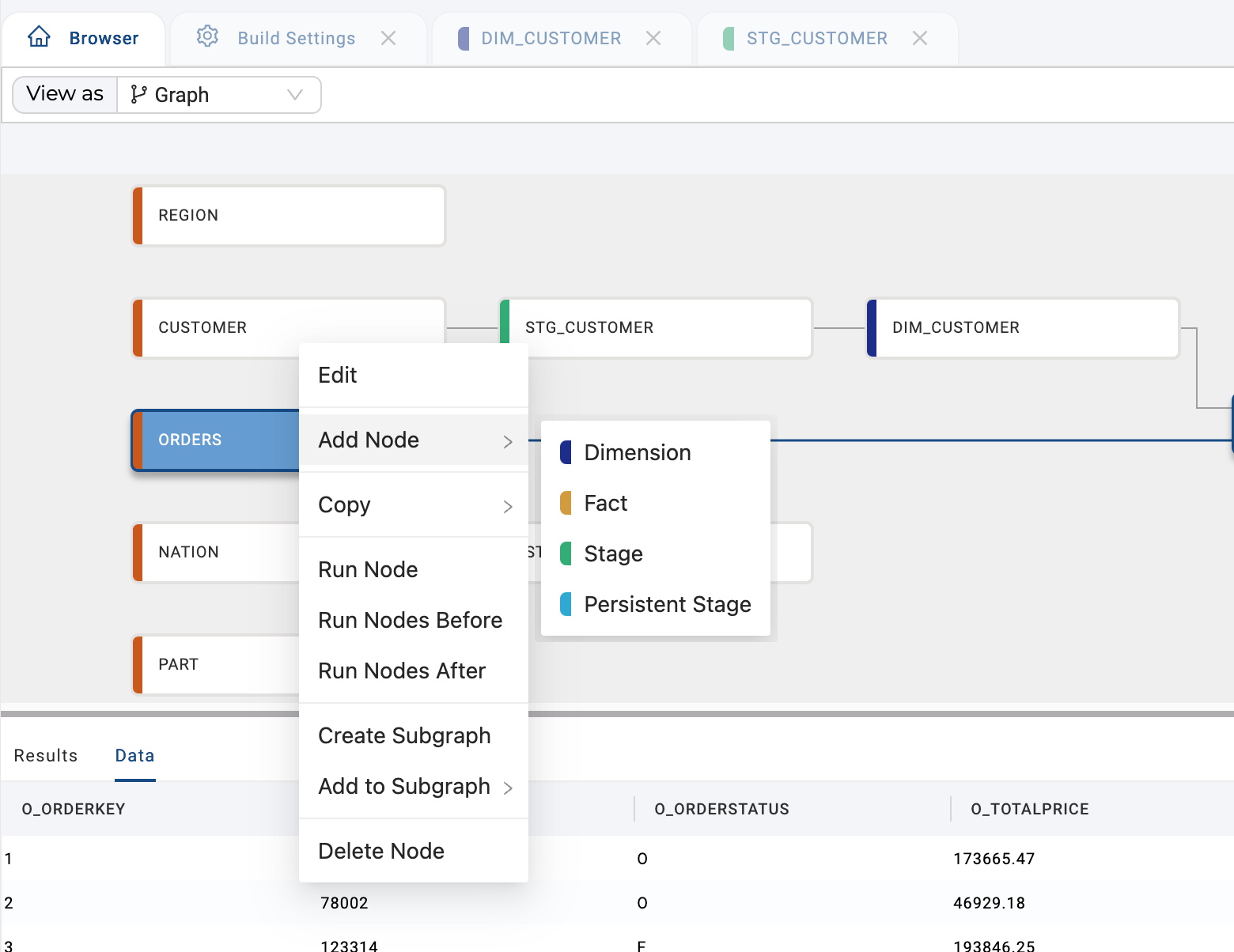
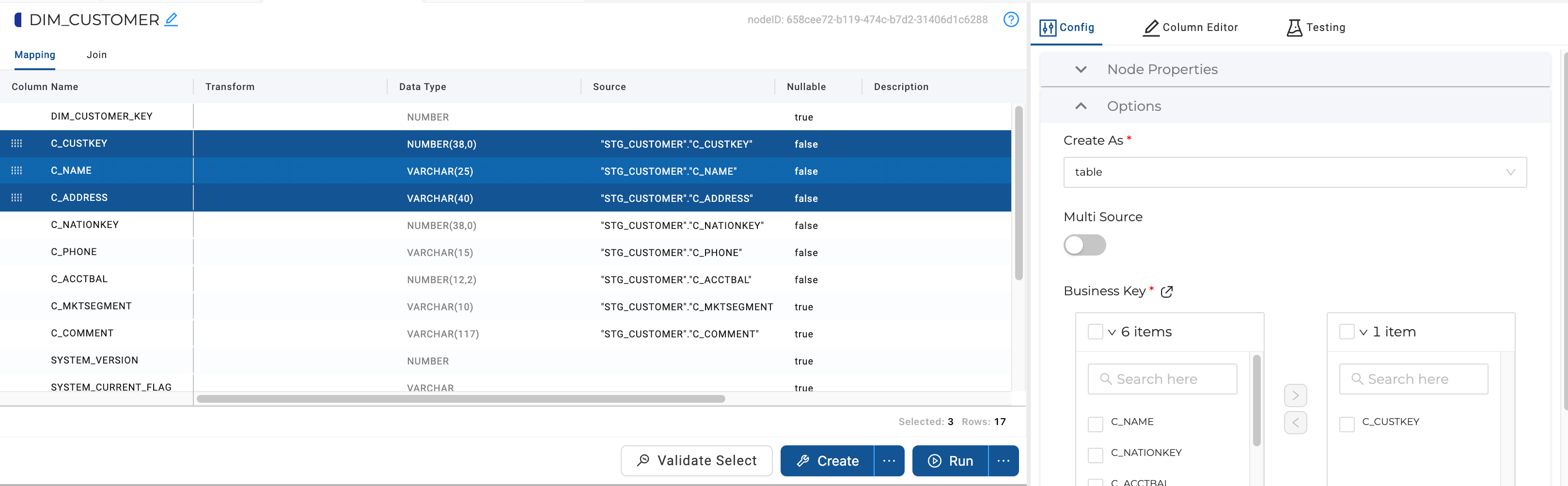
Each Node is comprised of Node Properties and Options that can be configured according to your requirements, as well as elements where the contents of the Node are defined. For example, the Mapping View where column and transformation specifications are defined and the Join Editor where relationships between sourcing Nodes are specified.
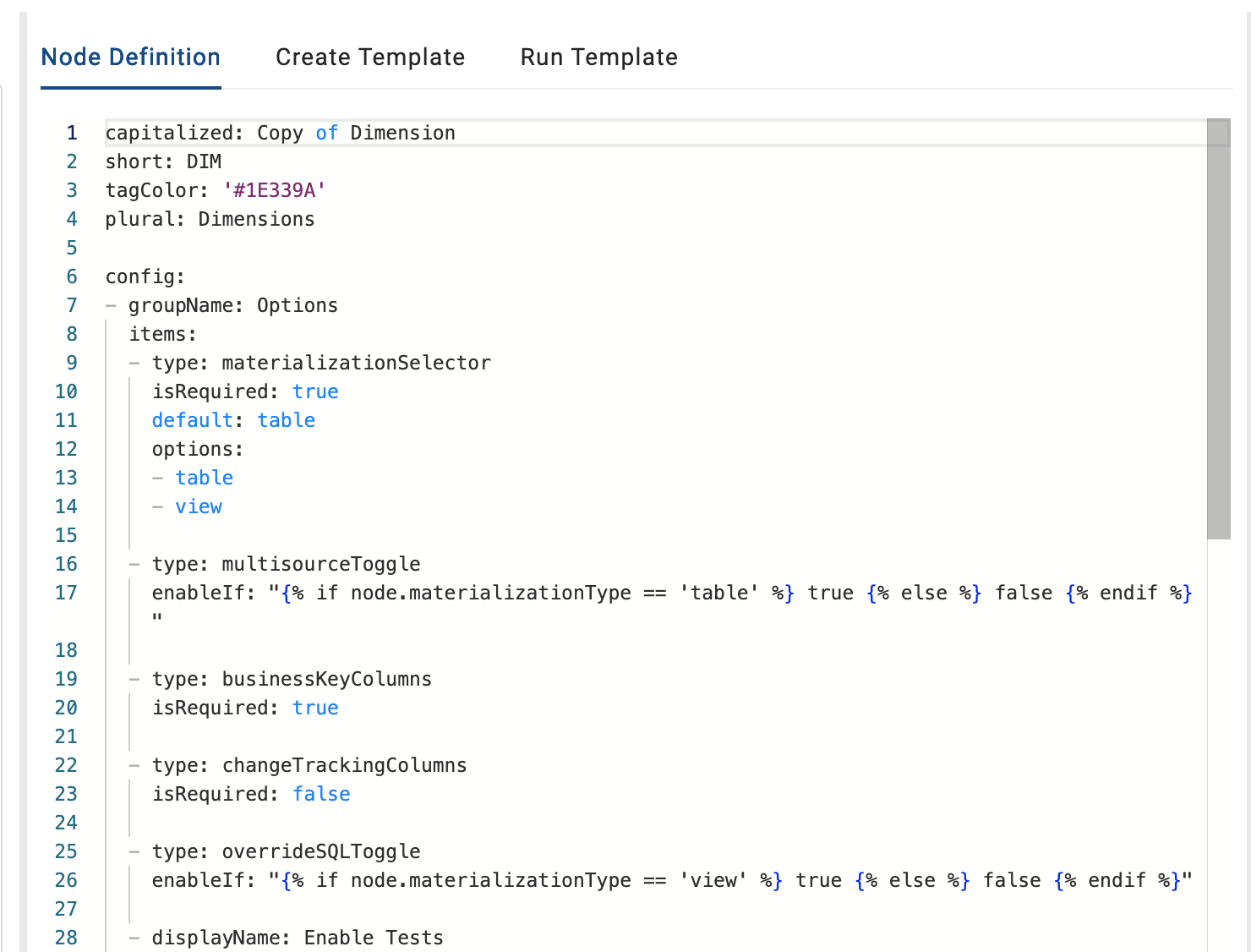
Nodes are classified into Node Types. Each Node Type has a Node Metadata Spec, a create template, and a run template which will drive the options available to Nodes of this type as well as how the SQL is generated for and how each Node of that type behaves during deployment (DDL; tied to the create template) and refresh (DML; tied to the run template).
YAML and SQL Node Types
Node Types come in two kinds, and both can run side by side in one pipeline:
- A YAML Node Type configures Nodes visually: columns are mapped in the grid, and options such as business keys and change tracking are set in a structured config panel. Coalesce's default Node Types are YAML Node Types, and packages ship both kinds.
- A SQL Node Type configures Nodes in SQL: you author each Node as a
SELECTstatement with inline annotations, stored as a.sqlfile. Columns and dependencies are inferred from the SQL.
Use YAML Nodes for persistent, curated layers such as Dimensions and Facts, where hardened patterns and stable column identity protect your data. Use SQL Nodes for staging and transformation-heavy layers, where freeform SQL and code-first iteration shine. See Choosing Between YAML and SQL Node Types for the full guidance.
The default Node Types described on this page are YAML Node Types.
Earlier releases called these Node Type V1 (mapping-grid authored) and Node Type V2 (SQL authored). The Coalesce app still labels the choice Node V1 and Node V2 under Build Settings > Node Types, and its Version column shows V1 or V2. YAML Node Types are V1; SQL Node Types are V2.
Node Types
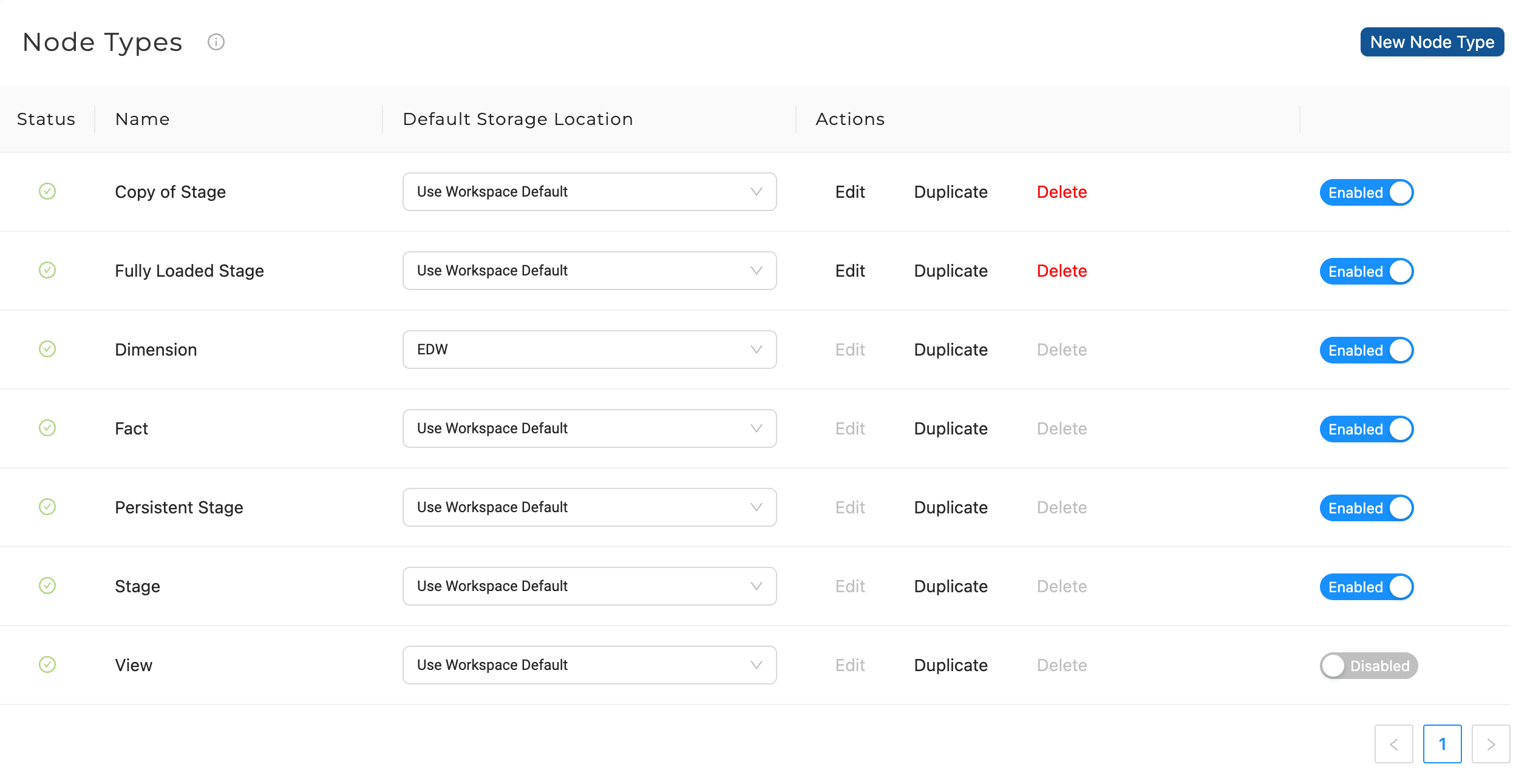
The Node Types section shows all the currently available node types that can be used.
All node types and nodes can be checked in to Git and deployed to the environment.
Each node type is defined by a Node Metadata Spec file, a Create Template, and a Run Template.
The Node Metadata Spec consists of the following:
- Attributes of the node type (such as name prefix, graph color)
- UI elements that are used to configure the attributes of each individual instance of that node type
The Create Template for a node is executed during Deploy, while the Run Template is executed during Run/Refresh.
Coalesce comes with default Node Types which are not editable. However, they can be duplicated and edited, or new ones can be made from scratch.
To access Node Types, in your Workspace go to Build Settings > Node Types.
| Field | Description |
|---|---|
| Status | Green indicates all aspects of that node type are valid Red indicates there is invalid info within the node type that needs to be revised. |
| Name | This is the type of node. Coalesce provides the Dimension, Fact, Stage, View, and Persistent Stage node types, but a user can also create a new type. |
| Default Storage Location | Default storage location that will be chosen automatically for new nodes of this type. Each workspace will have a Global Default for all nodes, which can be overridden here. |
| Actions | All node types can be duplicated for further customization. The name of this duplicate will default to Copy of <Node Type> but can be modified in the Node Type Editor. Additionally, custom node types can be edited. Note: Default node types and node types in use in the application or node type editor cannot be deleted. |
| Enabled/Disabled | This feature allows a user to add any Enabled node types in the Node Graph. |
Default Node Types
Node types control the actual creation and data manipulation of all database objects within your data pipeline. Node types are defined by Jinja/SQL templates and a Node Metadata Spec which has numerous options for customization in the Node Type Editor.
Source Nodes
Source nodes represent the tables, external tables, or views where raw data is queried to be processed by subsequent nodes. They are the source tables that already exist in your data platform. They are not manually editable other than to change their location or add a description.
Stage Nodes
Stage Nodes are intermediate Nodes in your pipeline where you prepare data by applying business logic. They're designed to hold the current batch of data, making them ideal for temporary data staging.
Default Behavior
By default, Stage Nodes truncate data before every run and reload all data from the source. This "truncate and reload" strategy ensures your stage table is always a complete, fresh copy of the source data.
When the Truncate Before option is enabled (the default setting):
- The stage table is emptied before each run.
- All data from the source is reloaded.
- The table reflects an exact copy of the source.
Alternative Behavior
You can toggle off Truncate Before in the Stage Node configuration. This appends new records instead of replacing all data. However, this approach can lead to duplicate records if the same data is processed multiple times.
Incremental Processing
If you need to process only new or changed records, consider these approaches:
- Use incremental load Nodes instead of basic Stage Nodes.
- Implement high watermark logic using a timestamp column.
- Use Persistent Stage Nodes that support merge operations.
The stage layer is typically where incremental load logic is applied in data pipelines. However, basic Stage Nodes default to full refresh for simplicity and data consistency.
Materialization Options
Stage Nodes can be materialized as either a table or a view. Tables are the default option because they make troubleshooting easier.
Divide complex business logic by splitting it into multiple Stage Nodes.
Persistent Stage Nodes
Persistent Stage Nodes are similar to Stage Nodes with a few key differences:
- They don't truncate data by default.
- Data persists across multiple runs.
- They support tracking change history of columns based on a business key.
Use Persistent Stage nodes when you want to keep the raw data for extended periods rather than just for the current batch load.
Fact Nodes
Fact nodes represent Coalesce's implementation of a Kimball Fact Table. A fact table consists of the measurements, metrics, or facts of a business process and is typically located at the center of a star schema or schema surrounded by dimension tables.
A fact table can be configured to use a business key to MERGE data at the appropriate grain of the data. Alternatively, if no business key is selected, the Fact Node will use an INSERT statement to populate the data.
You can read more about Fact Tables.
Dimension Nodes
Dimension nodes are generally descriptive in nature and describe Facts (see Fact Nodes above). For example time and location. They can also be used to store history.
A business key at the appropriate grain of the data is required for Dimension Nodes.
Supported Dimension Nodes
Coalesce currently supports Type 1 and Type 2 slowly changing dimensions.
- To create a Type 1 dimension (current state of the data) - do not choose a change tracking column.
- To create a Type 2 dimension (current and historical data) - do choose a change tracking column.
You can read more about Dimension Tables Core Concepts.
View Nodes
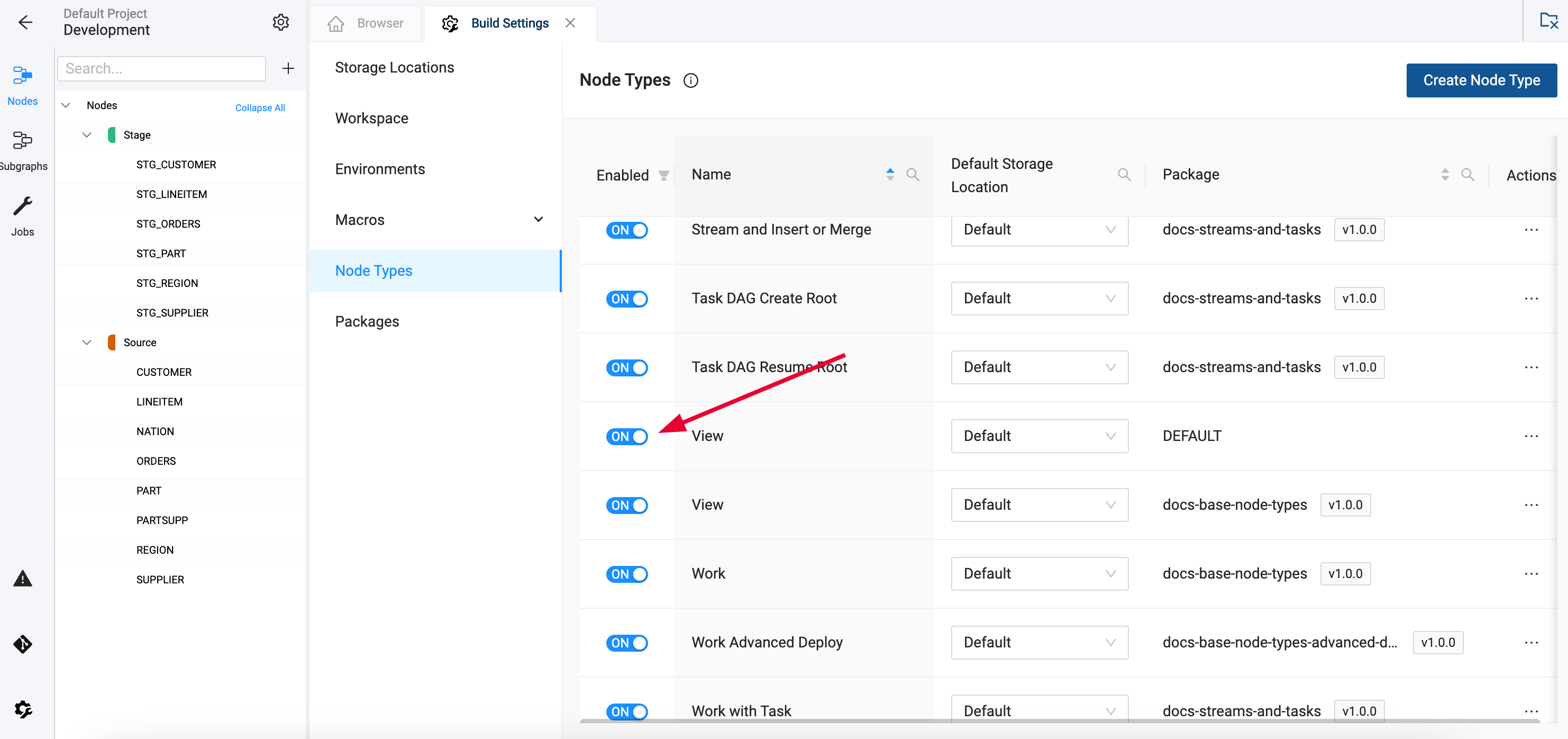
View nodes are used for creating a generic SQL VIEW. Many other node types can also be materialized as SQL VIEWs. The purpose of having this node type is for improved readability when looking at a DAG. Learn more in Understanding View Nodes.
They are disabled by default but can be toggled in your Build Settings > Node Types.
Custom Node Types
Beyond the defaults, you can build your own Node Types of either kind: YAML Node Types configured through the mapping grid, or SQL Node Types configured through SQL annotations. Learn more in Custom Node Types.
Package Nodes
After installing a package, you'll see the package listed under Node Types. Each package can contain multiple node types and the type will always be the package name. Learn more about Packages.
What's Next
- Choosing Between YAML and SQL Node Types - Pick the right version for each layer.
- Custom Node Types - Learn how to create custom node types.
- Building Your Pipeline - Get started building your data transformation pipeline.
- Marketplace - View all Coalesce Nodes available for your pipeline.