Documentation index: llms.txt. This page is also available as markdown: append .md to this URL or send Accept: text/markdown.
What's My ID?
Coalesce APIs, the CLI (COA), and Transform MCP often require numeric or string IDs for Environments, Projects, Workspaces, Nodes, Jobs, and runs. This page shows where to find each ID in the app and which format each integration expects.
For Transform MCP tool names that use each ID, see the ID type table below and Available Tools.
ID Types at a Glance
| ID | Format | Common uses |
|---|---|---|
| Environment ID | String | REST and MCP environment and node reads; runs_start, runs_cancel |
| Project ID | String | REST and MCP project reads; environments_create; runs_list filters |
| Workspace ID | String | REST workspace nodes; nodes_list_workspace, nodes_get_workspace |
| Node ID | String | REST and MCP node reads |
| Run ID | Integer | REST run reads; MCP runs_get, runs_results, runs_retry, runs_cancel, runs_status |
| Job ID | String | MCP runs_start when scoping to a Job |
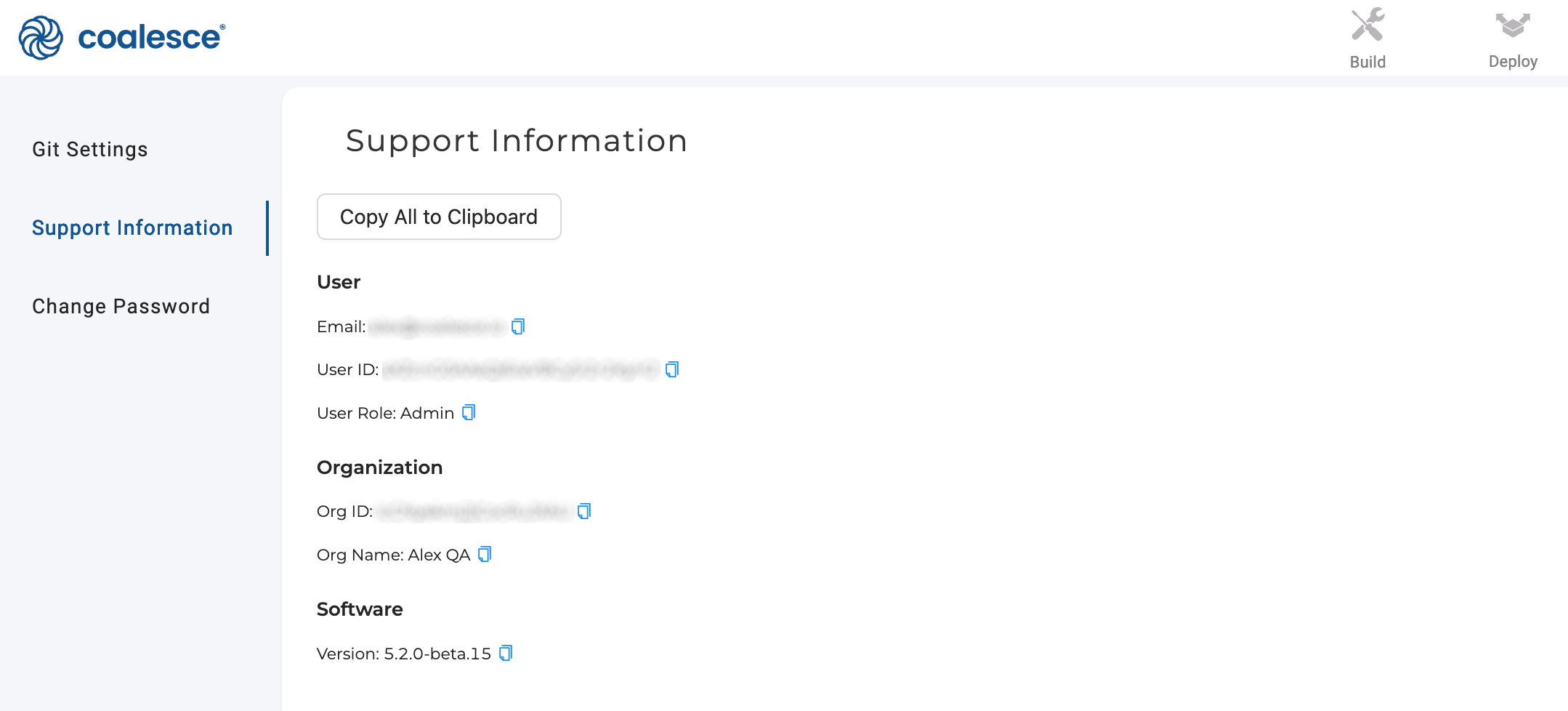
| Org ID | String | Support and account context |
The scheduler API names the numeric run identifier runCounter. Transform MCP tools expose it as runID. A run URL may contain a UUID, but that UUID is not the run ID REST or MCP tools accept.
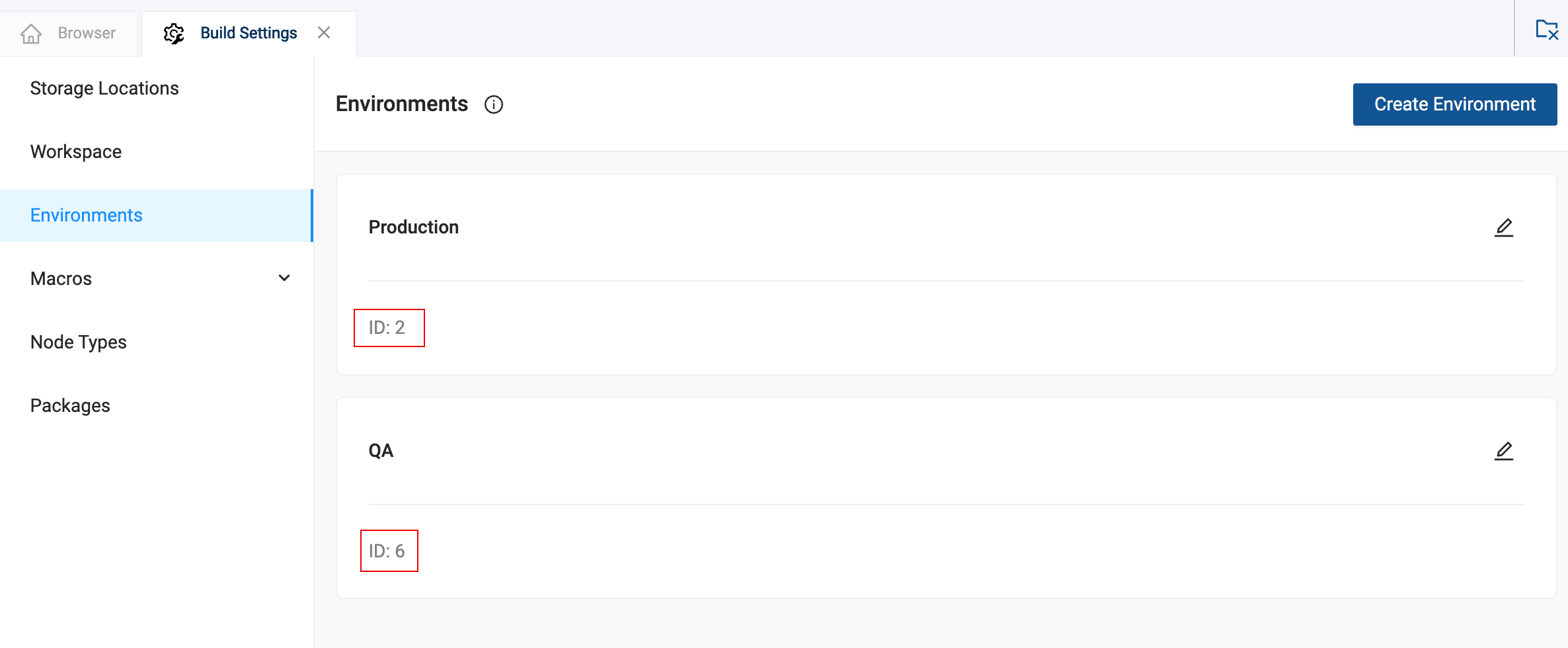
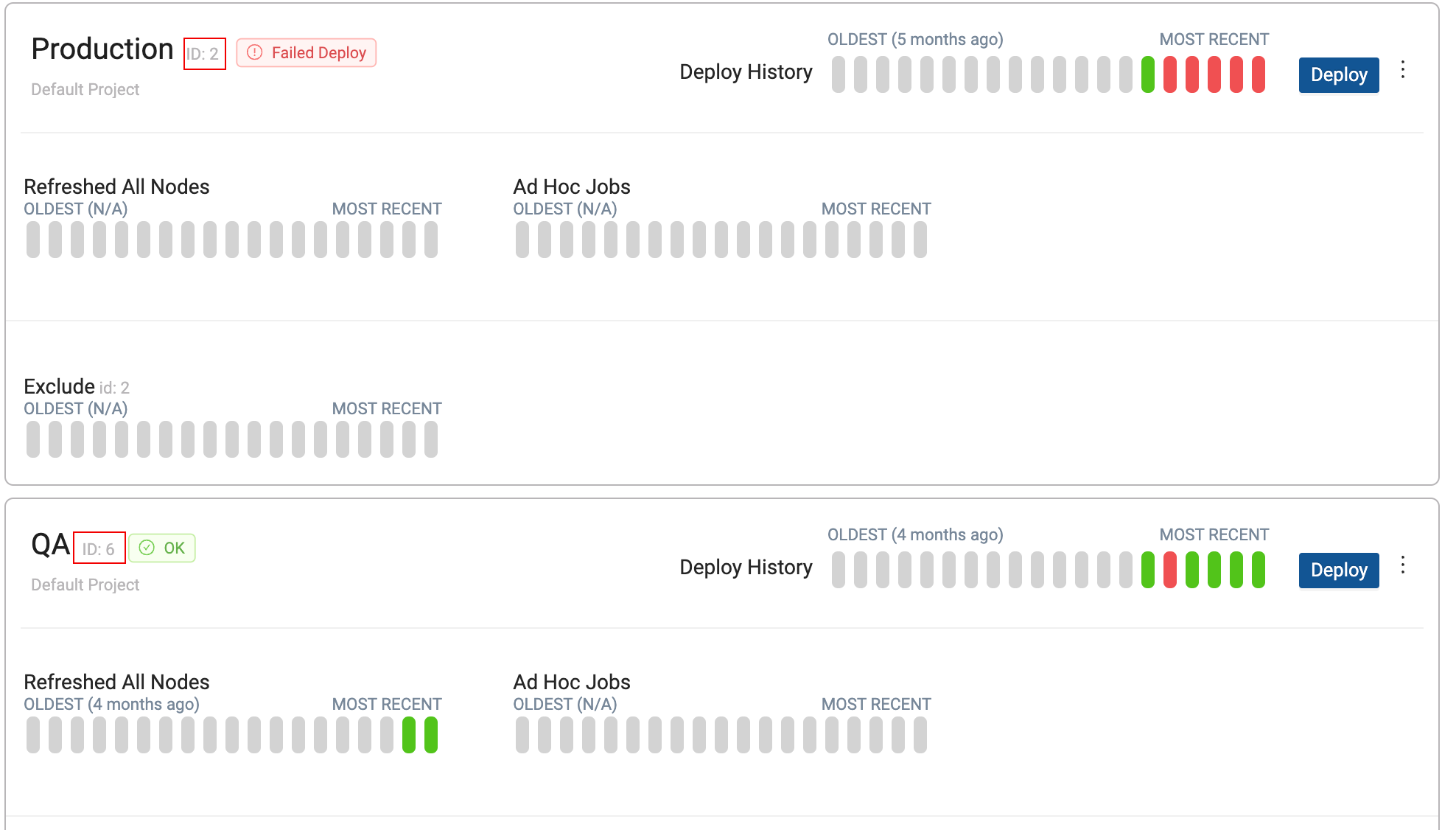
Environment ID
In the app:
-
Go to Build Settings > Environments.
-
On the Deploy page, select an Environment. The ID appears in the URL or Environment details.
Via API or Transform MCP:
- Call List Environments or the
environments_listMCP tool and read theidfield from the response.
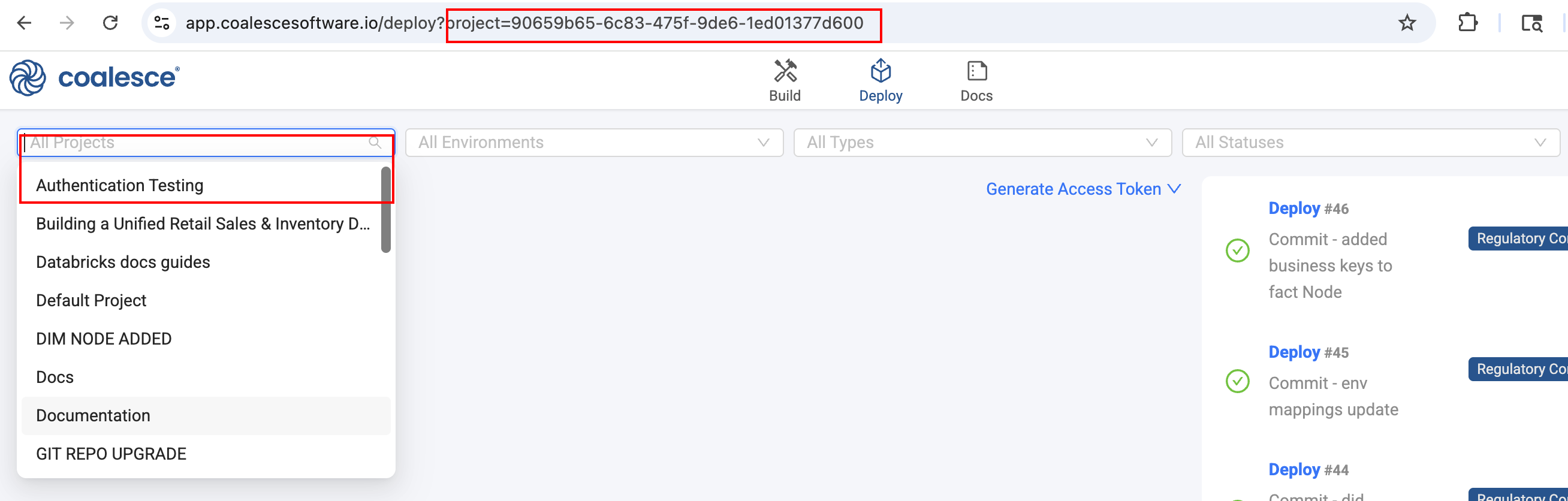
Project ID
In the app:
-
On the Deploy page, filter by Project and read the ID from the browser URL.
Via API or Transform MCP:
- Call List Projects or the
projects_listMCP tool and read theidfield from the response.
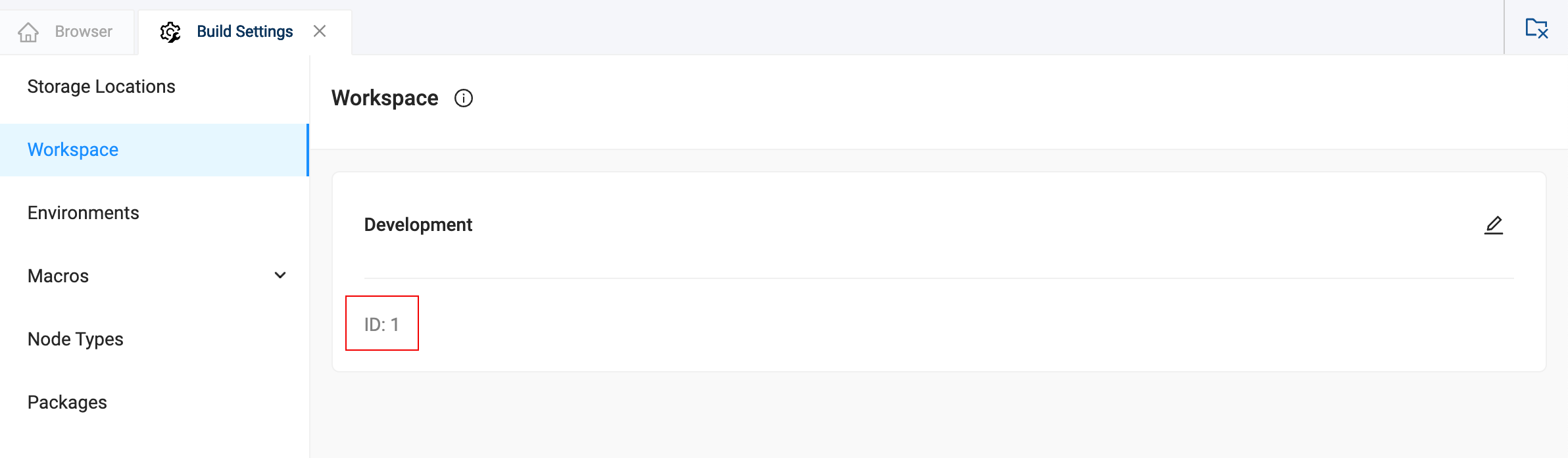
Workspace ID
In the app:
-
Go to Build Settings > Workspaces.
Via API or Transform MCP:
- Call List Projects with the
includeWorkspacesquery parameter, or callprojects_getwithincludeWorkspaces: true, and read Workspace IDs from the nested response.
Node ID
In the app:
-
In the Node editor for the Node you are editing.
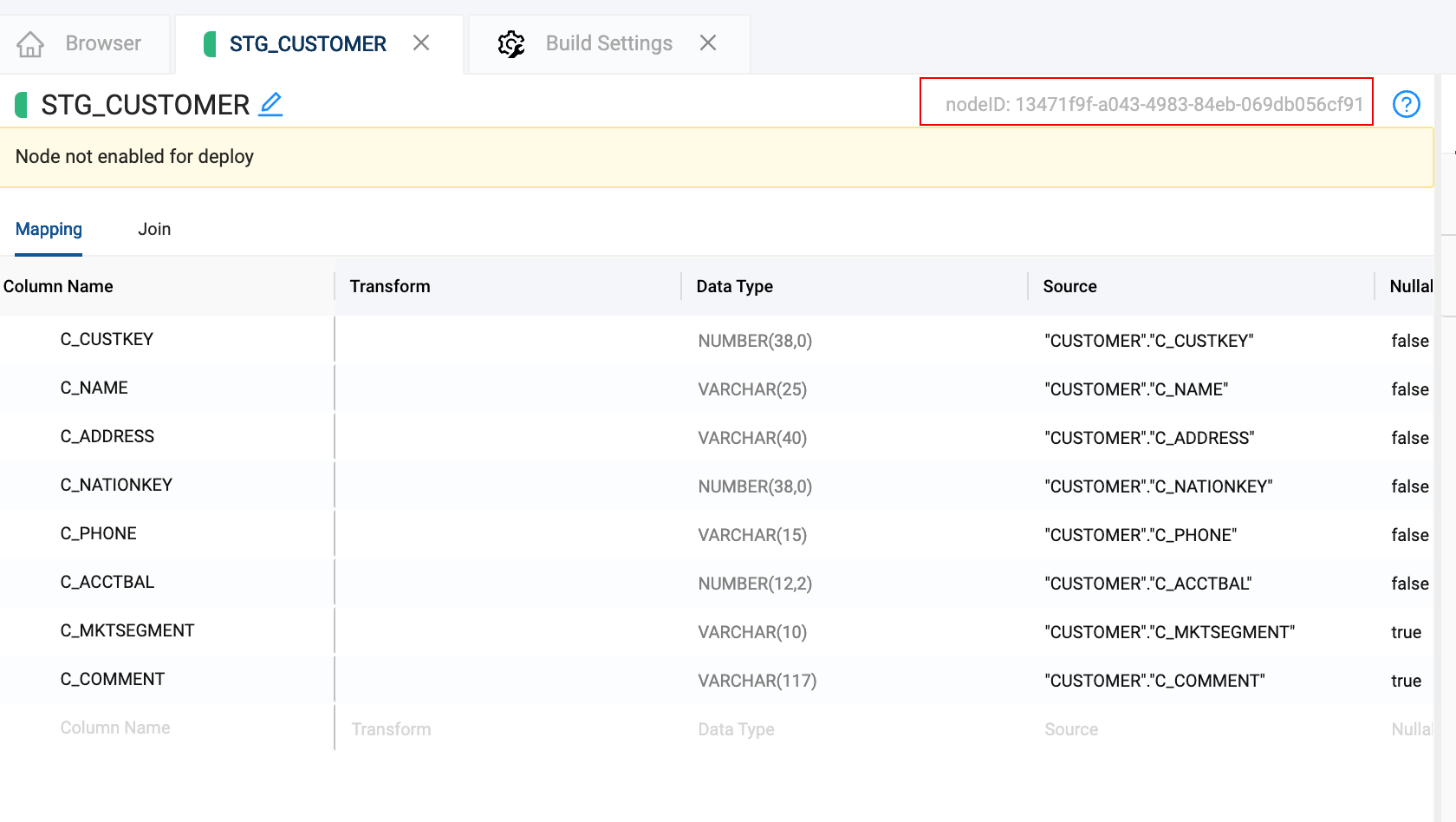
-
In run results for an Environment.
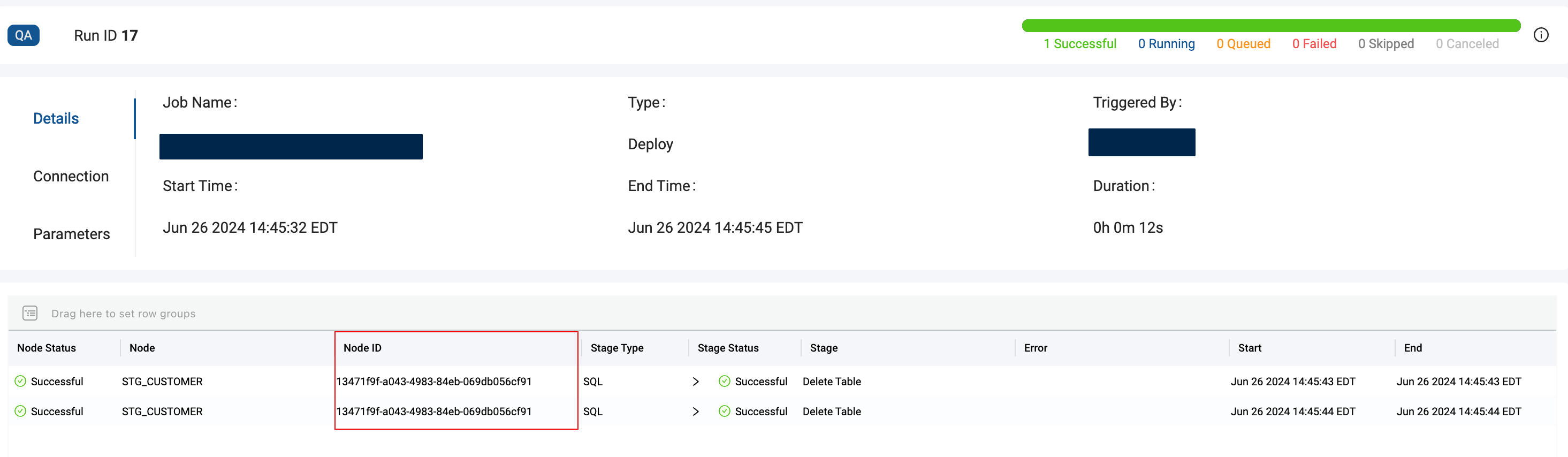
Via API or Transform MCP:
- Call List Nodes with an Environment ID, or
nodes_list_environment/nodes_list_workspacefor MCP. - Call List Run Results for a run.
Run ID
In the app:
-
Open run results for an Environment on the Deploy page. The numeric run counter appears in run details.
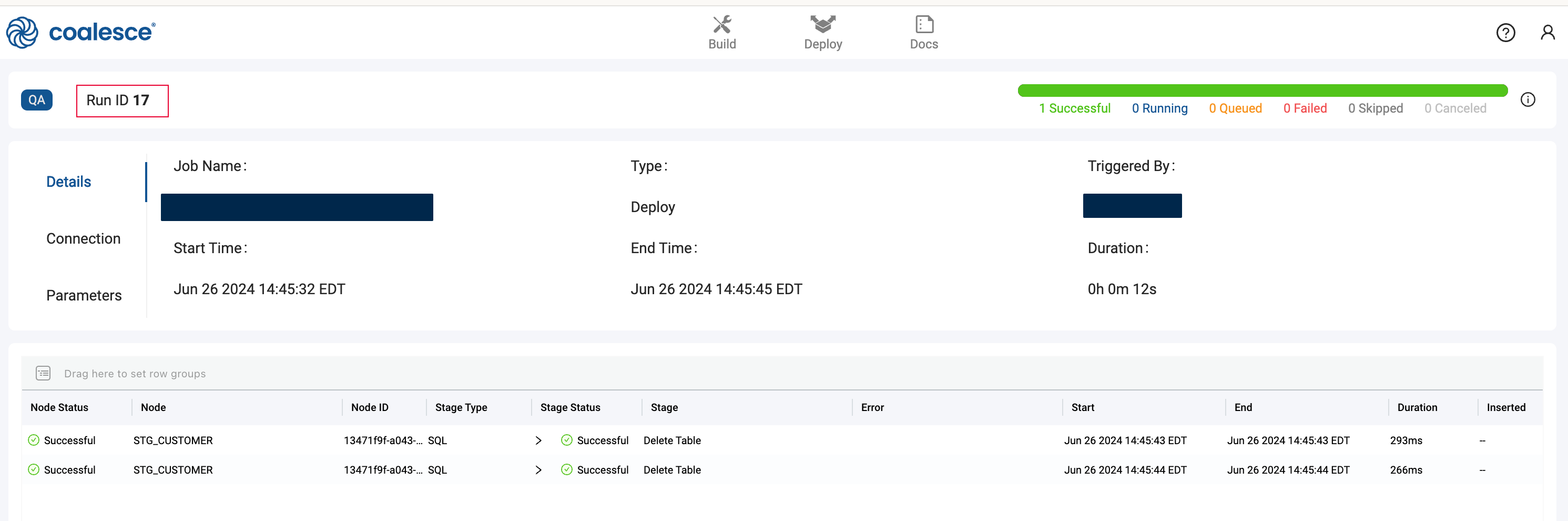
Via API or Transform MCP:
- Call List Runs or the
runs_listMCP tool. Use the numeric run identifier from each run object, not the UUID in the browser URL.
# Correct for runs_get, runs_status, and similar tools
runID: 42

# Wrong — UUID from a run URL is not runID
runID: "a1b2c3d4-e5f6-7890-abcd-ef1234567890"
Job ID
To scope a refresh run to a Job (REST Start Run or MCP runs_start):
-
Open Deploy and select an Environment.
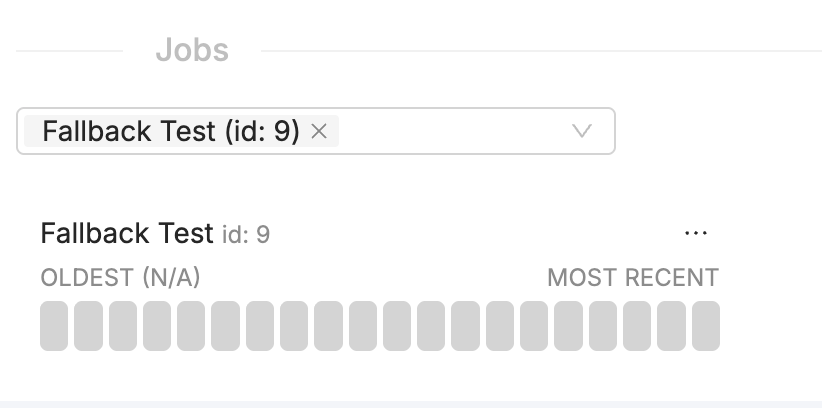
Or call projects_get with includeJobs: true and read Job IDs from the nested Workspace data.
Org ID
-
Open your user profile in Coalesce and click Support Information.
Tips for Transform MCP
When prompting an AI assistant to call Transform MCP tools:
- Ask it to call
projects_listorenvironments_listfirst if you do not know the IDs. - For run operations, say "use the numeric run counter" if the assistant passes a UUID from a URL.
- For full-environment refreshes, the assistant must pass a
jobIDorincludeNodesSelector, or setconfirmRunAllNodes: true.