Documentation index: llms.txt. This page is also available as markdown: append .md to this URL or send Accept: text/markdown.
Overwriting at Deploy
Learn how to override default parameters when you deploy from the Coalesce App, and how to pass JSON overrides on coa plan when you use the CLI (including shell quoting on macOS, Linux, and Windows).
Overwriting Default Parameters in the Coalesce App
When deploying from the Coalesce App, you'll have the option to overwrite default parameters or provide new parameters specific to that Environment. If default parameters were set, they will appear here.
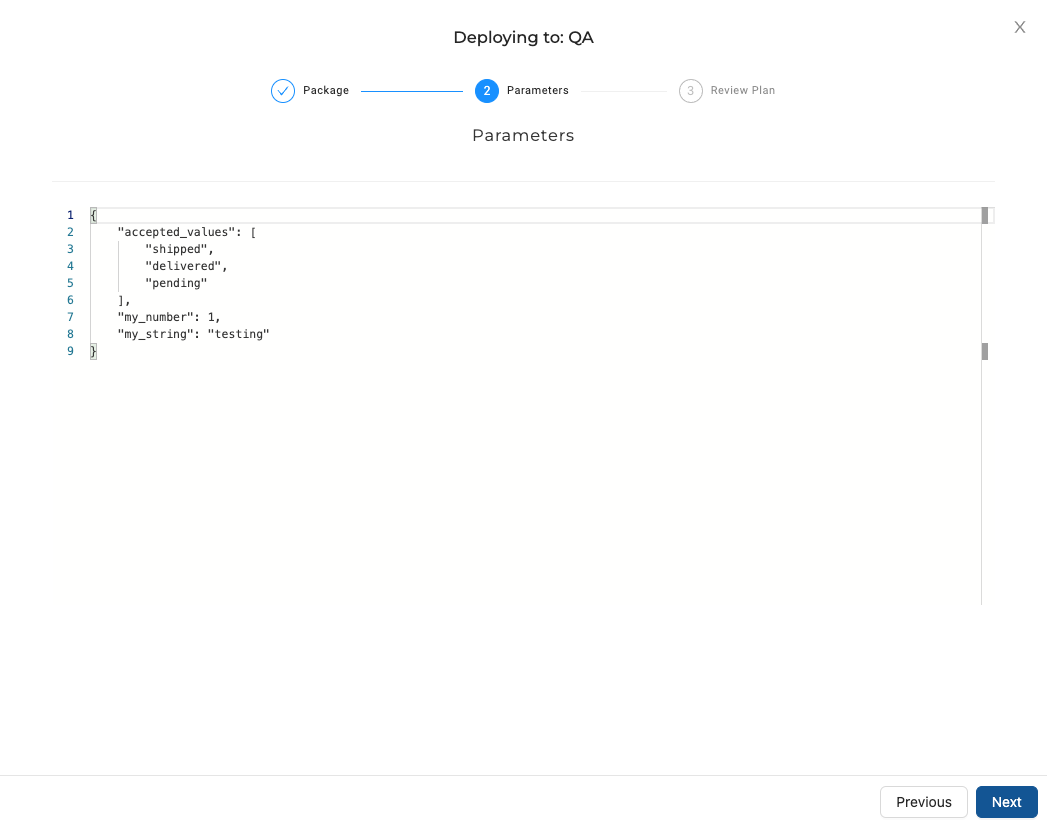
Any changes to Parameters in the Deploy screen will only apply to that specific deployment. Defaults will be left unchanged for subsequent deployments. Values overridden at deploy time are omitted from runTimeParameters in run results.
Overwriting Default Parameters With Plan
To override default parameters from the command line, pass --parameters with a valid JSON object on coa plan for that run.
--parameters on coa deploy does nothing. Deploy does not read JSON parameters or merge them again.
When you include --parameters on coa plan:
- Planning renders your pipeline SQL with those values.
coa deployruns the queries produced during that plan step (the same rendered SQL), not a separate parameter pass on deploy.
Parameter Reference Warnings During Plan
When Coalesce generates a deployment plan in the Deploy Wizard or with coa plan, it checks {{ parameters... }} references in your Nodes and Node Types against the parameters defined for that plan. Mistyped or missing keys surface as warnings. Warnings do not block the plan by themselves.
Resolve warnings by correcting the reference, adding the key to your default parameters, or supplying it as a plan-time override on the Parameters step or with --parameters. Prefer fixing warnings before you deploy or refresh so templates do not fail later with missing values.
This check runs at plan time. It does not run when you save Nodes in the Workspace or when you use local coa create or coa run.
- bash
- Windows PowerShell
- Windows Command Prompt
Wrap the JSON in single quotes so the shell does not interpret double quotes inside the object:
coa plan --parameters '{ "foo": "bar" }'
A single-quoted argument is treated literally, which usually matches the macOS or Linux approach:
coa plan --parameters '{ "foo": "bar" }'
If that fails for your PowerShell version or profile, use the backslash-escaped double quotes from the Windows Command Prompt tab, or run the command from Command Prompt.
The shell strips the outer double quotes and passes the JSON to the CLI. Escape each inner double quote with a backslash:
coa plan --parameters "{\"foo\": \"bar\"}"