Documentation index: llms.txt. This page is also available as markdown: append .md to this URL or send Accept: text/markdown.
Auto-Preview
Auto-Preview controls whether Coalesce automatically fetches and displays data in the Data Viewer after a successful Node run in a Workspace. When enabled, Coalesce runs a query such as SELECT * LIMIT 100 against the target table and shows the results. When disabled, that query is skipped, which reduces compute costs and lets you decide when previews run. The default is set in Project Settings and can be overridden per Node during your session.
Configuring Auto-Preview
You can set Auto-Preview at the project level for all Nodes, or override it temporarily for individual Nodes while you work.
Project Settings (Default Behavior)
The project-level setting defines the default Auto-Preview behavior for every Node in your Project. It persists across sessions.
- Open Project Settings.
- Go to the Preview Control tab.
- Toggle Enable Auto-Preview on or off.
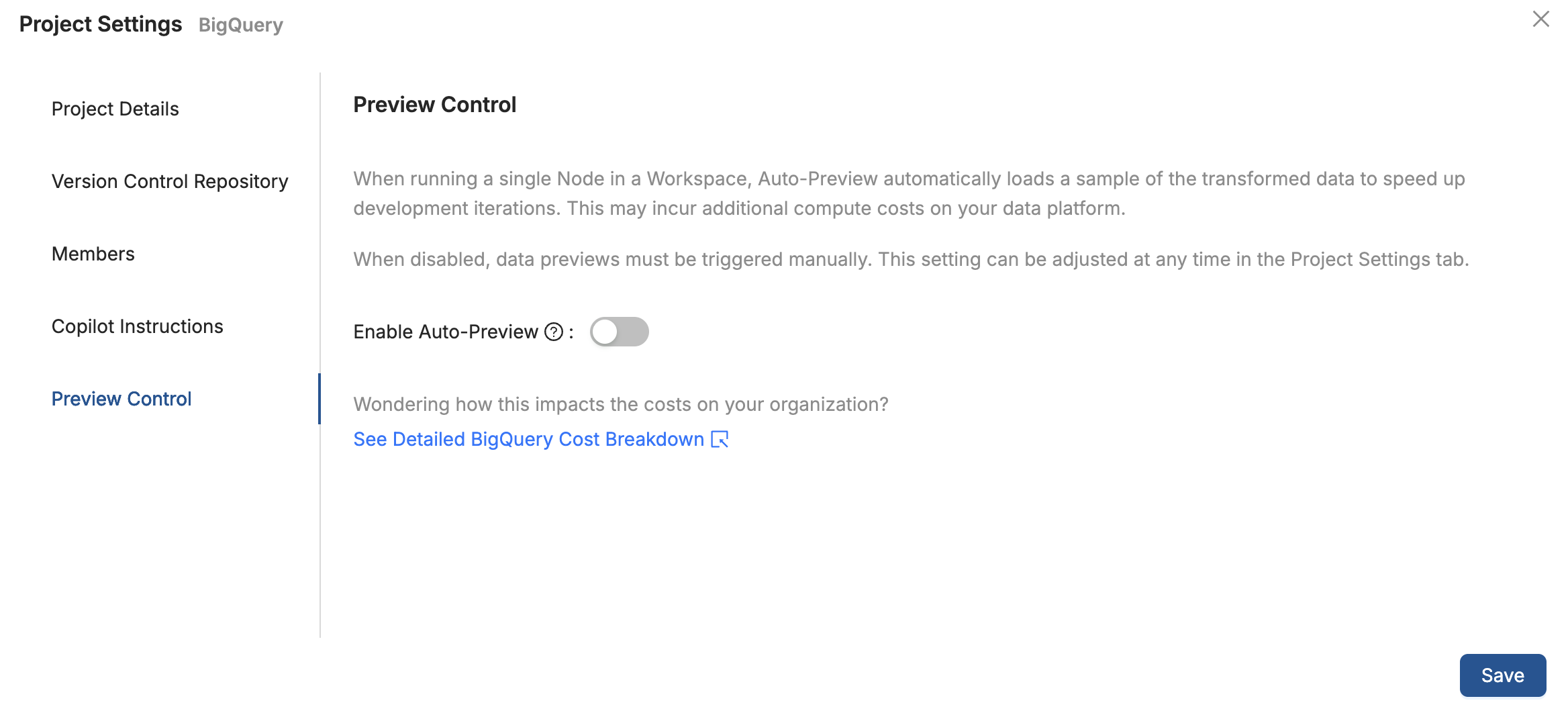
When enabled, Coalesce automatically fetches a sample of the data after an individual Node run. When disabled, automatic data fetching is turned off so you can manually control when preview queries run.
Node-Level Override (Temporary)
You can temporarily override the project default for a specific Node during your current session. This is useful when you want to preview results for one Node without changing the project-wide setting.
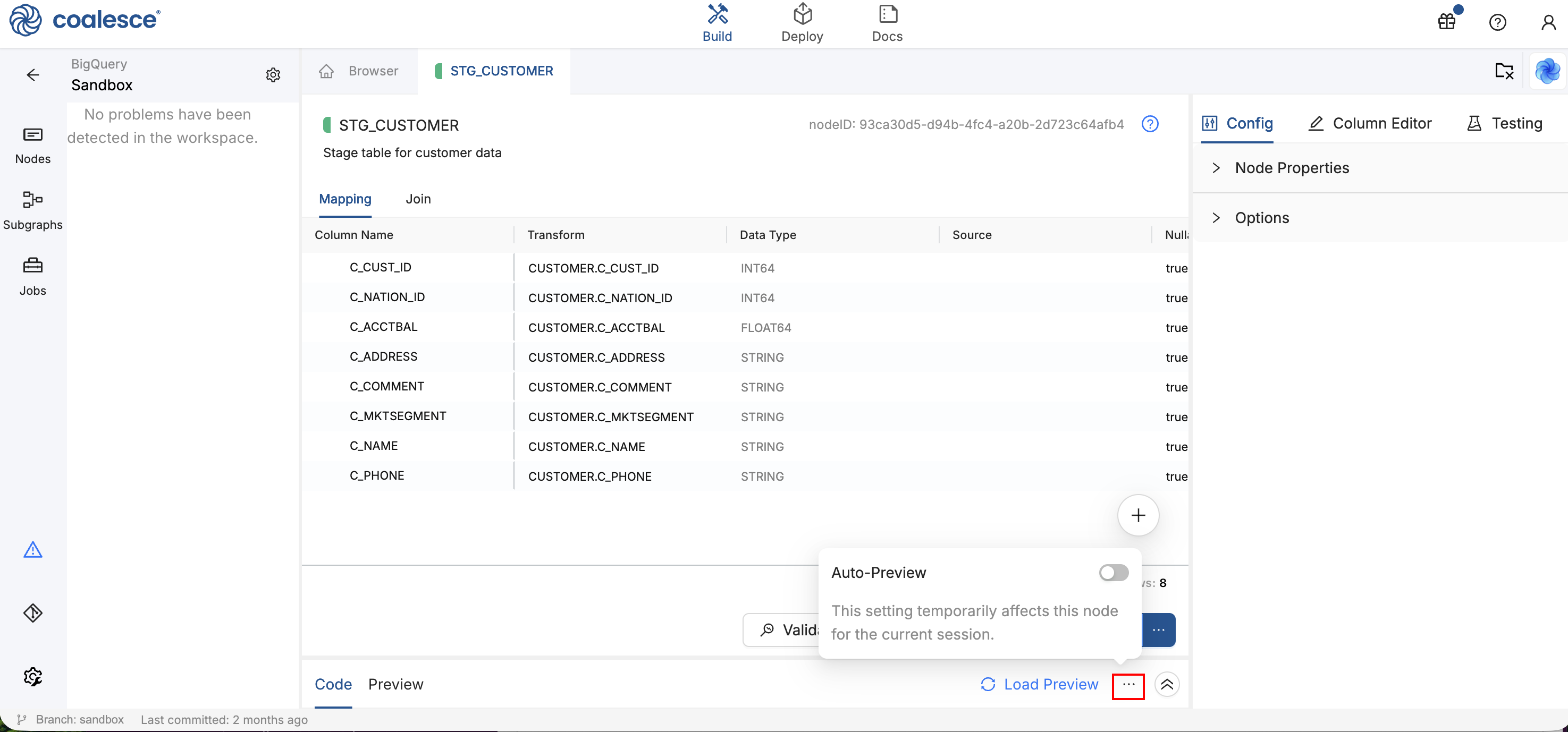
- Open the Data Viewer panel at the bottom of the Workspace.
- Find the Auto-Preview status indicator in the status bar.
- Click the menu button (three dots) to open the settings popover.
- Toggle Auto-Preview on or off for that Node.
This override applies only to your current session. When you close the Workspace or start a new session, the Node reverts to the project default.
Loading Preview Data Manually
You can click Load Preview at any time to manually fetch a sample of the current table data without re-running the Node. Load Preview is always available regardless of your Auto-Preview setting.
Behavior Summary
- Single-node runs respect your Auto-Preview setting. If it is on, data loads automatically after a successful run. If it is off, you choose when to load.
- Multi-node runs never auto-fetch data regardless of settings, since previewing results across many Nodes at once is typically unnecessary.
- Node-level overrides are session-only. They let you make quick adjustments without affecting the rest of your Project or other team members.
What's Next?
- The Build Interface for an overview of the Results and Data Pane
- The Node Editor for Node execution modes and data preview